The Samsung Galaxy S26 doesn’t have the advanced cooling system introduced with the Ultra model this year. Nevertheless, it never got too warm during my test. Games like “Genshin Impact” or “Dead Cells” run smoothly at maximum settings. Switching between apps is also easy.
Benchmarks
Cameras
- Excellent night shots
- Strong zoom, weak macro shots
- Unreliable AI editing
The S26 has a 50-megapixel main camera, a 12-megapixel ultra-wide-angle camera and a 10-megapixel telephoto camera. There is a 12-megapixel sensor on the front with an aperture of f/2.2.
Although this is a step down from the Ultra with a 200-megapixel main camera, 50-megapixel ultra-wide angle and 50-megapixel telephoto lens with 5x zoom, you still get an impressive camera setup with the S26. The neon lights of the Moulin Rouge appear very clear at night and the color reproduction is really great.
Adam Smith / Foundry
The windmill’s string of lights, which other smartphones only see as yellow spots of light, is captured here in all colors despite the distance. The zoom function of the Samsung Galaxy S26 is also impressive. In daylight, you can zoom in on Notre-Dame de Paris and easily see the gargoyles.
However, there are also areas for improvement. When taking macro shots, the S26 struggles to capture small details like the pollen on a flower’s petals or the brush strokes on an oil painting.
Samsung has also given the S26 a new video setting. “Horizontal Lock” stabilizes the image when recording, making tracking shots easier. If the function is activated, you can rotate and shake the smartphone and the horizon always remains straight.
However, the mode is difficult to switch on. You first need to open the Video tab in the Camera app, then go to Settings and enable it every time you switch to Video. Nevertheless, the feature is a practical addition.
In the editing suite, Samsung has also added a number of AI features, including the ability to edit photos using text-based prompts. The functions are quite suitable for some editing. Darkening an image works quite reliably, and the AI eraser is effective, even if artifacts still remain in difficult areas such as masonry.
However, for more creative tasks, the AI is surprisingly weak. A circle around a crow and the instruction to “make the bird bigger” created a Frankenstein-like creature. A second attempt was better, but changed the bird species.
In the editing suite, Samsung has also added a number of AI features, including the ability to edit photos using text-based prompts. The functions are quite suitable for some editing. Darkening an image works quite reliably, and the AI eraser is effective, even if artifacts still remain in difficult areas such as masonry.
However, for more creative tasks, the AI is surprisingly weak. A circle around a crow and the instruction to “make the bird bigger” created a Frankenstein-like creature. A second attempt was better, but changed the bird species.
Battery life & charging
- Lasts almost three days
- Charging speeds below the level of flagship models
- Magnetic wireless charging requires a compatible case
Samsung has increased the S26’s battery to a total of 4,300 milliamp hours, compared to the S25’s 4,000 milliamp hours. However, the capacity for 2026 is still below average.
In my test, the battery lasted almost three days before the S26 had to be charged. In our PCMark battery test, the S26 achieved a mediocre result of 14 hours and 56 minutes.
There are no improvements in loading speeds compared to its predecessor. You get 25 watts of wired charging and 15 watts of wireless charging.
There is no charger included, so I had to use my own. With an older 65 watt OnePlus Warp power supply, the Samsung Galaxy S26 only managed 5 percent in 15 minutes and 11 percent in 30 minutes. Using a Macbook charger, the battery went up to 18 percent in 15 minutes and 35 percent in 30 minutes.
Adam Smith / Foundry
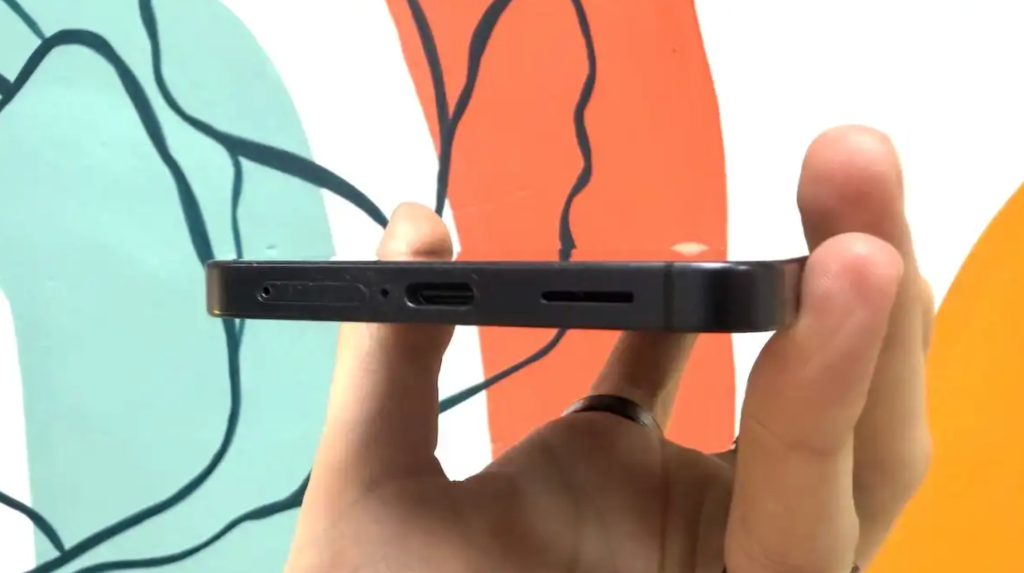
Samsung also failed to equip the S26 with a proper wireless charging function. Although it is compatible with Qi2, there are no magnets built into the housing. So you can only dock the smartphone on a magnetic charger with a compatible case.
User Interface & Apps
- Android 16
- Mixed AI functions
- User interface issues persist
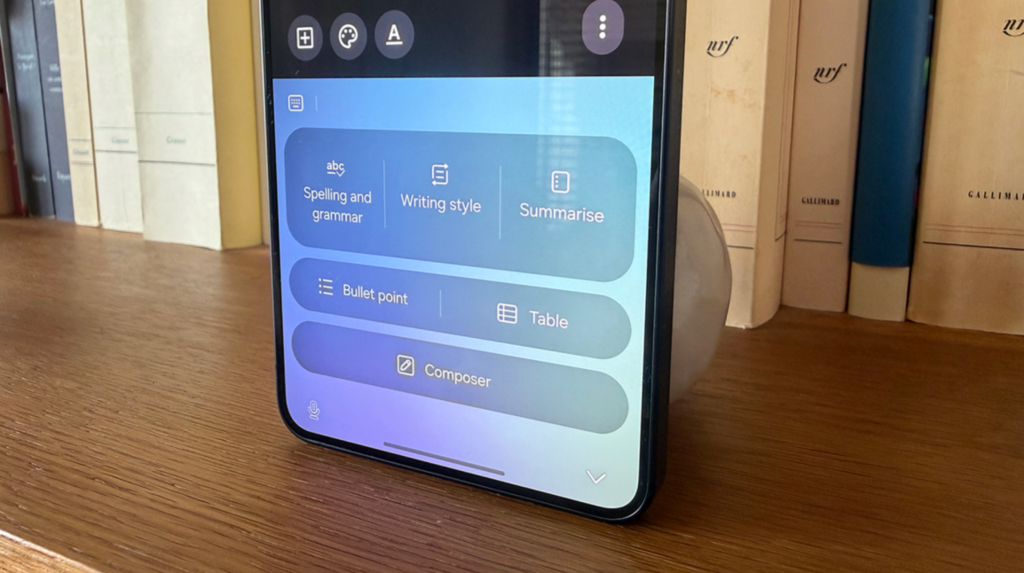
The Samsung Galaxy S26 runs One UI 8.5 based on Android 16. “Now Brief” is the most noticeable feature and sits at the top of the screen. The function saves you from searching or typing. Instead, the system analyzes the current screen content and provides appropriate suggestions even before you ask for them.
Adam Smith / Foundry
In theory this sounds useful, in practice it is mediocre. An unobtrusive icon appears to match the screen content. For example, it suggests sharing contact numbers or marking calendar events while you work on emails. This works well, but is not a groundbreaking innovation. For example, if you tap a calendar link and then open the map, you’ll just end up at a Google Maps thumbnail instead of the actual app.
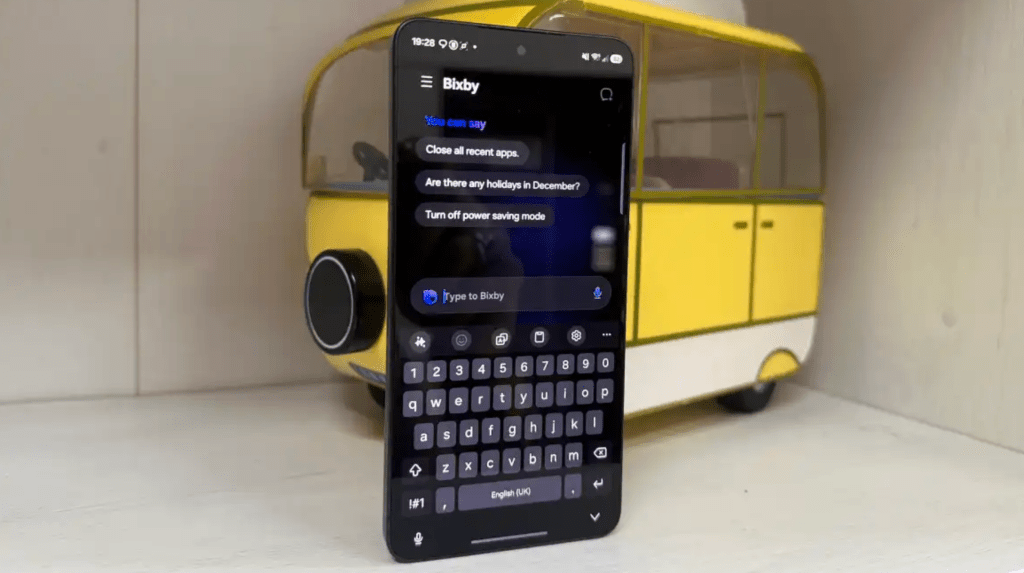
Bixby is also on board and has theoretically been improved. Thanks to the Perplexity integration, the assistant offers a new user interface and better understands natural language. He can now navigate through relevant system settings. This is practical, but would be better off in the Settings app. Gemini can also do this and switch to “Do Not Disturb” mode. So it remains questionable why you should choose Bixby.
Additionally, there is “Now Nudge” for predictive messaging. The feature suggests actions based on the screen content, such as creating a reminder or matching photos to reply to friends. However, this doesn’t work everywhere. For example, the all-in-one app “Beeper” did not show any news recommendations, even though this app has its own AI tools for summaries and texts.
Adam Smith / Foundry
Aside from the AI functions, Samsung’s software is less convincing. Searching for an app returns a confusing list of results. Old calendar appointments, settings or widgets first appear before the system finally displays the Play Store.
With a cheap entry-level cell phone, these errors would be forgivable. However, at a price of almost 1,000 euros, it seems as if Samsung had never tested the device in everyday life.
On the other hand, the first-class support is positive. Like Google, Samsung offers seven years of operating system and security updates for the Galaxy S26.
Price & Availability
The Galaxy S26 in white and sky blue with 256 gigabytes of storage is currently available at Amazon for 949 euros. You pay 999 euros for 512 gigabytes of internal storage.
This puts the device in the price range of the iPhone 17 and Xiaomi 17. It is also more expensive than the Google Pixel 10. That is a proud price for a target group that actually wants to save money and avoid the extra charge for the better S26 Ultra.
You can find more alternatives in our test of the best smartphones.
Conclusion
The Samsung Galaxy S26 is an excellent smartphone in a really beautiful case. The camera performance is particularly impressive at night. The display isn’t class-leading, but it’s more than adequate for everyday use. The “Horizontal Lock” video mode is one of those features that seems like a gimmick at first, until you use it and don’t want to be without it.
With a few further improvements, the cheaper model could really delight users. It is therefore hardly worth changing from the previous year’s model. However, anyone upgrading from an S23 or older device will clearly notice the improvements in battery life, camera and processing power.
Technical data
- One UI 8.5
- Android 16
- 6.3 inches, 1,080 x 2,340 pixels, 120 Hertz refresh rate
- Ultrasonic fingerprint sensor in the display
- Qualcomm Snapdragon 8 Elite Gen 5 for Galaxy (USA) / Exynos 2600 (Europe)
- 12GB RAM
- 256GB storage
- 50MP f/1.8 main sensor
- 12 MP Ultraweitwinkel
- 10 MP 3-fold Tele
- 12-MP-Selfie-Camera
- Up to 8K at 30 fps (rear camera)
- Stereolautsprecher
- Dual-SIM eSIM
- Wi-Fi 7
- Bluetooth 5.4
- NFC
- USB-C 3.2
- 4.300-mAh-Battery
- 25W wired charging
- 15W wireless charging
- 149,6 x 71,7 x 7,2 mm
- IP68 certified
- 167 Gramm
- Farben: Pink Gold, Silver Shadow, White, Cobalt Violet, Black, Sky Blue
(PC-Welt)