Rita El Khoury / Android Authority
I often come across a quick search or video that I’d rather watch in incognito on YouTube. It’s usually related to a temporary interest or research — planning for a trip, comparing products before a purchase, lots of work-related searches, quick current culture-related videos — that I don’t want to be associated with my account history, so I don’t get similar recommendations for months down the line. I used to resort to YouTube’s incognito mode in the app or on the web to watch these videos without leaving a trace for the pesky algorithm.
A few years ago, I discovered a better and more versatile solution that gives me the separation and privacy of an incognito mode, while still keeping all the benefits and features I’m used to. Since then, I haven’t opened Incognito once.
Do you watch YouTube in incognito mode?
247 votes
Why YouTube’s incognito sucks

My issue with resorting to incognito mode on YouTube is that I lose all my privileges when I switch away from my primary account. I’m subscribed to and pay for YouTube Premium, but since incognito acts like a signed-out version, it reverts to the free version of YouTube. I have to watch interminable ads with each video, stay online, forget about background playback, and about any of Premium’s extra perks. I’d never go back to the ad-filled YouTube experience by choice, so having to live with it in incognito is a frustrating waste of my time and money.
Besides, sticking with incognito means I can’t save any data that I actually care about. As I said, I used to use this mode for trip or product research, work, and more, but I was quickly annoyed by the fact that I was relinquishing playlists and channel subscriptions in the name of a bit of privacy or content sequestration.
Incognito disables my Premium benefits and takes away interesting features like playlists and saved subscriptions.
If you’re fine with those limitations and/or you have a free YouTube account, then the reasons to ditch incognito become less relevant. But if you’re a paid Premium subscriber and you need more from your incognito watching time than an ad-filled, feature-less experience, then you’ll find this alternative path worth it.
Use multiple channels instead of incognito

Rita El Khoury / Android Authority
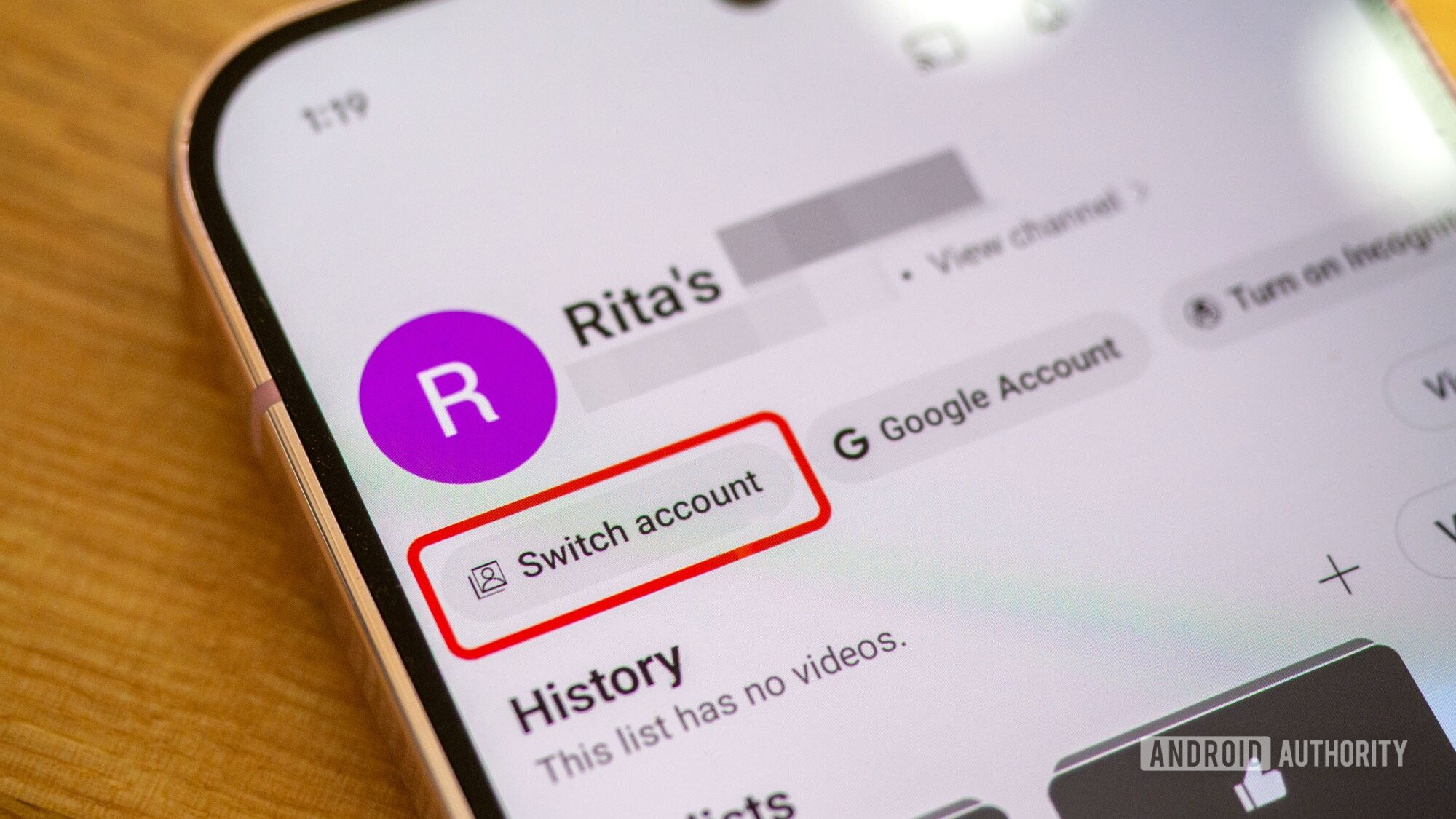
YouTube has a relatively unknown feature that lets you create multiple profiles (or channels) under the same account. Using the same email address, you can make a new channel with a different account name. No need to remember a new username or password, and no need to log in and out; you can simply switch between channels with a tap on Switch account under the You tab on mobile (or under your avatar on the desktop).
YouTube treats every channel like its own account with its own settings and data. So every channel you create is a blank slate, with an empty search or watch history, as well as an untouched algorithm. By choosing to set YouTube history and search to off in My Google Activity, you essentially transform this account into a pseudo-incognito account where any search or watched video doesn’t leave a trace or mess with the recommendations, all while keeping it separate from your main YouTube channel, where you can keep history and search on.
Channels also offer all of the perks of a standalone YouTube account, so you can make playlists while planning your next big purchase or trip, or subscribe to channels that provide interesting content that you don’t want to associate with your main profile. Maybe you’re watching political videos from a channel with opposite opinions, or you’re listening to music you’re not so sure about and want to check it out before committing, all of these are valid reasons to have a disposable, standalone YouTube channel that doesn’t ruin your main account. This is why I recommend you use multiple channels to keep your YouTube Music subscriptions separate from your main YouTube experience.
Under the same username and password, I can have a secondary profile without history or saved searches, and with all my Premium perks and all regular YouTube features.
The best perk, though? Premium benefits carry across all channels under the same account. So I get to watch all videos ad-free, with zero interruptions. I also get background playback, offline videos, the super helpful Continue Watching if I watch on multiple devices, and more. Of course, you can also unlock all age-restricted content since YouTube has your age, which is something that incognito can never do.
All in all, this is the perfect hack. It gives all of the benefits you usually lose when you go incognito, all while keeping searches and history private. There may be a few downsides, though, like the fact that you can only use one channel at a time and have to keep remembering to switch back and forth, and that, depending on where you live, you may need to upload an ID to create a new channel if you don’t already have one.
Don’t want to miss the best from Android Authority?


Thank you for being part of our community. Read our Comment Policy before posting.