We may receive a commission on purchases made from links.
Roku has its hands in just about every corner of the consumer tech space. From Roku streaming sticks and smart TVs to security cameras and other web-connected hardware, if you’re in the market for something electronic that connects to Wi-Fi and plays Netflix, Roku has you covered. But if you’re willing to step outside the box for a different kind of home theater experience, Roku also licenses its software to various third parties.
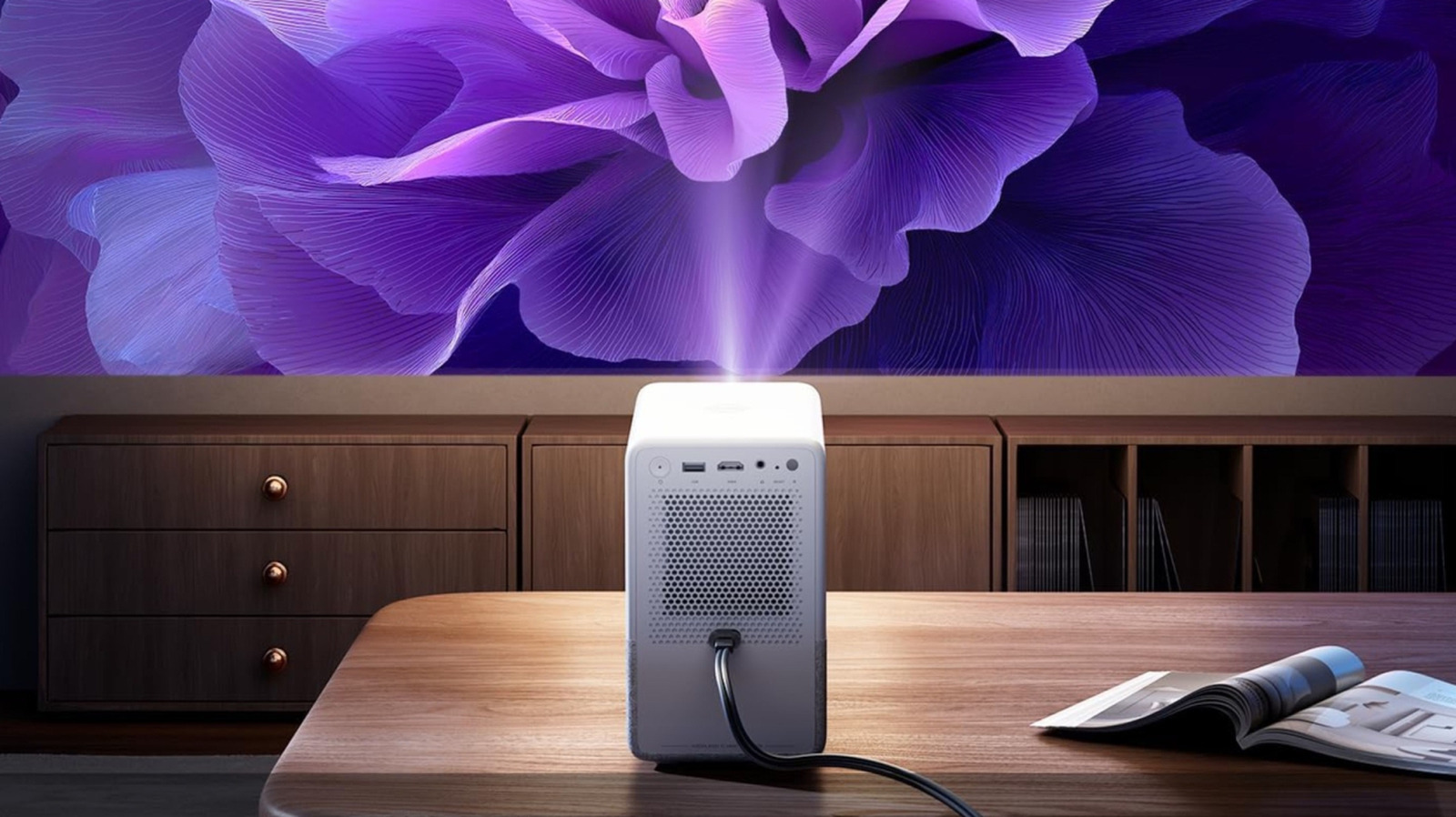
One great example is the Aurzen D1R Cube Smart Projector. For $249, this portable projector with Roku TV delivers up to 1080p HD picture and can project an image as large as 150 inches. It also supports features like Bluetooth and AirPlay, and can be connected to either 2.4 GHz or 5 GHz Wi-Fi. A free Roku account is mandatory to use the built-in Roku interface, but signing up is quick and straightforward.
This is precisely what we were talking about when we said that households are starting to switch from cheap TVs to smart projectors: Products like the D1R Cube offer a manageable learning curve for many first-time projector buyers and introduce consumers to the greater world of projection technology — and perhaps a bigger and better projector down the line.
A presentation powerhouse
Whether you and your colleagues use the conference room once in a while or every day, the D1R Cube is an excellent projector for workplace presentations. Its 7.6 inches of height and 4.2 pounds make it easy to move around, and the HDMI and USB ports are easily accessible for a laptop or phone connection. The D1R supports a wide range of file formats, including MP4 video, FLAC audio, and JPG images.
One great feature of Roku TV OS is the software’s built-in AirPlay support, which means anyone with an iPhone or MacBook can wirelessly mirror their device screen to the D1R Cube. Using AirPlay doesn’t require an internet connection, so you won’t have to worry about devices being on the same network.
If the office wasn’t built with this projector setup in mind, the D1R’s image correction tools will automatically refocus and resize the picture to match an existing screen or wall. The projector can also be ceiling-mounted and uses 1/4-inch screws to interface with mounting hardware.
A small TV replacement
Bedrooms tend to be an ideal location for TVs smaller than 50 inches, especially if you’re on a smaller floor plan. If you’d rather not have a small to mid-sized TV to mount on the bedroom wall, you can use the D1R Cube instead. As long as you can dim your lights enough to accommodate the D1R’s 330-lumen peak brightness, which is on the low end, you should have no issues using it in the bedroom.
Many budget-friendly TV brands use Roku TV OS for streaming and smart home, and the platform is just as intuitive and app-packed on the D1R. All you have to do is create a free Roku account, and you’ll gain access to hundreds of apps. You can rent and buy movies and shows or watch free Roku content. You can also use the D1R’s HDMI port to connect a standalone streaming device, game console, cable box, or other AV component, with the same features as in a standard smart TV. Its HDMI port is ARC-ready, so you can add a soundbar or AV receiver with speakers. Be aware that the D1R only supports ARC, though, not the higher-quality eARC standard.
A portable gaming rig
The D1R Cube is more versatile for running video games than a standard TV. As long as the projector and consoles you plan to use have a wall outlet or power strip to connect to, you can move the setup around the house and run games at up to 1080p image quality and 60 frames per second with HDR support (albeit limited to HDR10). While both the PS5 and Xbox Series X and Series S can output up to 4K and 120 fps, running games at 1080p and 60 fps is already good enough for casual gamers — so you really won’t be missing much in terms of picture details.
Features like auto focus and auto keystone help you home in on the best picture for your temporary or permanent gaming space, and the D1R’s built-in speakers should dish out decent audio for a living room or basement. And if you’d like to add speakers later on, you’ll be able to do so via HDMI ARC, Bluetooth, or the 3.5mm auxiliary port.
As long as there’s Wi-Fi to use, you’ll also be able to mix and match apps and games by jumping between Roku TV OS and your console’s web interface. You’ll even be able to watch movies and shows you’ve downloaded to your console.
Movies under the stars
Backyard movie nights are a big reason people opt for budget-friendly projectors, and the D1R Cube is well-equipped to tackle blockbusters under the stars. The sealed optical engine keeps dust and other debris off the lens. Depending on the footprint of your property, you may also be able to push the D1R to its 150-inch screen limit. While the 10-watt audio system may be too loud for neighbors, you can connect a pair of wireless headphones or earbuds to the D1R over Bluetooth for private listening.
A couple of things to keep in mind for outdoor viewing: The D1R only delivers up to 330 ANSI lumens, which isn’t bad for a $250 projector, but you should expect brightness limitations, especially if the sun hasn’t completely set. For the best outdoor viewing, we recommend pairing the D1R with a portable projector screen. If possible, we also suggest projecting away from ambient light sources.
Wi-Fi connectivity may also be a concern if your outdoor seating area is far from your router. Fortunately, you can switch between 2.4 GHz and 5 GHz network bands to try to get a better signal. And if the wireless internet isn’t on your side, you can always load movies onto a USB flash drive for offline viewing.