By using this site, you agree to the Privacy Policy and Terms of Use.
Accept
World of SoftwareWorld of SoftwareWorld of Software
  • News
  • Software
  • Mobile
  • Computing
  • Gaming
  • Videos
  • More
    • Gadget
    • Web Stories
    • Trending
    • Press Release
Search
  • Privacy
  • Terms
  • Advertise
  • Contact
Copyright © All Rights Reserved. World of Software.
Reading: The Big Mistake DIYers Make That Can Destroy Your Laptop Or Phone – BGR
Share
Sign In
Notification Show More
Font ResizerAa
World of SoftwareWorld of Software
Font ResizerAa
  • Software
  • Mobile
  • Computing
  • Gadget
  • Gaming
  • Videos
Search
  • News
  • Software
  • Mobile
  • Computing
  • Gaming
  • Videos
  • More
    • Gadget
    • Web Stories
    • Trending
    • Press Release
Have an existing account? Sign In
Follow US
  • Privacy
  • Terms
  • Advertise
  • Contact
Copyright © All Rights Reserved. World of Software.
World of Software > News > The Big Mistake DIYers Make That Can Destroy Your Laptop Or Phone – BGR
News

The Big Mistake DIYers Make That Can Destroy Your Laptop Or Phone – BGR

News Room
Last updated: 2026/01/03 at 7:13 AM
News Room Published 3 January 2026
Share
The Big Mistake DIYers Make That Can Destroy Your Laptop Or Phone – BGR
SHARE


Dusan Stankovic/Getty Images

Many phones and tablets these days are designed with sleekness and a premium build in mind. This approach comes with an unfortunate side effect: The device may not be as easy to tear down and repair as you’d prefer. Laptops are a little better in this regard, particularly PCs, but there are still some headaches to contend with.

Repairability has attracted a great deal of attention in recent years, with tech reviewers lauding manufacturers focused on offering repairability as a key feature to consumers. Apple, in particular, has made several steps forward in improving the repairability of its iPhones. After all, doing so extends the life span of expensive devices, keeping them in your hands — and out of landfills — for far longer. But before you open up that iFixIt (recently responsible for posting a popular teardown video on the iPhone Air) kit and start poking around, there’s one huge mistake you should avoid — leaving the device to be repaired connected to a power source. In the case of laptops or phones, ensure its battery is not connected.

Why disconnecting the battery first is so important


A phone sitting on a table, plugged in, with a warning logo on the screen
Tero Vesalainen/Shutterstock

While unplugging a power cord from an electronic device sounds like a logical first step when considering a self repair, cutting the power may be a less obvious thought when you’re working with a device that can draw charge from an internal battery. Disconnecting this power source is important, both for your safety and the safety of the components in your device.

First, the point on human safety. By unplugging the battery from its connectors, you’re essentially cutting off the electric charge to any exposed components in your phone or laptop. In cases wherein a battery connector cable is present, disconnect this rather than removing the whole battery — unless battery replacement is the aim of the repair, and in this scenario the cable should be disconnected first regardless. In other instances, be very sure not to use a metal spudger, or to excessively pry at or puncture the battery — doing so can pose a significant risk of injury. Also an important disclaimer: We don’t recommend fixing electronic devices unless you know what you’re doing.

Then there’s the safety of the device itself. A battery in a phone or laptop is the power source connecting an intricate array of components, all getting their charge from the battery. So, if you leave a battery connected but disconnect another component, a short circuit could result.

How to disconnect the battery in a phone or laptop


A laptop sitting on a table, opened up, showing a pair of hands set to begin a repair.
brizmaker/Shutterstock

One important note: With thousands of different phones and laptops out there, we can’t possibly promise that this is an exhaustive explanation or guide. It’s best to search reputable repair sites for your specific device, getting a rundown on where the battery is and how to disconnect it.

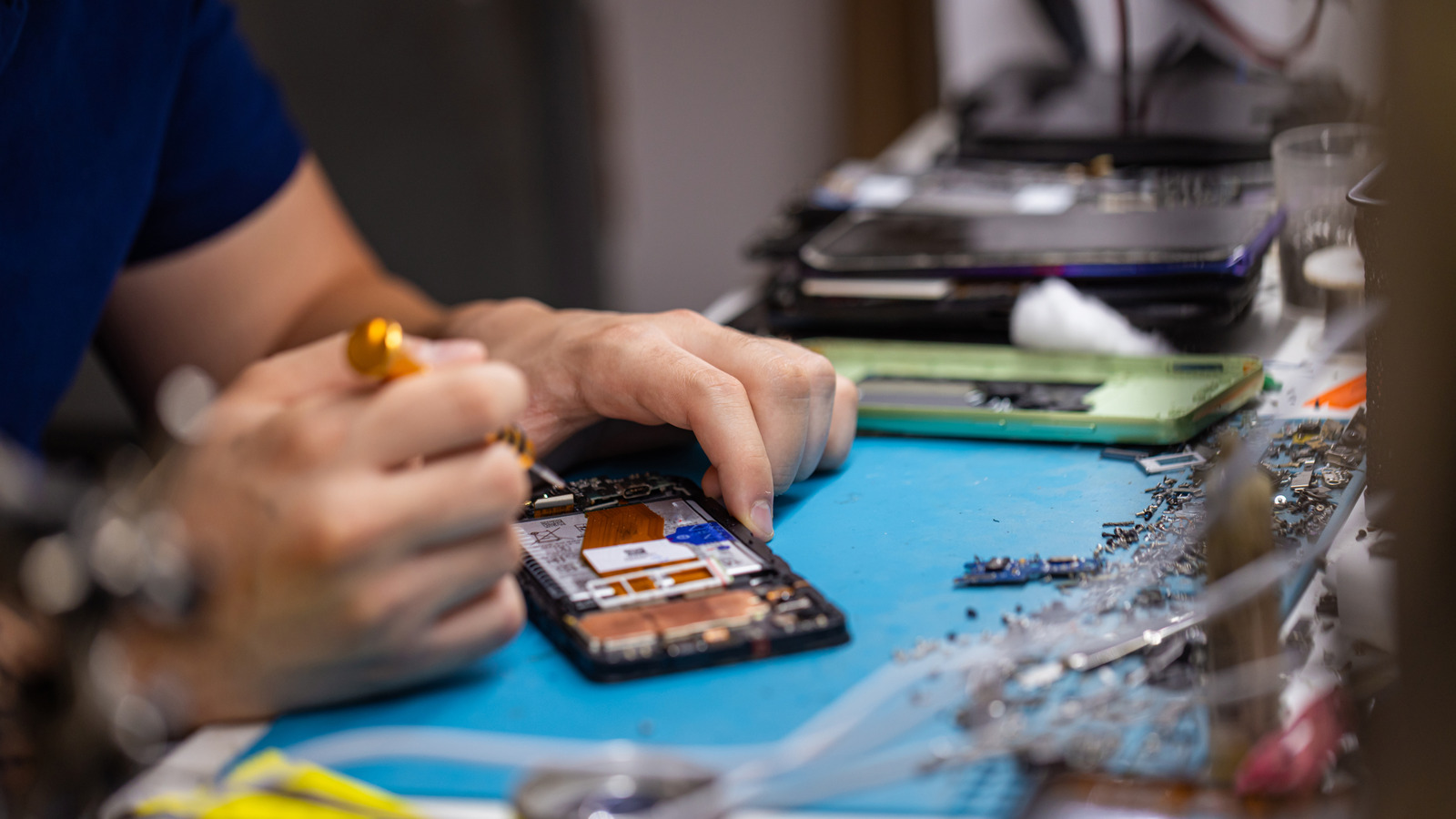
In general, for phones, a battery is usually one (or sometimes two) flat black rectangles packed horizontally into the device. Sometimes they’ll be behind some components, other times they can be seen as you open the device. Once the battery is located, there will typically be a cable running from it that is feeding power to the device (often a very skinny ribbon cable). Disconnecting this using a plastic spudger tool or small plastic tweezers will power down the system and allow you to continue working.

Laptops can be a little easier to tear down, but it’s still important to consider your planned process carefully. Opening the device is typically simpler than with phones, often only requiring the removal of a few screws. The use of an anti-static wristband to ground yourself is strongly recommended while working on laptop computers. Once inside, batteries are often visible (they often look like larger versions of phone batteries), but in some devices, such as MacBooks, these can be hidden behind other components. Locate the battery, engage the battery release slider (where present), disconnect the battery connector cable (where present), remove the battery if no connector cable is present, and then carry on.


Sign Up For Daily Newsletter

Be keep up! Get the latest breaking news delivered straight to your inbox.
By signing up, you agree to our Terms of Use and acknowledge the data practices in our Privacy Policy. You may unsubscribe at any time.
Share This Article
Facebook Twitter Email Print
Share
What do you think?
Love0
Sad0
Happy0
Sleepy0
Angry0
Dead0
Wink0
Previous Article GNOME Glycin Adds XPM/XBM Support To Address Fedora’s Last Unsandboxed Image Loader GNOME Glycin Adds XPM/XBM Support To Address Fedora’s Last Unsandboxed Image Loader
Next Article Bryan Cranston, Steve Buscemi, And More A-Listers Starred In An Underrated Philip K. Dick Adaptation – BGR Bryan Cranston, Steve Buscemi, And More A-Listers Starred In An Underrated Philip K. Dick Adaptation – BGR
Leave a comment

Leave a Reply Cancel reply

Your email address will not be published. Required fields are marked *

Stay Connected

248.1k Like
69.1k Follow
134k Pin
54.3k Follow

Latest News

JD promises 9 minute delivery time via its upgraded on-demand service · TechNode
Computing
Lenovo debuts a concept “no-charging” keyboard and mouse at CES 2026
News
CES 2026: AI-powered 3D digital avatars to support refereeing at FIFA World Cup 2026 · TechNode
Computing
Are Beats Headphones Reliable Now? Here’s What Users Say – BGR
News

You Might also Like

Lenovo debuts a concept “no-charging” keyboard and mouse at CES 2026
News

Lenovo debuts a concept “no-charging” keyboard and mouse at CES 2026

3 Min Read
Are Beats Headphones Reliable Now? Here’s What Users Say – BGR
News

Are Beats Headphones Reliable Now? Here’s What Users Say – BGR

5 Min Read
Amazon’s AI agents spark backlash from retailers after listing their products without their knowledge –  News
News

Amazon’s AI agents spark backlash from retailers after listing their products without their knowledge – News

9 Min Read
Lenovo is on a roll at CES: Two new rollable concepts, including one for gamers
News

Lenovo is on a roll at CES: Two new rollable concepts, including one for gamers

4 Min Read
//

World of Software is your one-stop website for the latest tech news and updates, follow us now to get the news that matters to you.

Quick Link

  • Privacy Policy
  • Terms of use
  • Advertise
  • Contact

Topics

  • Computing
  • Software
  • Press Release
  • Trending

Sign Up for Our Newsletter

Subscribe to our newsletter to get our newest articles instantly!

World of SoftwareWorld of Software
Follow US
Copyright © All Rights Reserved. World of Software.
Welcome Back!

Sign in to your account

Lost your password?