


By using this site, you agree to the Privacy Policy and Terms of Use.
Accept
World of SoftwareWorld of SoftwareWorld of Software
  • News
  • Software
  • Mobile
  • Computing
  • Gaming
  • Videos
  • More
    • Gadget
    • Web Stories
    • Trending
    • Press Release
Search
  • Privacy
  • Terms
  • Advertise
  • Contact
Copyright © All Rights Reserved. World of Software.
Reading: You Can Run An AI Chatbot Locally On Your iPhone – Here’s How – BGR
Share
Sign In
Notification Show More
Font ResizerAa
World of SoftwareWorld of Software
Font ResizerAa
  • Software
  • Mobile
  • Computing
  • Gadget
  • Gaming
  • Videos
Search
  • News
  • Software
  • Mobile
  • Computing
  • Gaming
  • Videos
  • More
    • Gadget
    • Web Stories
    • Trending
    • Press Release
Have an existing account? Sign In
Follow US
  • Privacy
  • Terms
  • Advertise
  • Contact
Copyright © All Rights Reserved. World of Software.
World of Software > News > You Can Run An AI Chatbot Locally On Your iPhone – Here’s How – BGR
News

You Can Run An AI Chatbot Locally On Your iPhone – Here’s How – BGR

News Room
Last updated: 2025/10/12 at 7:41 AM
News Room Published 12 October 2025
Share
You Can Run An AI Chatbot Locally On Your iPhone – Here’s How – BGR
SHARE


Summit Art Creations/Shutterstock

Artificial intelligence chatbots such as ChatGPT, with all its unexpected features, and Google Gemini, with its impressive gaming feature, are typically tethered to the cloud, where powerful servers crunch through massive datasets to generate their answers. But what if you didn’t need an internet connection, or a monthly subscription to chat with an AI assistant? Thanks to advances in mobile hardware, compressed large language models (LLMs), and a handful of clever apps, you can now run an AI chatbot locally on your iPhone.

This isn’t just a fun trick for tech enthusiasts, it’s something that has real benefits. Running a model directly on your iPhone means faster responses without network lag, greater privacy since your data stays on your phone, and the ability to keep working even when you’re offline. With Apple’s latest A-series chips, iPhones have enough horsepower to handle surprisingly capable LLMs, provided you know which apps and models to use. 

Of course, there are some caveats to be expected. You won’t be running GPT-5 in its full form locally; but optimized, smaller models still deliver solid performance for everyday tasks like brainstorming, drafting messages, or answering short questions via free or reasonably priced apps you can download. The key is knowing the requirements, setup steps, and trade-offs involved. I recently tried it out myself, and here’s everything I think you need to know if you want to bring an AI chatbot to life on your iPhone.

The apps needed to run AI locally on your iPhone


Overhead picture of someone holding an iPhone, with an AI chatbot,  at a table with a MacBook Pro and a coffee.
D3sign/Getty Images

If you’re ready to bring an AI chatbot to your iPhone, I found a few apps that stood out as the best starting points. The first one is Private LLM, a $4.99 app that makes things almost effortless. With just a tap, you can grab a lightweight model like Phi-3.5, instruct it, and run it entirely offline. I was surprised by how smooth the back-and-forth question and answering process was with the chatbot, and I found it to be the simplest way to test run an AI locally on your iPhone. 

Another strong option is MLC Chat, which is available from the Apple App Store and performs just as well as Private LLM. Unlike Private LLM, it’s free, making MLC Chat a great pick if you want no-strings access to an LLM on your iPhone. 

However, if you prefer a more hands-on approach, go with Private LLM. It’s a community-driven project that I found to be less beginner-friendly, but it does offer detailed guides for loading advanced models like Llama 3.1 and Qwen on iOS. If you’re comfortable tinkering and enjoy customizing your setup, this is likely where you’ll want to start.

How to run AI on your iPhone locally
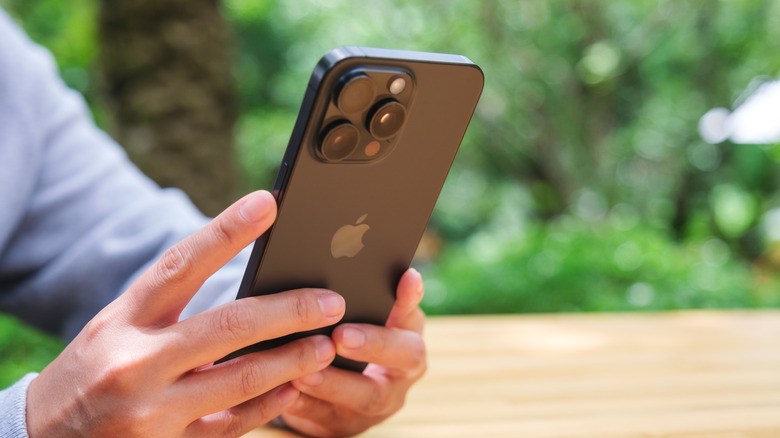

A person holding an iPhone 16 Pro.
Farknot Architect/Shutterstock

Once you’ve picked an app, getting a local AI up and running is reasonably straightforward. Open the app, browse the built-in list of models, and choose one that fits your needs, like Phi-3.5 Instruct Q4 quantized if you want to make it small. Depending on size, the file can take up from a few hundred megabytes to several gigabytes, so make sure you’ve got the storage space on your iPhone. 

Now you’re ready to start chatting. The experience is instant and offline, but it’s important to go in with managed expectations. Smaller models in the 1.3B parameter range respond quickly, while larger ones may take several seconds per token to respond. Try to keep your prompts short and focused for the best results. Context windows will be limited when compared with cloud-based services, so concise instructions will get you better results with an offline AI. 

So why bother running an AI chatbot locally instead of just sticking with ChatGPT or Gemini? For many, myself included, the answer is privacy. When the model runs entirely on your iPhone, your prompts and responses never leave your device, eliminating cloud concerns. Offline use is another major perk, whether you’re camping, on a flight, or just in a dead zone, you can still get some answers instantly. The lack of subscription fees also makes local AI a cost-effective option for casual tasks. While the smaller models can’t match the latest GPT-5 LLMs or Gemini Ultra on overall performance, they’re more than capable when it comes to note-taking, summaries, or brainstorming.



Sign Up For Daily Newsletter

Be keep up! Get the latest breaking news delivered straight to your inbox.
By signing up, you agree to our Terms of Use and acknowledge the data practices in our Privacy Policy. You may unsubscribe at any time.
Share This Article
Facebook Twitter Email Print
Share
What do you think?
Love0
Sad0
Happy0
Sleepy0
Angry0
Dead0
Wink0
Previous Article SuiteWorld 2025: NetSuite unveils AI innovations for future business | Computer Weekly SuiteWorld 2025: NetSuite unveils AI innovations for future business | Computer Weekly
Next Article Amazon Prime Day Australia: The best deals for 2025 Amazon Prime Day Australia: The best deals for 2025
Leave a comment

Leave a Reply Cancel reply

Your email address will not be published. Required fields are marked *

Stay Connected

248.1k Like
69.1k Follow
134k Pin
54.3k Follow

Latest News

Mazda’s China JV to invest .4 billion in major EV push · TechNode
Mazda’s China JV to invest $1.4 billion in major EV push · TechNode
Computing
This  Microsoft Office License Comes With a Free Bonus
This $35 Microsoft Office License Comes With a Free Bonus
News
Vivo X200 to offer long range offline connectivity & Dimensity 9400 · TechNode
Computing
Best monitor deal: Get the Samsung Odyssey G8 QD-OLED gaming monitor for its lowest price yet
News

You Might also Like

This  Microsoft Office License Comes With a Free Bonus
News

This $35 Microsoft Office License Comes With a Free Bonus

3 Min Read
Best monitor deal: Get the Samsung Odyssey G8 QD-OLED gaming monitor for its lowest price yet
News

Best monitor deal: Get the Samsung Odyssey G8 QD-OLED gaming monitor for its lowest price yet

3 Min Read
I just watched the ‘Industry’ season 4 premiere and it’s the same delightfully unhinged show I fell in love with
News

I just watched the ‘Industry’ season 4 premiere and it’s the same delightfully unhinged show I fell in love with

6 Min Read
Costco Kirkland Signature Vs. Amazon Basics Batteries – Which Are Better? – BGR
News

Costco Kirkland Signature Vs. Amazon Basics Batteries – Which Are Better? – BGR

5 Min Read
//

World of Software is your one-stop website for the latest tech news and updates, follow us now to get the news that matters to you.

Quick Link

  • Privacy Policy
  • Terms of use
  • Advertise
  • Contact

Topics

  • Computing
  • Software
  • Press Release
  • Trending

Sign Up for Our Newsletter

Subscribe to our newsletter to get our newest articles instantly!

World of SoftwareWorld of Software
Follow US
Copyright © All Rights Reserved. World of Software.
Welcome Back!

Sign in to your account

Lost your password?