By using this site, you agree to the Privacy Policy and Terms of Use.
Accept
World of SoftwareWorld of SoftwareWorld of Software
  • News
  • Software
  • Mobile
  • Computing
  • Gaming
  • Videos
  • More
    • Gadget
    • Web Stories
    • Trending
    • Press Release
Search
  • Privacy
  • Terms
  • Advertise
  • Contact
Copyright © All Rights Reserved. World of Software.
Reading: How To Tell If Your Replacement Car Key Is An OEM Or Third-Party – BGR
Share
Sign In
Notification Show More
Font ResizerAa
World of SoftwareWorld of Software
Font ResizerAa
  • Software
  • Mobile
  • Computing
  • Gadget
  • Gaming
  • Videos
Search
  • News
  • Software
  • Mobile
  • Computing
  • Gaming
  • Videos
  • More
    • Gadget
    • Web Stories
    • Trending
    • Press Release
Have an existing account? Sign In
Follow US
  • Privacy
  • Terms
  • Advertise
  • Contact
Copyright © All Rights Reserved. World of Software.
World of Software > News > How To Tell If Your Replacement Car Key Is An OEM Or Third-Party – BGR
News

How To Tell If Your Replacement Car Key Is An OEM Or Third-Party – BGR

News Room
Last updated: 2026/03/20 at 7:27 AM
News Room Published 20 March 2026
Share
How To Tell If Your Replacement Car Key Is An OEM Or Third-Party – BGR
SHARE


Potashev Aleksandr/Shutterstock

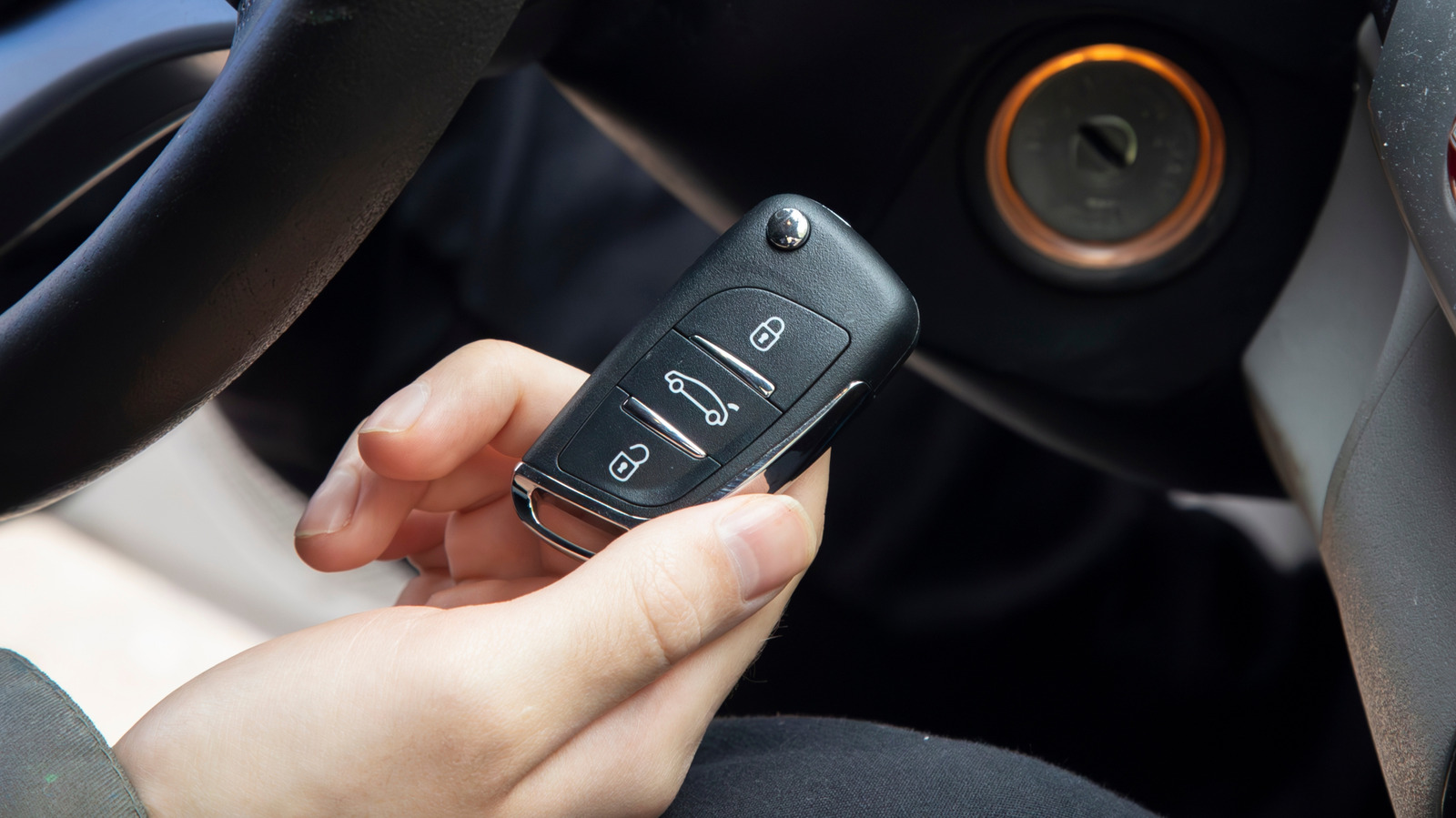
There are many reasons for trying to figure out the difference between an Original Equipment Manufacturer (OEM) and third-party car key. Maybe you lost your car key and are planning to get a replacement, but are unsure where to start. Perhaps you only have one key at the moment and need a second, but can’t tell whether the existing fob came from the original carmaker or an unknown aftermarket source. The good news is that making this determination is relatively easy. 

Keys from some of the most popular car brands usually have markings on the outside and inside that set them apart from aftermarket keys. You can look for identifiers like the manufacturer’s name or a serial number. These details may be located on the key fob case or on the flip-out metal key blade (if yours is so equipped). Third-party keys, on the other hand, tend to look generic with no branding and may show less precision when it comes how the buttons work or how strong the case feels. In either case, it is important to know what the panic button on your car key fob is for.

Details that differentiate where your car key came from
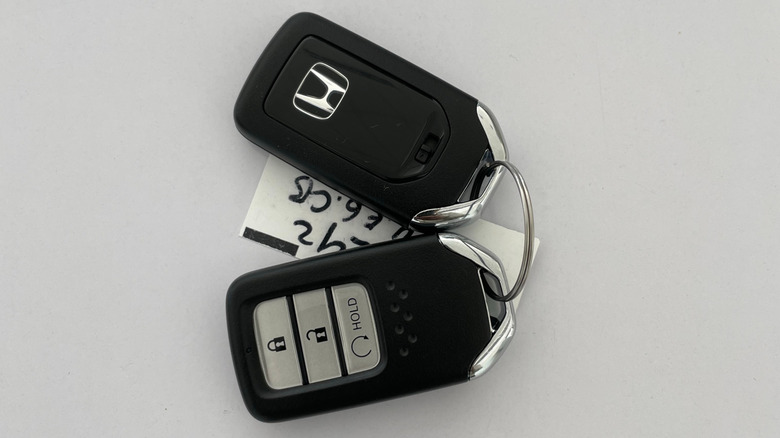

honda car keys placed on a white surface
Azca Ardhi/Shutterstock

One of the first things you can do is look for visual cues like the manufacturer’s name or logo and a part number on your replacement key. The OEM branding is usually printed on the outer casing, often with a bit of texture or decoration, while the part or serial number may be found within the fob. Sometimes, these identifiers are found on the key blade for models that have one. 

Also keep an eye out for buttons that feel a bit different or plastic material that is discolored, as this is typical of third-party keys. Next, you can check the fob for an FCC ID and see if it’s the same as the original. You can enter this ID on the FCC’s website and verify the manufacturer’s name. You may or may not find these details on an aftermarket key, as the ability to sell a “universal” unit without an FCC ID can increase their appeal. 

For more help figuring out what you’ve got, consider enlisting a reputable locksmith. They should be able to inspect your car key and determine if it’s an OEM or aftermarket unit. As more carmakers switch to digital keys, there could come a day when you won’t need to spot the difference between OEM and aftermarket car keys. But for now, know that doing so is fairly straightforward.



Sign Up For Daily Newsletter

Be keep up! Get the latest breaking news delivered straight to your inbox.
By signing up, you agree to our Terms of Use and acknowledge the data practices in our Privacy Policy. You may unsubscribe at any time.
Share This Article
Facebook Twitter Email Print
Share
What do you think?
Love0
Sad0
Happy0
Sleepy0
Angry0
Dead0
Wink0
Previous Article Playwright vs. Puppeteer: Head-to-head Comparison 2026 | HackerNoon Playwright vs. Puppeteer: Head-to-head Comparison 2026 | HackerNoon
Next Article Scale Your Social Media Presence in 8 Ways: How Brands Keep Growing Scale Your Social Media Presence in 8 Ways: How Brands Keep Growing
Leave a comment

Leave a Reply Cancel reply

Your email address will not be published. Required fields are marked *

Stay Connected

248.1k Like
69.1k Follow
134k Pin
54.3k Follow

Latest News

Why “Disagree and Commit” is no longer enough
News
Freedom Holding Corp and the Rise of a Global Fintech Ecosystem
Trending
Cobalt: Researchers develop smartphone app for remote robot training
Software
Football comes to Netflix with the new FIFA World Cup game
Computing

You Might also Like

Why “Disagree and Commit” is no longer enough
News

Why “Disagree and Commit” is no longer enough

4 Min Read
IT security and AI: Why governance matters
News

IT security and AI: Why governance matters

6 Min Read
Narcissism in a team: How to scratch a narcissist’s ego
News

Narcissism in a team: How to scratch a narcissist’s ego

4 Min Read
12 tips for managers at their limits
News

12 tips for managers at their limits

1 Min Read
//

World of Software is your one-stop website for the latest tech news and updates, follow us now to get the news that matters to you.

Quick Link

  • Privacy Policy
  • Terms of use
  • Advertise
  • Contact

Topics

  • Computing
  • Software
  • Press Release
  • Trending

Sign Up for Our Newsletter

Subscribe to our newsletter to get our newest articles instantly!

World of SoftwareWorld of Software
Follow US
Copyright © All Rights Reserved. World of Software.
Welcome Back!

Sign in to your account

Lost your password?