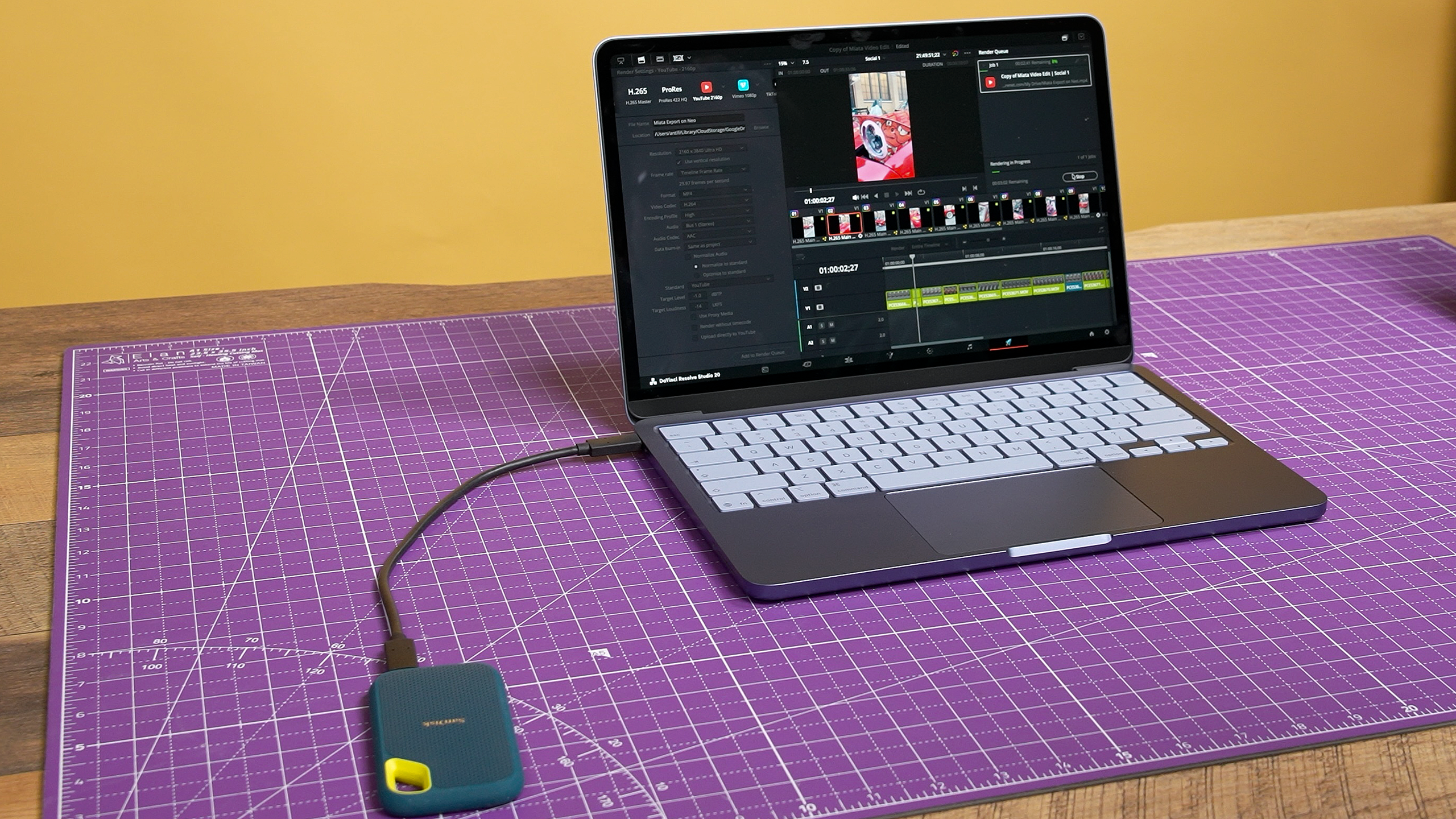
While I already own and use a 14-inch MacBook Pro with the M1 Max as my main video editing machine, I often find it too bulky when I don’t need that extra horsepower. So after some back and forth, I decided to pick up a MacBook Neo as an affordable companion for basic tasks like note-taking, research and emails.
I wasn’t expecting a powerhouse. After all, we recommend machines with much more RAM than this for video editing. But as a content creator at heart, I was naturally curious: if I were in a pinch or working on the go, could the Neo and its A18 Pro chip handle my video projects?
Shockingly up to the task
Watch On
As part of my latest video for Tom’s Guide where I pit the MacBook Neo vs the iPad Air, I ran a few video exports in DaVinci Resolve and came away with some interesting insights. I started with a simple project: 4K clips shot on my iPhone 17 Pro, cut down to a 1:23 timeline. Scrubbing was smooth, and playback remained locked at 29.97fps with no dropped frames.
Article continues below
Applying a simple color grade with a slight contrast curve and saturation adjustment seemed to have zero impact on performance. RAM usage for Resolve hovered around 4GB, and the program and the rest of the laptop never felt sluggish. I could even keep Apple Music, Safari, and Notes open with a little extra headroom. Exporting that timeline took just 52 seconds.

That was a good start, but I wanted to push things further. For my next test, I imported footage from my “pro camera,” the Panasonic Lumix S1R II. I used DCI 4K (4096 x 2160) footage shot at 120fps in LOG. These high-bitrate files are not heavily compressed, meaning the Neo has to decode a massive amount of information on the fly. It is a task that usually brings budget laptops to their knees.
To my surprise, playback remained completely smooth even with a color grade and a mix of real-time and 4x slow-motion footage. DaVinci’s RAM usage climbed to about 5.5GB due to the additional stress of this footage. In the end, my two-minute timeline took 1 minute and 48 seconds to export. That is pretty solid.
The pain point

Since I know a lot of you are debating between the MacBook Neo and the iPad Air, I wanted to see how they compared in a more “Apple-to-apples” benchmark. The 11-inch iPad Air (M3) also has 8GB of RAM, and that exact same timeline exported in 1 minute and 36 seconds which is roughly 12.5% faster than the Neo.
Honestly, I was surprised the little Neo kept up so well, which prompted to rerun the test three separate times to ensure it wasn’t a fluke. Sure enough, the results were consistent. However, I quickly discovered just how easily I could bottleneck both the Neo and the Air due to their 8GB of RAM.
As soon as I jumped into the Fusion page in DaVinci Resolve, which is where you handle advanced effects, I attempted some object tracking.
Image 1 of 2


RAM usage immediately spiked to 10GB on the Neo. At moments like this, the RAM will offload some work to the SSD, and given it’s significantly slower in the Neo, things took a severe hit.
The tracker tool averaged a horrendous 3.5 seconds per frame. For a measly 2-second clip that my MacBook Pro M1 Max with 32GB of RAM would normally knock out in a heartbeat, the Neo estimated a 28-minute render time. No thanks.

How much better was the iPad Air? Interestingly, the tracker was significantly faster. At one point, it reported 34.47 frames per second and estimated it would finish the tracking in just two seconds. That sounds impressive until I tell you that it failed every single time with the warning message “Render did not complete.”

I suspect this is due to the Air also running out of RAM, but since iPadOS does not have a system resource manager for me to monitor usage, I cannot be 100% sure. On one hand, the Air’s M3 processor was ready to smoke the Neo. On the other hand, while both share the same RAM constraints, only the Neo was actually capable of completing the task — even if it’d take a horrifyingly long time to do so.
RAM is the obstacle

These tests reveal two very important takeaways. Despite being a budget laptop, the MacBook Neo is remarkably capable of editing video. It can handle demanding file types and light color grading with relative ease.
Where it falls short is when more complex effects require additional memory. In a heartbeat, I would have spent an extra $100 for a 16GB model if Apple actually offered one. While I realize this workflow isn’t typical for the Neo’s target audience, it proves that the A18 Pro chip inside has plenty of oomph.
It wasn’t nearly as big of a limitation as I expected and it really wasn’t that far behind the M3. What would truly allow this laptop to reach its full potential is more RAM. For now, it should be a solid choice for my simple social content on the go, provided I can keep that memory usage in check.

Follow Tom’s Guide on Google News and add us as a preferred source to get our up-to-date news, analysis, and reviews in your feeds.