A premium soundbar or surround sound system should be a home theater addition you don’t have to think about all that much. At the end of the day, you want to be able to plop down in your favorite chair, turn everything on, and know that your top-shelf gear is going to take care of all the audio and video processing behind the scenes. As long as everything’s connected properly (AV components wired to the sound system, and system wired to TV), you shouldn’t need to do anything but adjust volume or change inputs to use a different source.
But what if you wanted to completely bypass your surround sound? There are plenty of scenarios where firing up an audio system isn’t entirely appropriate, especially late at night. Neighbors and family members may not have the same love of action movies and survival horror games as you, and hearing an amplified version of these genres probably isn’t helpful. Fortunately, there are soundbars and really good AV receivers that support a feature called HDMI passthrough that will make your fellow humans much happier.
When enabled, HDMI passthrough allows you to keep an AV-switching soundbar or receiver powered off, without cutting off video and audio signals to your TV or projector. Source signals are processed by the display hardware (instead of by the soundbar or receiver), which often means you’ll be able to use your TV speakers to hear sound. Whether you’re attempting to keep things quiet after dark or you want to put less wear and tear on your home theater, HDMI passthrough is a great solution.
HDMI passthrough is the kind of AV feature that has more than one name
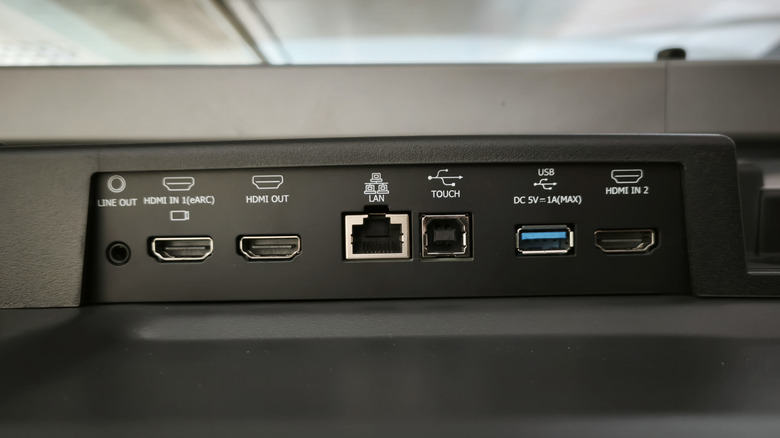
While HDMI passthrough has been around for many years, it’s still not a universal standard. This means that Brand A may call it something like “Main Zone Standby,” while Brand B goes with the more official-sounding “HDMI passthrough.” Another caveat may be that Brand A only supports 1080p/60Hz passthrough, while Brand B delivers up to 4K/120Hz with HDR support. Depending on what equipment you’re using, you might also need to dig into soundbar or receiver settings to enable HDMI passthrough.
We were able to track down an FAQ page for Denon AV receivers, where a customer service rep gave instructions for activating HDMI passthrough (which the client referred to as “standby mode”). For the particular model the rep was referring to — and many other AV receivers — the system needs to be connected to the TV via HDMI to access its graphical user interface (GUI). From there, select Video > HDMI Setup, then enable HDMI passthrough; that’s all there is to it.
Additionally, HDMI passthrough may only be supported by a specific HDMI port on your soundbar or receiver. The system may also default to whatever input was last used when the soundbar or receiver wasn’t in standby mode. However big or small a part (or lack of any part) HDMI passthrough will play in your home theater, it’s a feature that can add flexibility to even the most complex Dolby Atmos configuration.