It’s no secret Apple has been working on smart glasses for a while, and there’s speculation that the company will reveal them in June at its annual Worldwide Developers Conference (WWDC), the launchpad for its Vision Pro headset back in 2023. The latest rumors are that Apple is testing acetate frames with rectangular, circular, and oval lenses in both large and small sizes. What the glasses will be capable of remains a mystery. I’ve been covering smart glasses of all kinds for years, and here’s what I want to see in Apple’s first pair.
1. A Color Display
The Meta Ray-Ban Display’s color display (Credit: Will Greenwald)
This is an obvious one, and I would be absolutely shocked if Apple didn’t do it. Most display-equipped smart glasses you can wear while walking around use a monochrome green waveguide display. It’s fine for reading text and looking at very simple graphics, but not much else. This green-only view is one of the big reasons I can’t wholeheartedly recommend waveguide smart glasses to most people just yet.
The Meta Ray-Ban Display proves that full-color waveguide displays are possible. Despite all of its other limitations, the Meta Ray-Ban Display has one of the best waveguide systems I’ve seen. Apple might omit this feature and focus exclusively on audio and camera technology with a model like the Ray-Ban Meta Gen 2, but if its smart glasses have a display, it needs to be colorful.
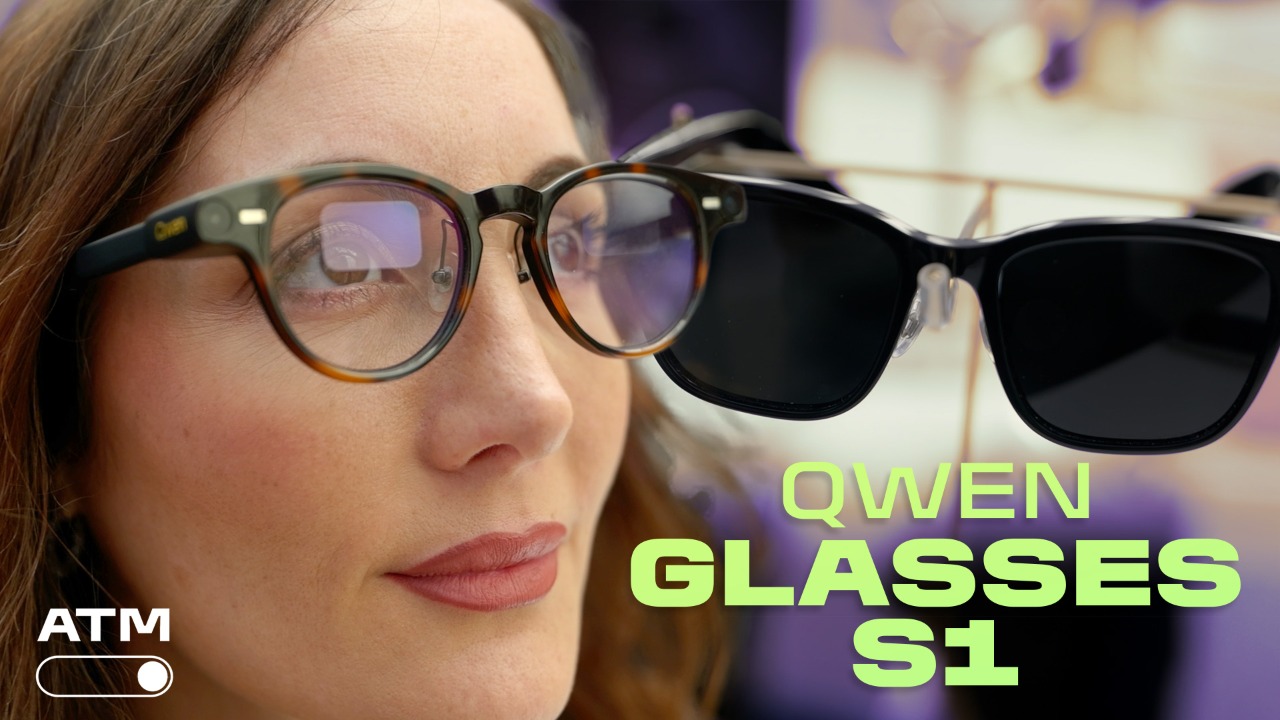

Watch These Smart Glasses Translate Language in Real Time | All Things Mobile
2. An App Store
This is another obvious one. MacOS, iOS, iPadOS, visionOS, and watchOS all have their own app stores, platforms on which third-party developers can release software. Apple will almost certainly fill its smart glasses with useful preinstalled features, but that won’t be enough to make the glasses their own ecosystem. I would bet money on Apple announcing glassesOS alongside its smart specs, with SDKs for programmers to get started on the platform.
3. Water Resistance
Smart glasses usually aren’t water-resistant, but neither were smartphones before Apple helped make it a standard feature with the iPhone 7. I don’t expect Apple’s smart glasses to be suitable for swimming, but they should be hardy enough for splashes, rain, and the occasional rinsing off, like the Even G2 smart glasses, which have an IP65 rating.
4. eSIM Connectivity
Almost all waveguide glasses currently need to be connected to a phone that handles their processing, usually by offloading some tasks to cloud servers for AI features. The only exception I know of is the X3 Pro – Project eSIM, a prototype RayNeo showed off at CES 2026 that has a built-in 4G radio with eSIM support. The device doesn’t need a phone connection; it just needs a cellular signal to work. Maybe Apple can turn the eSIM smart glasses concept into an actual product.
5. Apple Watch-Based Controls

Apple Watch SE 3 (Credit: Andrew Gebhart)
Controlling waveguide smart glasses is a pain, and there isn’t a perfect way to interact with them yet. The Meta Ray-Ban Display’s Neural Band offers fairly consistent gesture-based controls, but it’s awkward to wear and isn’t exactly precise. The Even Realities G2 works with the R1 smart ring for easier swipes and taps, but it costs an extra $250 and only lets you scroll in two directions, not four. If I’m going to use Apple’s smart glasses on a regular basis, I don’t want to have to touch the side of my head every time I want to do something.

Get Our Best Stories!
Your Daily Dose of Our Top Tech News

By clicking Sign Me Up, you confirm you are 16+ and agree to our Terms of Use and Privacy
Policy.
Thanks for signing up!
Your subscription has been confirmed. Keep an eye on your inbox!
The Best Display-Equipped Smart Glasses I’ve Tested
The simplest solution would be to use the Apple Watch as a control device. Turning the watch face into a touchpad for navigating the glasses’ features would be convenient and precise. This input method could even be supplemented with the motion gestures that recent Apple Watches support, like double-tap and wrist flick. Ideally, the watch would offer full gesture controls for the glasses, perhaps with a watchOS update. For instance, directional flick gestures to navigate menus would be helpful.
6. Hand- or Eye-Tracking
Even more than accessory-based gesture support, integrated hand- and/or eye-tracking would make Apple’s glasses very easy to control. The Vision Pro, Samsung’s Galaxy XR, and a few other mixed reality headsets use inward- and outward-facing cameras to follow your eyes and hands, allowing them to recognize where you’re looking, what you’re pointing at, and when you’re making pinching, swiping, and tapping gestures. It’s much more intuitive than any physical controller, and it’s exactly the kind of control scheme Apple’s glasses will need.
Recommended by Our Editors

Using integrated gesture controls on the Samsung Galaxy XR (Credit: Joseph Maldonado)
The problem is that the camera systems powering these features are bulky, which is why they’ve only been built into headsets so far. There are two upcoming exceptions that could change that, though. XReal’s Project Aura smart glasses, built on Android XR, support hand-tracking, and when I tried them last year, it felt just like using a Galaxy XR. Those are prism display glasses, which are more appropriate to use while seated versus on the go due to their thick lenses and tethered connection. Still, shrinking the system from a full headset to a pair of glasses is a big leap.
The other exception is the Everysight Maverick AI, a pair of wireless smart glasses with a projection system that bounces images directly off the lens without a waveguide etching or prism. This technology can monitor eye movements through the same reflective angles. I tried an early version of the Maverick AI a few weeks ago, and while it clearly needs refinement, the fact that a pair of glasses weighing 1.7 ounces could track my eye movements at all is impressive. Apple will most likely opt for a waveguide display system in its glasses, but the Maverick AI shows that eye-tracking is possible in everyday-looking eyewear.
7. No Visual Cameras

The Even Realities G2, with no cameras (Credit: Will Greenwald)
Between AI, privacy issues, and people just being creeps, I’ve been getting increasingly concerned about content-capture cameras in smart glasses. Yes, the ability to take snapshots and videos of anything you look at is handy, as is machine vision for providing information about what you see, including language translation, but all of those functions are already on your phone, in your pocket. Unless they’re only used for eye- and hand-tracking, I’d rather not wear cameras constantly on my face. The Even G2 lacks cameras, and I really didn’t miss them when I tested a pair. I’d be thrilled if the Apple smart glasses didn’t have any visual cameras either.
About Our Expert

Will Greenwald
Principal Writer, Consumer Electronics
Experience
I’m PCMag’s home theater and AR/VR expert, and your go-to source of information and recommendations for game consoles and accessories, smart displays, smart glasses, smart speakers, soundbars, TVs, and VR headsets. I’m an ISF-certified TV calibrator and THX-certified home theater technician, I’ve served as a CES Innovation Awards judge, and while Bandai hasn’t officially certified me, I’m also proficient at building Gundam plastic models up to MG-class. I also enjoy genre fiction writing, and my urban fantasy novel, Alex Norton, Paranormal Technical Support, is currently available on Amazon.
Read Full Bio