By using this site, you agree to the Privacy Policy and Terms of Use.
Accept
World of SoftwareWorld of SoftwareWorld of Software
  • News
  • Software
  • Mobile
  • Computing
  • Gaming
  • Videos
  • More
    • Gadget
    • Web Stories
    • Trending
    • Press Release
Search
  • Privacy
  • Terms
  • Advertise
  • Contact
Copyright © All Rights Reserved. World of Software.
Reading: Don’t Let Someone Fix Your Android Phone Without Using This Setting First – BGR
Share
Sign In
Notification Show More
Font ResizerAa
World of SoftwareWorld of Software
Font ResizerAa
  • Software
  • Mobile
  • Computing
  • Gadget
  • Gaming
  • Videos
Search
  • News
  • Software
  • Mobile
  • Computing
  • Gaming
  • Videos
  • More
    • Gadget
    • Web Stories
    • Trending
    • Press Release
Have an existing account? Sign In
Follow US
  • Privacy
  • Terms
  • Advertise
  • Contact
Copyright © All Rights Reserved. World of Software.
World of Software > News > Don’t Let Someone Fix Your Android Phone Without Using This Setting First – BGR
News

Don’t Let Someone Fix Your Android Phone Without Using This Setting First – BGR

News Room
Last updated: 2026/03/17 at 12:34 PM
News Room Published 17 March 2026
Share
Don’t Let Someone Fix Your Android Phone Without Using This Setting First – BGR
SHARE


Dragonimages/Getty Images

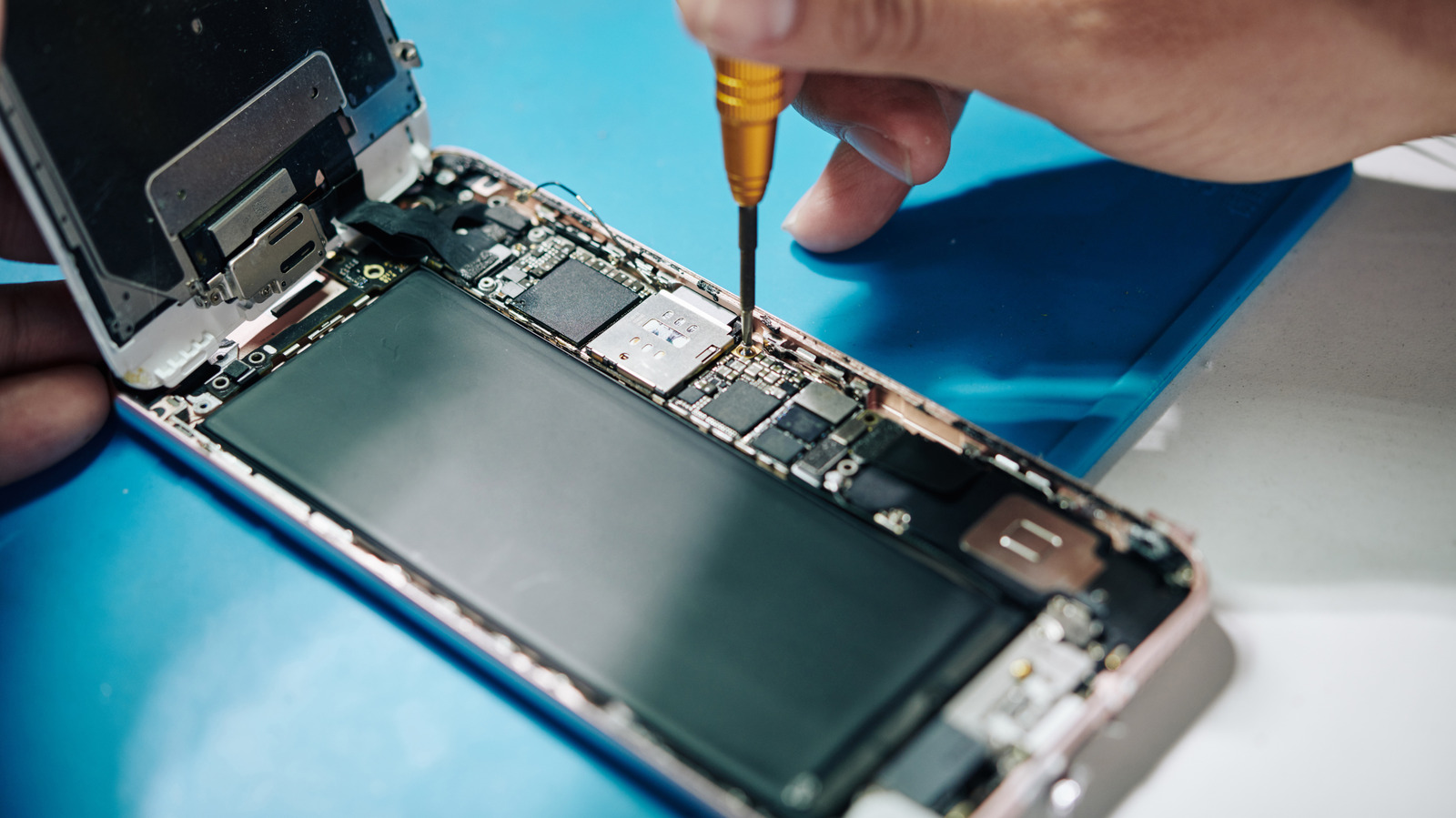
As much as we want them to be, smartphones and mobile devices aren’t invincible. Even with tough glass and rugged metal frames, if you drop them just right, you can crack the corner of the screen or worse. Other accidents can take smartphones offline, too, like dropping them in fluids, exposing them to extreme temperatures, and, of course, sometimes random failures happen for internal parts. 

While failures and broken screens are clear signs it’s time for a new phone, you may not have the budget to upgrade yet. That’s when you need to visit a repair center. The scary part about that is, broken or not, you’re handing your device and everything on it to a stranger. Your address, your payment details, your banking information, sensitive photos, your messages — it’s all there, ripe for the picking.

Android devices have a unique feature to help deal with this called — you guessed it — repair mode. It’s a special mode that locks down your phone by setting up a sandboxed, individual fresh profile. That keeps your personal information hidden even if someone tries to go snooping. It also still allows the technicians or repair professionals to use the phone like normal as needed.

You need a device with Android 14 or newer, but getting it set up is easy. Samsung’s version of repair mode is called maintenance mode, but it’s the same idea. On most Android devices, go to Settings > System > Repair Mode and select “Enter Repair Mode.” You’ll be asked to enter your security PIN or password. On Samsung devices, go to Settings > Battery and Device Care > Maintenance Mode. If the screen is broken, you can connect an external display and/or mouse via USB-C and follow the same steps.

How to exit repair mode and get back to your data when you’re ready
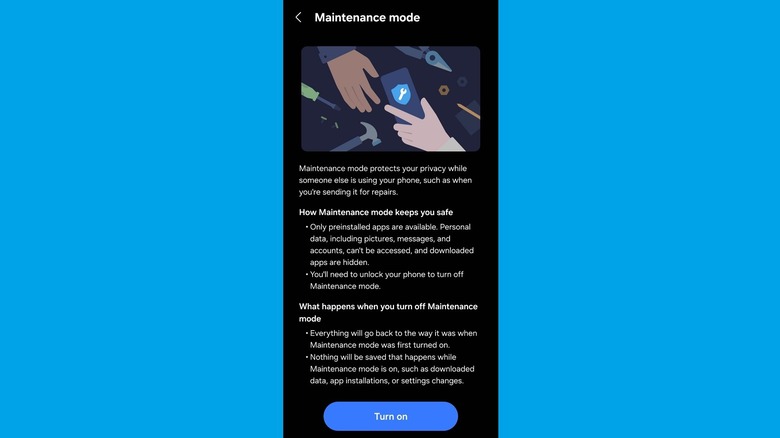

Maintenance Mode settings screen on a Samsung Galaxy S25 Ultra.
Briley Kenney/BGR

When the device is in repair or maintenance mode, not just anyone can exit or turn it off. You need to have the original user’s PIN or password — in other words, the security credentials you use to unlock your phone.

Getting out of repair mode when the work is done and you have your phone back is pretty simple. All you have to do is pull down the notification tray on the device (with it powered on, obviously) and tap “Exit.” If you don’t see an option to exit repair mode in the notification tray, navigate to Settings > System > Repair Mode or Settings > Battery and Device Care > Maintenance Mode on Samsung devices. You should find an option to exit the mode there. Once that’s selected, the phone will ask you to put in your security credentials, and if you enter them correctly, the phone will restart and swap back to normal with your data now accessible.

Repair mode support is one of many new security features Google has added to Android to improve overall device safety and privacy. If you have an Apple device or an iPhone, instead, you can do something similar through the Find My app. Either way, you should never send your phone in for repairs or hand it over to a technician without enabling these locked-down modes.



Sign Up For Daily Newsletter

Be keep up! Get the latest breaking news delivered straight to your inbox.
By signing up, you agree to our Terms of Use and acknowledge the data practices in our Privacy Policy. You may unsubscribe at any time.
Share This Article
Facebook Twitter Email Print
Share
What do you think?
Love0
Sad0
Happy0
Sleepy0
Angry0
Dead0
Wink0
Previous Article Tim Cook denies imminent retirement rumors, 'can't imagine life without Apple' Tim Cook denies imminent retirement rumors, 'can't imagine life without Apple'
Next Article Oppo Find N6 and Watch X3: Specs, prices, and release date Oppo Find N6 and Watch X3: Specs, prices, and release date
Leave a comment

Leave a Reply Cancel reply

Your email address will not be published. Required fields are marked *

Stay Connected

248.1k Like
69.1k Follow
134k Pin
54.3k Follow

Latest News

OpenAI’s X-rated adult mode delayed over safety concerns, report claims
News
Meituan CEO cuts stake in Li Auto amid food delivery price war in China · TechNode
Computing
Mistral bets on ‘build-your-own AI’ as it takes on OpenAI, Anthropic in the enterprise |  News
Mistral bets on ‘build-your-own AI’ as it takes on OpenAI, Anthropic in the enterprise | News
News
The FBI Warns Americans To Avoid Scanning These QR Codes – BGR
News

You Might also Like

OpenAI’s X-rated adult mode delayed over safety concerns, report claims
News

OpenAI’s X-rated adult mode delayed over safety concerns, report claims

3 Min Read
Mistral bets on ‘build-your-own AI’ as it takes on OpenAI, Anthropic in the enterprise |  News
News

Mistral bets on ‘build-your-own AI’ as it takes on OpenAI, Anthropic in the enterprise | News

5 Min Read
The FBI Warns Americans To Avoid Scanning These QR Codes – BGR
News

The FBI Warns Americans To Avoid Scanning These QR Codes – BGR

6 Min Read
A new Google TV projector just arrived to make streaming easier (and cheaper)
News

A new Google TV projector just arrived to make streaming easier (and cheaper)

2 Min Read
//

World of Software is your one-stop website for the latest tech news and updates, follow us now to get the news that matters to you.

Quick Link

  • Privacy Policy
  • Terms of use
  • Advertise
  • Contact

Topics

  • Computing
  • Software
  • Press Release
  • Trending

Sign Up for Our Newsletter

Subscribe to our newsletter to get our newest articles instantly!

World of SoftwareWorld of Software
Follow US
Copyright © All Rights Reserved. World of Software.
Welcome Back!

Sign in to your account

Lost your password?