By using this site, you agree to the Privacy Policy and Terms of Use.
Accept
World of SoftwareWorld of SoftwareWorld of Software
  • News
  • Software
  • Mobile
  • Computing
  • Gaming
  • Videos
  • More
    • Gadget
    • Web Stories
    • Trending
    • Press Release
Search
  • Privacy
  • Terms
  • Advertise
  • Contact
Copyright © All Rights Reserved. World of Software.
Reading: If Your Apple Watch Sensor Is Glowing Red, This Is What It Means – BGR
Share
Sign In
Notification Show More
Font ResizerAa
World of SoftwareWorld of Software
Font ResizerAa
  • Software
  • Mobile
  • Computing
  • Gadget
  • Gaming
  • Videos
Search
  • News
  • Software
  • Mobile
  • Computing
  • Gaming
  • Videos
  • More
    • Gadget
    • Web Stories
    • Trending
    • Press Release
Have an existing account? Sign In
Follow US
  • Privacy
  • Terms
  • Advertise
  • Contact
Copyright © All Rights Reserved. World of Software.
World of Software > News > If Your Apple Watch Sensor Is Glowing Red, This Is What It Means – BGR
News

If Your Apple Watch Sensor Is Glowing Red, This Is What It Means – BGR

News Room
Last updated: 2026/04/14 at 1:19 AM
News Room Published 14 April 2026
Share
If Your Apple Watch Sensor Is Glowing Red, This Is What It Means – BGR
SHARE


nestudio99/Shutterstock

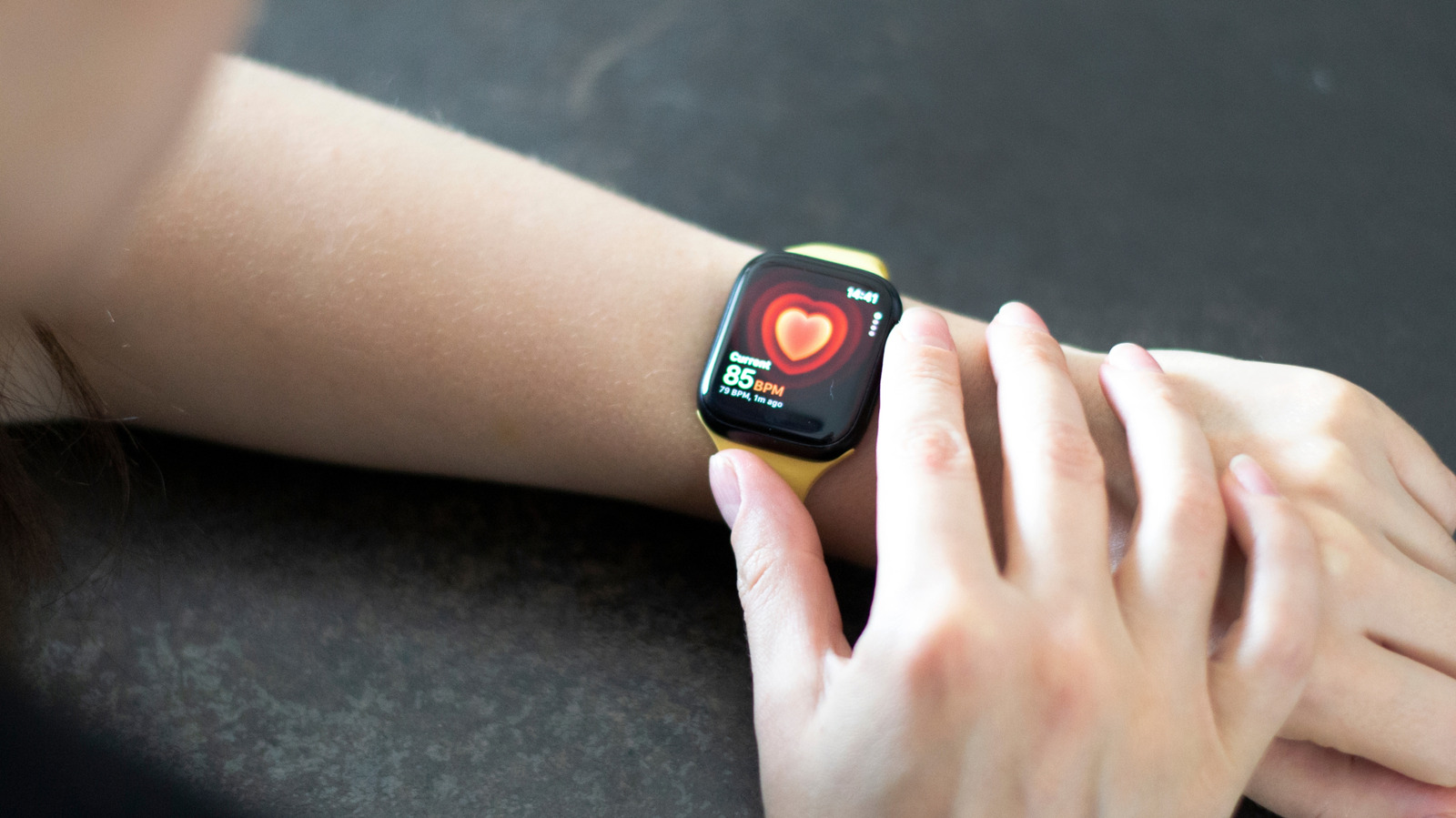
The Apple Watch is one of the most popular smartwatches on the market, and while the Series 11 only offers minor upgrades, these improvements sit on top of an already excellent framework. Despite its widespread appeal, several Apple Watch features might fly under the radar. For example, you might be surprised if your Apple Watch starts glowing red, but it doesn’t mean the device is about to blow up.

If your Apple Watch starts glowing red, specifically the sensor that touches your wrist, that only means the device is measuring your blood oxygen level, specifically when Sleep Focus or Theater Mode is active. This procedure is a “background measurement,” and you should only see it in low-light conditions, such as when you are in bed trying to sleep or in a movie theater. The irony of Apple making the light so noticeable in situations when you don’t want to see it is palpable.

As the Apple Watch has multiple sensors (including a hole that measures water depth), it can do more than just measure your blood oxygen level. Apple Watches can also monitor your heart rate by using green lights. Like with the blood oxygen sensors, this feature will cause the device to glow green, again usually in situations with low ambient illumination.

How to turn blood oxygen level monitoring off

Many doctors will tell you it’s a good idea to keep an eye on your blood oxygen levels. You can do this manually with the Blood Oxygen app, but, as we just went over, your watch might do it automatically, which will bathe your wrist in red light. You can turn it off in the Settings app by selecting “Blood Oxygen,” then toggling off “In Sleep Focus” and/or “In Theater Mode.” 

Depending on your health, you might want to keep frequent blood oxygen monitoring active, regardless of any distractions the red light might bring. If you want to examine your blood oxygen measurement history, you can’t do it on your Apple Watch. Instead, you need to have an iPhone synced to the device. From your phone, select the Health app. Then tap on the search function (the magnifying glass). Select “Respiratory,” and finally select “Blood Oxygen.”

If you don’t want to see the red light, you can turn it off, but if you want (or need) to keep an eye on your blood oxygen levels, you will have to put up with the light. We all make sacrifices to stay healthy.




Sign Up For Daily Newsletter

Be keep up! Get the latest breaking news delivered straight to your inbox.
By signing up, you agree to our Terms of Use and acknowledge the data practices in our Privacy Policy. You may unsubscribe at any time.
Share This Article
Facebook Twitter Email Print
Share
What do you think?
Love0
Sad0
Happy0
Sleepy0
Angry0
Dead0
Wink0
Previous Article Top 3 Cryptos to Buy Now as Pepeto Hits .1M During Extreme Fear Top 3 Cryptos to Buy Now as Pepeto Hits $8.1M During Extreme Fear
Next Article Can AI Bypass Compilers? Evaluating the Feasibility of Prompt-to-Binary Systems | HackerNoon Can AI Bypass Compilers? Evaluating the Feasibility of Prompt-to-Binary Systems | HackerNoon
Leave a comment

Leave a Reply Cancel reply

Your email address will not be published. Required fields are marked *

Stay Connected

248.1k Like
69.1k Follow
134k Pin
54.3k Follow

Latest News

Zuri Health expands mobile clinic fleet across Nairobi
Computing
UK government accelerates autonomous vehicle development funding | Computer Weekly
News
Sony’s Inzone H6 Air open-back headset sounds like 0 headphones
Sony’s Inzone H6 Air open-back headset sounds like $400 headphones
Software
Samsung may have just revealed One UI 8.5 launch date for the Galaxy S25
Gadget

You Might also Like

UK government accelerates autonomous vehicle development funding | Computer Weekly
News

UK government accelerates autonomous vehicle development funding | Computer Weekly

7 Min Read
YouTube Will Skip Live-Stream Ads When the Chat Is Blowing Up
News

YouTube Will Skip Live-Stream Ads When the Chat Is Blowing Up

4 Min Read
Google will punish sites that hijack your back button
News

Google will punish sites that hijack your back button

3 Min Read
Google’s Spotlight-like desktop search bar for Windows is available for everyone
News

Google’s Spotlight-like desktop search bar for Windows is available for everyone

1 Min Read
//

World of Software is your one-stop website for the latest tech news and updates, follow us now to get the news that matters to you.

Quick Link

  • Privacy Policy
  • Terms of use
  • Advertise
  • Contact

Topics

  • Computing
  • Software
  • Press Release
  • Trending

Sign Up for Our Newsletter

Subscribe to our newsletter to get our newest articles instantly!

World of SoftwareWorld of Software
Follow US
Copyright © All Rights Reserved. World of Software.
Welcome Back!

Sign in to your account

Lost your password?