Turning a computer off or putting it to sleep may be a matter of personal preference or habit. It’s faster to close a laptop’s lid or have a desktop enter sleep than shutting down either type of PC. Also, having a computer sleep instead of turning off means it’ll wake up faster, with all the apps and browser tabs that you were using during the previous session still open. But if you want to be more intentional about choosing between shutdown and sleep, you should understand what’s better for the computer and how that fits with your computing needs.
Shutting down the PC may be advantageous for further reducing battery consumption on laptops and energy draw that can happen during sleep, especially for longer breaks from using the device. Sleep, on the other hand, may be preferable on devices that have built-in tools for reducing energy consumption, especially when a battery is involved. The decision to put a computer to sleep or shut it down may also depend on the platform you’re using. All major operating systems have sleep and shutdown options, but each OS handles it differently. That said, there’s no single option that works for every user all the time. Here’s a deep dive on when it’s better to put your PC to sleep and when it is better to turn it off.
When to put the PC to sleep
Sleep is the best choice for short breaks, allowing the user to quickly resume what they were doing. You don’t have to wait for the machine to boot up and then load the apps you need. When putting a laptop to sleep, battery life should be a main consideration. The device will still use some energy, so you should only use sleep when you know you’ll use the laptop soon, or if you keep your laptop or MacBook plugged in all the time.
Windows laptops have different types of sleep available, including the regular sleep and hibernate. Microsoft explains that sleep uses little power, and a laptop or tablet will go to sleep when you close the lid or press the power button. Hibernate uses even less power, and it’s an alternative when you won’t be using the laptop for a long time and want to conserve battery life, but retain the main benefit of sleep, which is to get back to your work session as fast as possible. Windows desktops do not have batteries, but you can leave them in sleep mode during short breaks.
Apple says that a Mac can save energy when in sleep mode, as the computer consumes less power. Also, waking from sleep is faster than a restart. Both Macs and MacBooks come with battery settings that allow users to customize the behavior of their devices to reduce energy consumption. For example, users may want to prevent their computer from waking while in sleep mode for specific activities, and enable the Power Nap feature.
When to shut down the PC
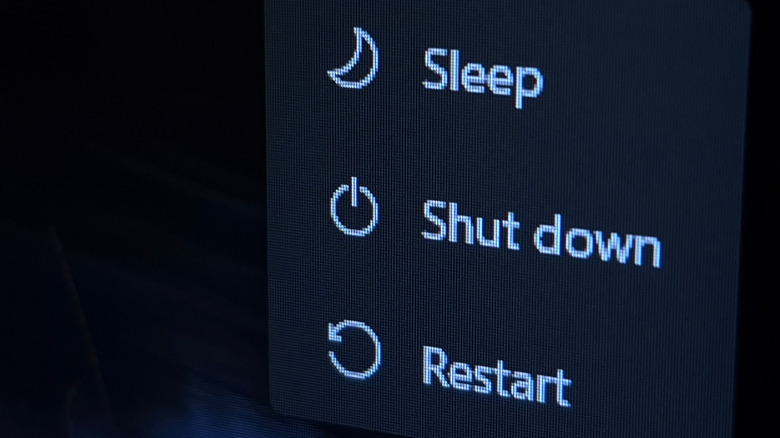
If you don’t plan on using a PC for several days, it’s advisable to turn it off instead of leaving it in sleep mode, especially devices running on a battery. Even if energy use is reduced in sleep mode, a Windows or macOS laptop will still consume some power. Apple uses a safe sleep mode on Macs, which means the operating system saves the state of the Mac when it goes to sleep. This feature helps prevent the loss of information during sleep, maybe due to the battery running out or during a power outage on a desktop. The feature ensures your Mac saves your data, but you’ll still have to recharge the laptop once you’re ready to use it.
Windows also saves your work during sleep. Separately, Microsoft’s Modern Standby mode is a feature that may wake a PC to perform specific tasks, like downloading Windows updates or running other background tasks. These tasks consume more energy and might even kill the battery on your Windows laptop or tablet. So, shutting it down is a better idea when you know your computer might be inactive for a while.
You may also want to shut down a desktop PC overnight. Unlike a laptop, where you can benefit from fast wake-from-sleep while you’re traveling, you only use the desktop in a single place. You can rely on sleep during the day, and turn off the computer at night to save even more money on your energy bill. Finally, shutting down your laptop during long periods of inactivity will also increase its lifespan as it prevents heat from damaging the system over time. Moreover, restarting the PC may also clear the RAM and help deal with any temporary bugs causing an app to misbehave.