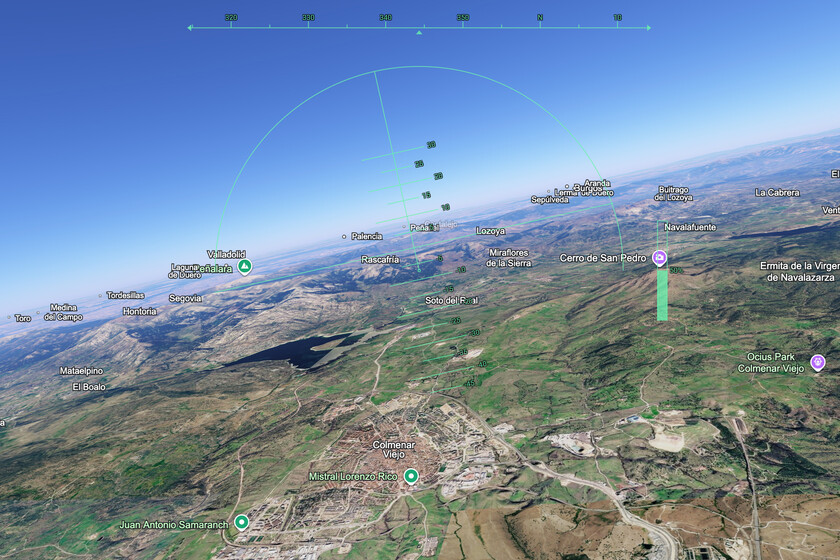
I have long been a fan of ‘Microsoft Flight Simulator‘. That’s why I followed its arrival on PS5 with special interest: I wanted to try it beyond the PC, not only because of the possibility of piloting an aircraft, but because of something that has always attracted me to the game: exploring landscapes, looking for frames and using the photo mode almost as a small tool to explore the world from the screen.
And that fascination makes sense precisely because Microsoft has worked for years to make ‘Flight Simulator’ much more than an airplane game. The company talks in ‘Flight Simulator 2024’ about its most detailed recreation of planet Earth to date, with improved elevation maps, more than 500 cities recreated with 3D models based on irregular triangular networks and more than 100,000 square kilometers of rural photogrammetry.
The novelty is that now there is a much lighter way to get closer to that experience without going through a full game or installing anything on your computer. Google Earth announced last Friday that its flight simulator It is now available for all users.
Fly without installing anything, directly from the browser
Google Earth is not trying to sell us a full-fledged flight simulator, and that works in its favor. On its help page, Google describes the feature as experimental, available only in Earth on the web, and geared toward a casual browsing experience. He also warns that the flight physics is simplified, so if what we are looking for is a simulation in its most demanding sense, this is certainly not it. But it may be interesting to try it, draw our own conclusions and discover another way of exploring the world in images.
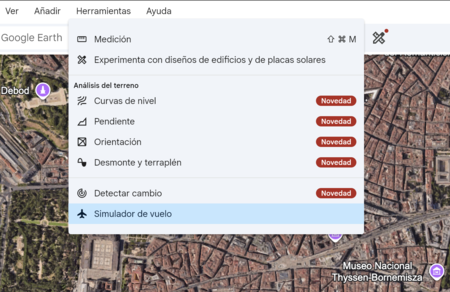
If you want to start trying it, the path is quite simple. Just open Google Earth on the web, enter Explore the Earthdisplay the Tools menu and click on Flight Simulator. The option appears within the menu itself. In a matter of seconds you go from the traditional map to a flight view, with the interface ready to start moving over the terrain.
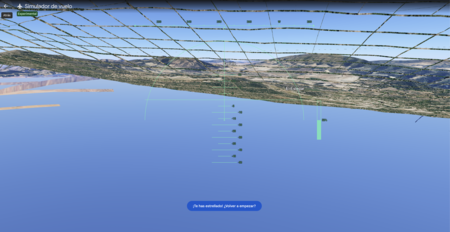
Once inside, the management also focuses on the immediate. Google allows you to control the plane with the keyboard: Page up to accelerate, Page down to reduce thrust, the up and down arrows to change the altitude and the side arrows to tilt the aircraft. You can also turn mouse control on or off by clicking inside the simulation. And if things go wrong, which can go wrong pretty quickly at first, the option to start over after impact appears.
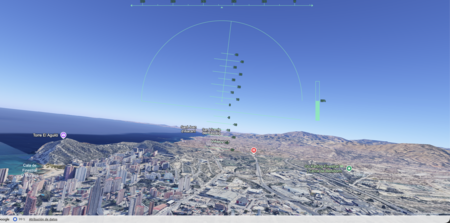
The most attractive part is that Google Earth dynamically loads 3D buildings and high-resolution images while you fly. This allows us to turn a very simple function into a quite interesting visual experience, especially if we choose recognizable areas and we change the basemap to Satellite when necessary. However, Google also warns that flying at extreme speeds or with a slow connection can cause temporary delays in loading. There are, in addition, known problems in some areas of the field, so it is best to assume it for what it is: a light and still experimental function.
Then there is the other option, of course: taking a real plane. In specific searches on services such as Skyscanner we have seen flights from Spain for less than 40 euros, always depending on route, date and availability. Looking at an image from the browser is not the same as looking out the window and seeing how the landscape changes under the clouds. But that is precisely why it makes sense to bring it here: we are talking about different experiences, different ways of moving, looking and playing with the idea of traveling.

The interesting thing about Google Earth is taking a tool that many of us have used for years to explore the planet and adding a simple playful layer to it, free and accessible from the browser. It doesn’t always take a complex simulation to spark that curiosity. Sometimes a small, well-placed function is enough to make us look at the map again and want to get lost for a while.
Images | Screenshots
In | After marathons and combats, humanoid robots already have their next challenge: climbing Everest