By using this site, you agree to the Privacy Policy and Terms of Use.
Accept
World of SoftwareWorld of SoftwareWorld of Software
  • News
  • Software
  • Mobile
  • Computing
  • Gaming
  • Videos
  • More
    • Gadget
    • Web Stories
    • Trending
    • Press Release
Search
  • Privacy
  • Terms
  • Advertise
  • Contact
Copyright © All Rights Reserved. World of Software.
Reading: Your Samsung Galaxy S26 Just Got One Of Pixel’s Most Useful Camera Features – BGR
Share
Sign In
Notification Show More
Font ResizerAa
World of SoftwareWorld of Software
Font ResizerAa
  • Software
  • Mobile
  • Computing
  • Gadget
  • Gaming
  • Videos
Search
  • News
  • Software
  • Mobile
  • Computing
  • Gaming
  • Videos
  • More
    • Gadget
    • Web Stories
    • Trending
    • Press Release
Have an existing account? Sign In
Follow US
  • Privacy
  • Terms
  • Advertise
  • Contact
Copyright © All Rights Reserved. World of Software.
World of Software > News > Your Samsung Galaxy S26 Just Got One Of Pixel’s Most Useful Camera Features – BGR
News

Your Samsung Galaxy S26 Just Got One Of Pixel’s Most Useful Camera Features – BGR

News Room
Last updated: 2026/04/07 at 2:18 AM
News Room Published 7 April 2026
Share
Your Samsung Galaxy S26 Just Got One Of Pixel’s Most Useful Camera Features – BGR
SHARE


Framesira/Shutterstock

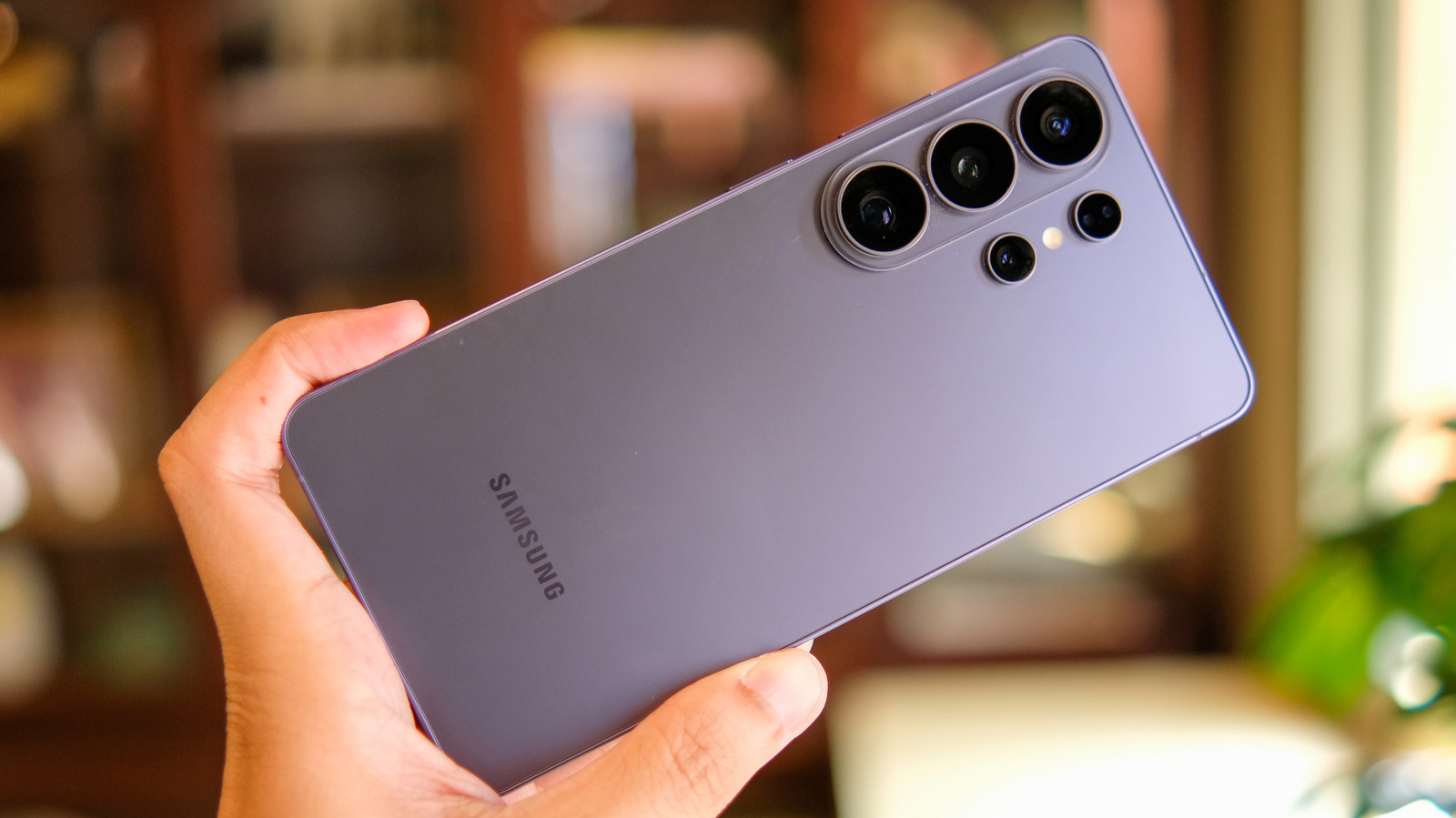
In February 2026, Samsung launched the Galaxy S26 with loads of cool new features, like the S26 Ultra’s Privacy Display, AI call screening, and new camera capabilities, including improved photos in low-light settings. But the new handsets also have some secondary systems that Samsung didn’t highlight, namely a hidden camera feature. These Galaxy S26 phones can be used as webcams with your computer, a feature that Google made available to Pixel phones back in 2023. Laptops already feature built-in cameras, and desktop users can buy external webcams for their setups. 

These come in handy for work-related video conferencing sessions, personal video calls, and recording events for social media. However, using the more advanced camera systems available on mobile devices may offer better image quality than the default webcam. Also, instead of using a Galaxy S26 or Pixel device to join Zoom calls directly, you might consider connecting your smartphone to a PC with this webcam feature. That way, you can take advantage of the larger display, which is especially useful for video calls with multiple people.

How to use the Galaxy S26 as a webcam
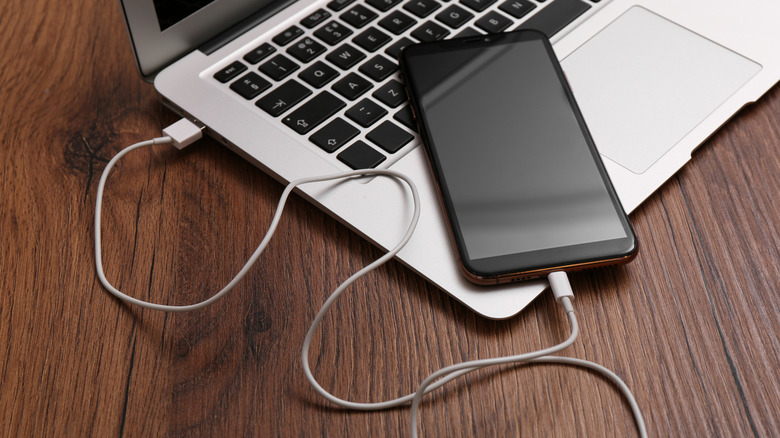

Smartphone plugged into a laptop
Liudmila Chernetska/Getty Images

In 2023, Google unveiled webcam support to the Pixel Fold and Pixel 6 (or later) devices. The feature was exclusive to certain Pixel devices initially, and required UVC (USB Video Class) support with a data transfer-capable USB cable. To use a Pixel phone as a webcam, you need to connect it to a computer via USB, tap “Charging this device through USB,” and select the Webcam option under the “Use USB for” menu. 

The new, more refined Galaxy S26 smartphones now support the same webcam feature and use the same process to enable it. Galaxy S26 phones also offer a High Quality Mode that can improve the webcam experience. However, this mode increases the power draw and can heat up the handset, which is indicated by a pop-up notification. There are no limitations when it comes to the computer connected to the Galaxy S26, which means you should be able to use this Samsung phone webcam feature with any PC operating system.

Other ways to turn your phone into a webcam


A video conference session at work using a traditional webcam.
Andrey_Popov/Shutterstock

While Samsung was slower to adopt the webcam functionality that Google built into Android, Samsung phones do have their own webcam mode. It’s a feature called Camera sharing that works with Galaxy phones running One UI 6.1 or higher. The Galaxy S26 series runs Android 16 with One UI 8.5, so it will also support it. However, it is more restrictive than Google’s webcam mode as Camera sharing works only with other Galaxy devices. 

The advantage of this feature over Google’s implementation is support for wireless connectivity. It is designed so that you can wirelessly move a video call from a Galaxy tablet or laptop onto your smartphone for improved portability. Android users can do something similar with Microsoft’s Link to Windows app. 

They’ll need Android 10 (or later) and a PC running Windows 11 (or later). Link to Windows would also work with Galaxy S26 phones, allowing owners to connect with Windows computers via Bluetooth. Like Samsung’s Camera sharing, Microsoft’s feature works wirelessly. That said, it may be a good idea to connect the phone to a power source when using it as a webcam for longer video chats.




Sign Up For Daily Newsletter

Be keep up! Get the latest breaking news delivered straight to your inbox.
By signing up, you agree to our Terms of Use and acknowledge the data practices in our Privacy Policy. You may unsubscribe at any time.
Share This Article
Facebook Twitter Email Print
Share
What do you think?
Love0
Sad0
Happy0
Sleepy0
Angry0
Dead0
Wink0
Previous Article Cryptocurrency News: Pepeto Outperforms LINK and AVAX as Kiyosaki Urges Buying Cryptocurrency News: Pepeto Outperforms LINK and AVAX as Kiyosaki Urges Buying
Next Article How AI is Transforming Demand Planning in Modern Supply Chains (From Forecasting to Execution) | HackerNoon How AI is Transforming Demand Planning in Modern Supply Chains (From Forecasting to Execution) | HackerNoon
Leave a comment

Leave a Reply Cancel reply

Your email address will not be published. Required fields are marked *

Stay Connected

248.1k Like
69.1k Follow
134k Pin
54.3k Follow

Latest News

MasterPlug Auraline Black Glass Panel Heater Review
Gadget
UK government launches £50m safety tech scheme – UKTN
News
JD Logistics opens first self-operated overseas warehouse in Japan · TechNode
Computing
The ChatOn AI Deal Is an Efficient Way to Access Multiple Models in One Platform
News

You Might also Like

UK government launches £50m safety tech scheme – UKTN
News

UK government launches £50m safety tech scheme – UKTN

2 Min Read
The ChatOn AI Deal Is an Efficient Way to Access Multiple Models in One Platform
News

The ChatOn AI Deal Is an Efficient Way to Access Multiple Models in One Platform

3 Min Read
Shutdown Vs. Sleep: What’s Better For Your PC? – BGR
News

Shutdown Vs. Sleep: What’s Better For Your PC? – BGR

6 Min Read
Apps on the App Store are being updated by Apple, though there's no clear reason why
News

Apps on the App Store are being updated by Apple, though there's no clear reason why

1 Min Read
//

World of Software is your one-stop website for the latest tech news and updates, follow us now to get the news that matters to you.

Quick Link

  • Privacy Policy
  • Terms of use
  • Advertise
  • Contact

Topics

  • Computing
  • Software
  • Press Release
  • Trending

Sign Up for Our Newsletter

Subscribe to our newsletter to get our newest articles instantly!

World of SoftwareWorld of Software
Follow US
Copyright © All Rights Reserved. World of Software.
Welcome Back!

Sign in to your account

Lost your password?