
Despite the proliferation of SSDs, mechanical hard drives continue to be popular as a cheap and reliable data storage medium and aren’t going away anytime soon. Hard drives may, in fact, be becoming more valuable as the pricing of NAND flash chips, which are used in SSDs and flash drives, skyrockets because of massive demand from AI companies. So, hard drives are still as relevant as computing hardware as they were a decade or two ago. You can even use them for different tasks after they have stopped being your primary or secondary storage drives.
However, like any popular tech product, hard drives are not immune to false beliefs that remain popular in the wild and are often treated as truths by not-so-savvy users. Myths such as magnets wiping out a hard disk and formatting the disk can erase all traces of the data still persist among users. Here are some of these hard drive myths that have very little to no basis in truth, and you should stop believing them.
Magnets will kill your hard drive

The idea that magnets can wipe your hard drive or render it useless is often used as a trope in many Hollywood movies and TV shows, which has led to this misconception propagating among the wider general population as well. Many folks believe that any magnet can erase the data stored on a hard drive. However, that’s far from the truth. Pretty much any magnet that you have easy access to is unlikely to cause any harm to your mechanical hard drive. The same was even tested by YouTube channel Warped in a video, using magnets having a pull force of as much as 40lbs, which is a lot higher than what you’ll find in most household items, except probably a large subwoofer.
A similar experiment was conducted by folks at K&J Magnetics using two magnets having a pull force of 66 lbs each and a magnetic flux of just over 6,000 gauss, and they were unable to damage the hard drive. So, you don’t have to worry about household magnets because not only do they not produce a strong enough magnetic field, but the hard drives themselves have strong shielding to avoid any such accidents. You’ll need a really strong magnet, with a strong pull force or high magnetic flux, to actually damage the hard drive internals or corrupt the data, making it unreadable, as often shown in the movies.
Simply formatting your hard drive wipes all the data

When you are thinking of disposing of an old hard drive or donating it, one of the most important tasks you have to do is wipe all the data. This is critical because you don’t want your private files reaching some random person. However, many people believe that simply deleting the files or formatting the drive once will delete everything. Unfortunately, when you format a drive, the operating system’s default behavior is a “quick format”, which, on the surface, does seemingly delete everything and is perfectly okay for personal reuse of the drive, but it’s not a complete wipe. All your data is still present on the drive; a “quick format” only removes the file system index table that tells the computer where all the files are located on the drive.
Many recovery apps can access and read this deleted data without much effort. So, if you want your data to be truly gone from the hard drive, you either need a dedicated drive wiping utility or use the full format option (which is essentially unselecting quick format). While the dedicated drive wiping utilities are typically more thorough in making sure the previously stored data becomes unreadable, the full format option is good enough for most people and overwrites each sector with zeroes. However, in rare cases, it can leave remnants of previously stored data that can be recovered with specialized forensic tools.
Hard drives can last forever in storage
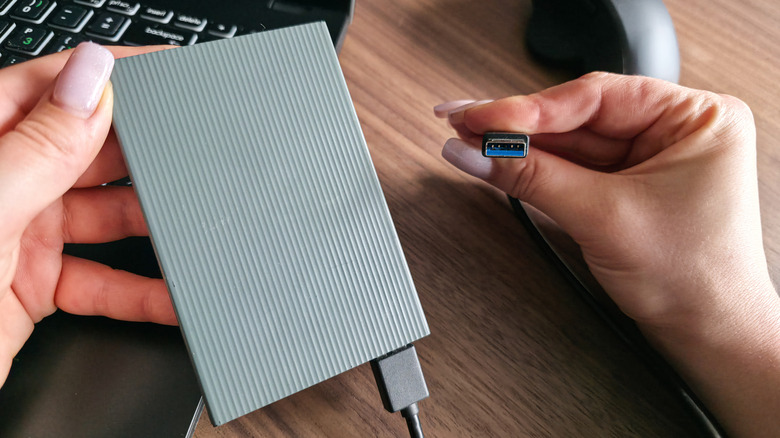
If you think you can just dump all your important data into a hard drive and leave it in a safe as a long-term cold backup, you may end up with a rude surprise when you finally plug the drive back in to read or restore the data. Hard drives are susceptible to something called bit rot when left unused for a long time. Bit rot or data decay refers to the gradual corruption of data stored in different media because of magnetic decay when the binary codes, like 0s, get flipped to 1s, or vice versa. This results in file corruption and your inability to access some or all of the stored data.
Besides bit rot, mechanical hard drives can also fail because of the included lubricant drying up or getting viscous after years of no use. This lubricant is typically used in modern hard drives to minimize friction in the internal components. So, it’s a good idea to plug in your cold storage drives every once in a while to spin up the drive and refresh everything. This will significantly improve their ability to last for a long time. Still, it’s always a good idea to have multiple backups for peace of mind.