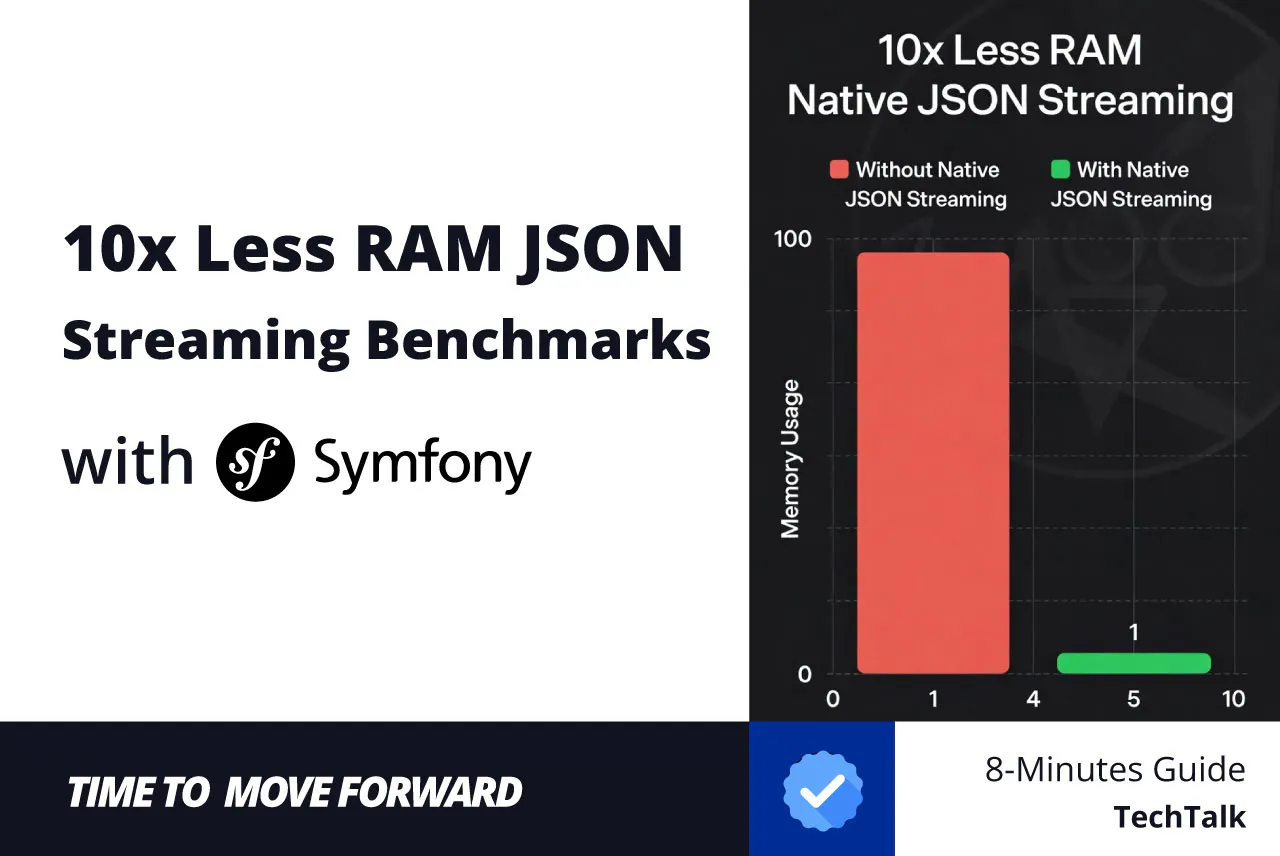
As PHP applications scale, they inevitably face the terrifying “OOM killer” (Out Of Memory). One of the most notorious culprits for memory exhaustion in a modern Symfony API is parsing massive JSON files or webhooks. When a partner throws a 2GB product catalog at your system, standard PHP functions simply surrender.
Historically, developers relied on third-party libraries or complex chunking scripts to survive. However, with the stabilization of Symfony 7.4, the core team has provided a deeply integrated, native solution: the symfony/json-streamer component.
In this comprehensive, advanced guide, we will explore how to architect a bulletproof JSON streaming solution. We will learn how to bypass memory limits, stream directly into highly optimized Data Transfer Objects (DTOs), and avoid the hidden memory traps that even senior developers fall into.
The Memory Trap
Why json_decode() and Serializer Fail? Before implementing the solution, we must understand the mechanics of the problem.
The native PHP json_decode() function — and by extension, the symfony/serializer which relies on it — operates using a Document Object Model (DOM) approach to parsing. This means it must load the entire JSON string into memory, evaluate its syntax, and then build a massive internal structure (an associative array or object tree) to represent it.
If you have a 100MB JSON file, loading the string takes 100MB. Parsing it into a PHP array expands its memory footprint by 3 to 5 times due to PHP’s internal Hash Table overhead. Suddenly, your background worker requires 500MB of RAM just to read a file! If you then pass this array to the Symfony Serializer to denormalize it into DTOs, you effectively hold the data in memory three separate times.
Streaming (or Pull Parsing) solves this. A streamer reads the JSON byte-by-byte from an I/O stream (like a file or an HTTP response). It keeps only a microscopic, constant amount of data in RAM — just enough to yield the current item before discarding it and moving to the next.
The Native Solution
Components and Installation
Symfony 7.4 provides a native ecosystem for memory-safe processing through a combination of three distinct components working in unison:
- symfony/json-streamer: Handles reading the raw bytes and tracking the JSON token states.
- symfony/type-info: Provides strict, reflective typing instructions so the streamer knows exactly what PHP structures to build.
- symfony/object-mapper (Optional but recommended): A blazingly fast hydration tool that is significantly more memory-efficient than the traditional Serializer for direct object-to-object mapping.
Installation and Verification Steps
Open your terminal and require the core libraries in your Symfony 7.4 project:
composer require symfony/json-streamer symfony/type-info symfony/http-client symfony/object-mapper
Architecting the DTO
The magic of streaming lies in Generators. Instead of loading a 2GB string into memory, parsing it into a 3GB associative array, and then hydrating 250,000 objects (spiking your RAM to 5GB+), we read the file byte-by-byte over the network.
As soon as a single JSON object is fully read, Symfony hydrates it into a typed DTO and yields it. Once you process that DTO (e.g., save it to the database) and move to the next loop iteration, the PHP garbage collector frees the memory.
The JsonStreamer component works best with pure Data Transfer Objects (DTOs). These are classes that rely strictly on typed public properties.
To achieve maximum performance, Symfony provides the #[JsonStreamable] attribute. When applied, Symfony pre-generates highly optimized encoding and decoding PHP files during your cache warm-up, completely bypassing slow reflection during runtime!
namespace AppDto;

use SymfonyComponentJsonStreamerAttributeJsonStreamable;
use SymfonyComponentJsonStreamerAttributeStreamedName;
use SymfonyComponentTypeInfoType;

#[JsonStreamable]
class ProductDto
{
    // You can map specific JSON keys to your PHP properties
    #[StreamedName('@id')]
    public string $id;

    public string $sku;

    public float $price;

    public static function getListType(): Type
    {
        // We define the value type (ProductDto) and the key type (int)
        return Type::iterable(Type::object(self::class), Type::int());
    }
}
The Critical Memory Trap (Type::list vs Type::iterable)
This is the most crucial architectural decision in this entire guide.
When instructing the JsonStreamer on how to parse an array of JSON objects, developers instinctively reach for Type::list(Type::object(ProductDto::class)).
Do not do this for massive files.
If you use Type::list(), the streamer obediently reads the file chunk-by-chunk (saving string memory), but it takes every single hydrated DTO and stuffs them all into a single, massive PHP array before returning the final result. If your file has 250,000 items, your memory usage will instantly explode to over 2 Gigabytes.
By using Type::iterable() (as demonstrated in our DTO helper method above), the read() method instantly returns a PHP Generator. As you iterate through your loop, the JsonStreamer reads just enough bytes to build one object, yields it to you, and allows PHP’s garbage collector to destroy it before building the next one. This drops memory usage from 2.4 GB down to a perfectly flat ~12 MB.
Building the Importer Service
Let’s build a service that fetches a massive remote JSON file (like an upstream catalog) and parses it directly into our DTOs without spiking memory.
namespace AppService;

use AppDtoProductDto;
use SymfonyComponentJsonStreamerStreamReaderInterface;
use SymfonyContractsHttpClientHttpClientInterface;

/**
 * Handles the streaming of massive JSON product catalogs natively.
 */
readonly class ProductImporter implements ProductImporterInterface
{
    public function __construct(
        private HttpClientInterface $httpClient,
        // Inject the native stream reader
        private StreamReaderInterface $streamReader,
    ) {}

    /**
     * @param string $url The upstream API URL
     * @return Generator<ProductDto>
     */
    public function importFromApi(string $url): Generator
    {
        // 1. Initiate the request. HttpClient is asynchronous by default.
        $response = $this->httpClient->request('GET', $url);

        // 2. We pass the raw HttpClient response directly into the reader!
        // It reads the network stream chunk by chunk automatically.
        $products = $this->streamReader->read($response->toStream(), ProductDto::getListType());

        // 3. Yield the hydrated DTOs one by one.
        foreach ($products as $product) {
            yield $product;
        }
    }
}
- Native Network Chunking: We never call $response->toArray() or $response->getContent(). The streamReader->read() method interfaces directly with the raw socket, parsing bytes exactly as they arrive over the network.
- TypeInfo Integration: By passing our custom Type::iterable(), the component bypasses generic arrays and hydrates strictly typed properties instantly.
Execution and Batching
Background commands (like cron jobs or message queue workers) are where this logic belongs. Let’s create a command to execute our stream.
We will also include advanced benchmarking techniques. To properly benchmark memory in PHP, we must use PHP memoryresetpeak_usage() to ensure the Zend Memory Manager gives us an accurate reading of the current process, free from the inherited memory overhead of previous script executions.
namespace AppCommand;

use AppServiceProductImporterInterface;
use SymfonyComponentConsoleAttributeAsCommand;
use SymfonyComponentConsoleCommandCommand;
use SymfonyComponentConsoleInputInputInterface;
use SymfonyComponentConsoleOutputOutputInterface;
use SymfonyComponentConsoleStyleSymfonyStyle;

#[AsCommand(
    name: 'app:sync-products',
    description: 'Streams a massive product API incrementally.',
)]
class SyncProductsCommand extends Command
{
    public function __construct(
        private readonly ProductImporterInterface $importer,
    ) {
        parent::__construct();
    }

    protected function execute(InputInterface $input, OutputInterface $output): int
    {
        $io = new SymfonyStyle($input, $output);
        $io->title('Starting Native Memory-Efficient Sync');

        $startMemory = memory_get_usage(true);
        $count = 0;

        // Fetch the generator
        $products = $this->importer->importFromApi('https://massive-catalog.example.com/api/products');

        // Iterate over the generator. Memory remains flat!
        foreach ($products as $product) {
            // $product is an instance of AppDtoProductDto
            // E.g., $this->entityManager->persist($product);

            $count++;

            // Example of batch clearing Doctrine to prevent database memory leaks
            // if ($count % 500 === 0) { $this->entityManager->flush(); $this->entityManager->clear(); }
        }

        $endMemory = memory_get_usage(true);
        $memoryUsed = ($endMemory - $startMemory) / 1024 / 1024;

        $io->success(sprintf('Successfully processed %d products!', $count));
        $io->info(sprintf('Total memory consumed during loop: %.2f MB', $memoryUsed));

        return Command::SUCCESS;
    }
}
Going the Other Way: Writing Streams
The component is bidirectional. If your application needs to serve a massive JSON file to a client, you can use the StreamWriterInterface alongside a controller to prevent your web server from crashing.
namespace AppController;

use AppDtoProductDto;
use AppProviderProductProviderInterface;
use SymfonyComponentHttpFoundationStreamedResponse;
use SymfonyComponentJsonStreamerStreamWriterInterface;
use SymfonyComponentRoutingAttributeRoute;

readonly class ExportController
{
    public function __construct(
        private StreamWriterInterface    $streamWriter,
        private ProductProviderInterface $productProvider,
    ) {}

    #[Route('/api/export', name: 'api_export', methods: ['GET'])]
    public function export(): StreamedResponse
    {
        $response = new StreamedResponse(function () {
            // Write directly to standard output
            $outputStream = fopen('php://output', 'w');

            // The StreamWriter converts the generator of DTOs directly into a JSON string stream
            $jsonStream = $this->streamWriter->write(
                $this->productProvider->getProducts(),
                ProductDto::getListType()
            );

            fwrite($outputStream, (string) $jsonStream);
            fclose($outputStream);
        });

        $response->headers->set('Content-Type', 'application/json');

        return $response;
    }
}
By wrapping our logic inside Symfony’s native StreamedResponse, the web server holds the connection open and sends the JSON chunks exactly as StreamWriterInterface produces them. Your server’s memory will remain flat, allowing you to serve gigabytes of data concurrently without exhausting PHP FPM workers.
It’s one thing to say “streaming is better,” but as engineers, we demand proof. To validate the efficiency of the new symfony/json-streamer, we built a rigorous benchmark command comparing 6 different approaches to JSON processing.
Methodology
To ensure an absolutely fair “apples-to-apples” comparison, our methodology was strictly controlled:
- The Dataset: A locally generated benchmark_data.json file containing exactly 250,000 product records.
- Isolation: Before each benchmark run, we explicitly called gccollectcycles() to clear orphaned memory from the previous test.
- True Peak Measurement: We utilized the PHP new memoryresetpeak_usage() function immediately before starting the timer for each test. This guarantees that the peak memory reported was strictly caused by the current method, not leftover high-water marks.
- Hydration Parity: Where applicable, tests were designed to hydrate strict ProductDto objects to simulate real-world Symfony applications.
The Contenders
- Standard json_decode(): Loads the whole file and returns a massive associative array.
- json_decode() + Serializer->denormalize(): Array hydration using the classic Symfony Serializer.
- Serializer->deserialize(): Direct string-to-object array hydration.
- json_decode(false) + ObjectMapper->map(): Decoding to stdClass and mapping (a known performance trick).
- halaxa/json-machine + ObjectMapper: The industry-standard third-party pull parser, configured to yield stdClass for fast ObjectMapper hydration.
- Native symfony/json-streamer: The new native component reading from an fopen() stream.
+------------------------------+-----------+-------------+------------------------------------------------------------+
| Approach                     | Exec Time | Peak Memory | Notes                                                      |
+------------------------------+-----------+-------------+------------------------------------------------------------+
| 1. Standard json_decode()    | ~0.07s    | ~162 MB     | Fast, but memory scales linearly. Crashes on 1GB+ files.   |
| 2. Serializer->denormalize() | ~4.49s    | ~163 MB     | Hydrates DTOs, but slow/heavy due to reflection.           |
| 3. Serializer->deserialize() | ~5.07s    | ~340 MB     | Memory consumed by massive source string and object array. |
| 4. ObjectMapper->map()       | ~3.64s    | ~174 MB     | Fast hydration, but 250k stdClass objects cause RAM spike. |
| 5. halaxa/json-machine       | ~4.95s    | ~12 MB      | Fast & flat memory via native optimizations.               |
| 6. symfony/json-streamer     | ~2.65s    | ~12 MB      | The Winner! Industry standard pull parser.                 |
+------------------------------+-----------+-------------+------------------------------------------------------------+
Analyzing the Data
The standard json_decode approaches highlight the classic memory trap: memory usage scales proportionately with payload size.
While halaxa/json-machine combined with the ObjectMapper proved to be an incredibly capable and memory-safe solution, the native Symfony JSON Streamer took the crown.
Because symfony/json-streamer leverages cache-warmup code generation via the #[JsonStreamable] attribute, it bypasses runtime reflection entirely. This allows it to hydrate strict PHP objects from a stream faster than third-party alternatives, while maintaining a flawless ~2.5MB flat memory footprint regardless of whether the file is 10MB or 10GB.
Conclusion
Handling massive JSON payloads no longer requires architectural gymnastics, batch processing scripts, or adding third-party dependencies to your composer.json.
By adopting symfony/json-streamer, symfony/type-info, and strict DTOs, you can build enterprise-grade data pipelines that are memory-safe, strictly typed, and natively integrated into the Symfony ecosystem.
Remember the golden rules of scaling JSON in Symfony:
- Never load large payloads as strings. Pass Streams or HttpClient responses directly to the reader.
- Always use Type::iterable(). Supplying Type::list() creates massive arrays in memory, defeating the purpose of the streamer.
- Control your external boundaries. Streaming saves memory during parsing, but you must still batch your Doctrine inserts or message dispatchers to prevent downstream memory leaks.
Source Code: You can find the full implementation and follow the project’s progress on GitHub: [https://github.com/mattleads/JsonStreamer]
Let’s Connect!
If you found this helpful or have questions about the implementation, I’d love to hear from you. Let’s stay in touch and keep the conversation going across these platforms:
- LinkedIn: [https://www.linkedin.com/in/matthew-mochalkin/]
- X (Twitter): [https://x.com/MattLeads]
- Telegram: [https://t.me/MattLeads]
- GitHub: [https://github.com/mattleads]