By using this site, you agree to the Privacy Policy and Terms of Use.
Accept
World of SoftwareWorld of SoftwareWorld of Software
  • News
  • Software
  • Mobile
  • Computing
  • Gaming
  • Videos
  • More
    • Gadget
    • Web Stories
    • Trending
    • Press Release
Search
  • Privacy
  • Terms
  • Advertise
  • Contact
Copyright © All Rights Reserved. World of Software.
Reading: There Are Hidden Partitions On Your Hard Drive Keeping Your Computer Safe – Here’s How To Find Them – BGR
Share
Sign In
Notification Show More
Font ResizerAa
World of SoftwareWorld of Software
Font ResizerAa
  • Software
  • Mobile
  • Computing
  • Gadget
  • Gaming
  • Videos
Search
  • News
  • Software
  • Mobile
  • Computing
  • Gaming
  • Videos
  • More
    • Gadget
    • Web Stories
    • Trending
    • Press Release
Have an existing account? Sign In
Follow US
  • Privacy
  • Terms
  • Advertise
  • Contact
Copyright © All Rights Reserved. World of Software.
World of Software > News > There Are Hidden Partitions On Your Hard Drive Keeping Your Computer Safe – Here’s How To Find Them – BGR
News

There Are Hidden Partitions On Your Hard Drive Keeping Your Computer Safe – Here’s How To Find Them – BGR

News Room
Last updated: 2026/03/18 at 9:04 PM
News Room Published 18 March 2026
Share
There Are Hidden Partitions On Your Hard Drive Keeping Your Computer Safe – Here’s How To Find Them – BGR
SHARE


tomeqs/Shutterstock

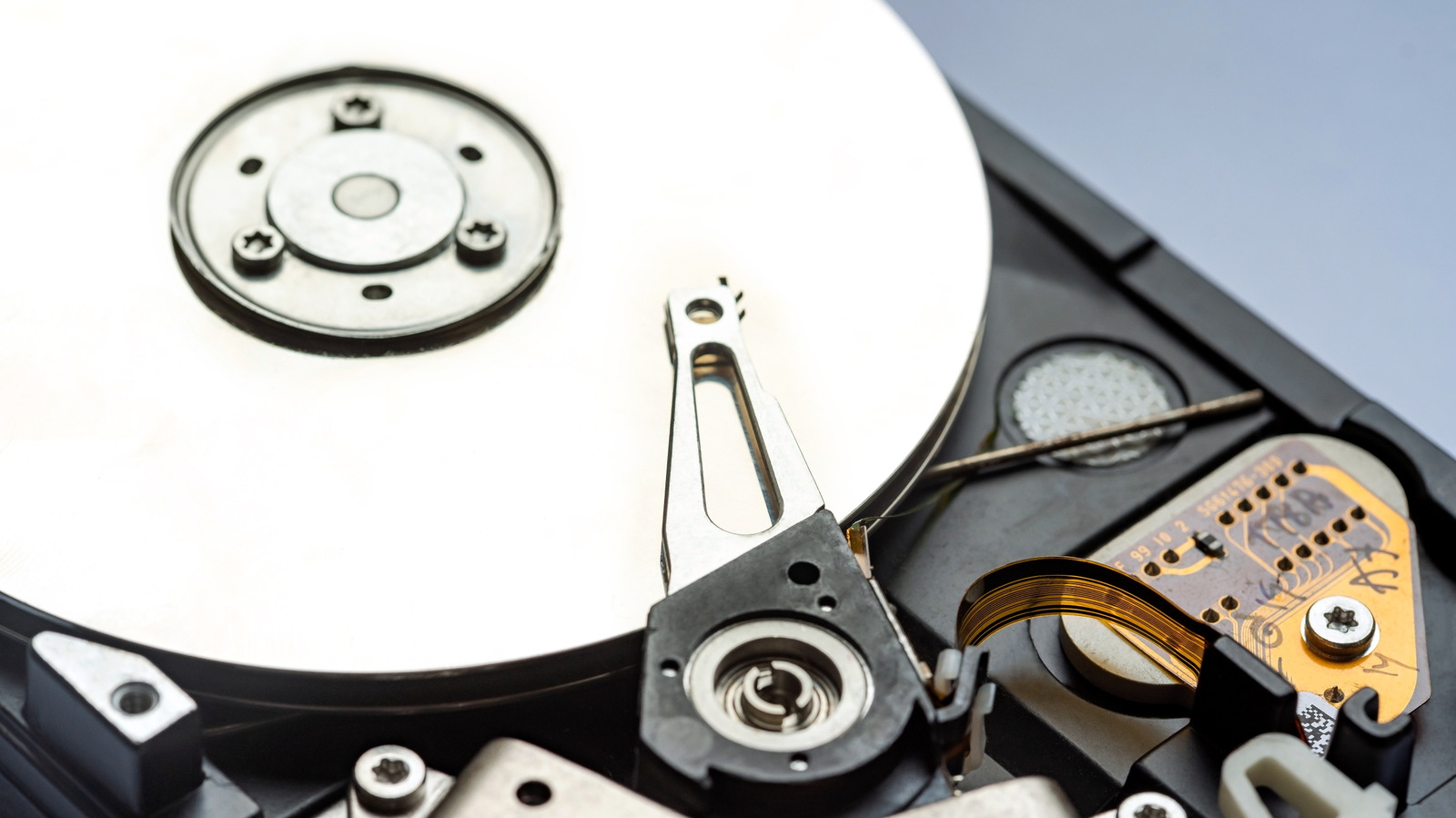
Large hard drives can be divided into partitions, which is basically segmenting part of the drive for individual use. This allows you to use a single, large drive, sort of like multiple drives, to, for example, include an operating system on one partition and extra storage on another. You can also isolate different types of data, such as backups of your most important files, on one partition that’s only used for that purpose. Which brings us to the idea of hidden partitions. They are like any other partition, with the exception that they’re usually excluded from showing up in standard system apps like a file explorer. Why? Mostly for security and safety.

A great example of this is a system recovery partition. Usually, a recovery partition houses critical backup and recovery files for the main system OS, such as Windows. If and when the operating system experiences a critical failure, whether from normal use or malicious means, like malware, you can use the recovery partition content to restore a clean backup. 

But in order to make sure that’s possible, the recovery partition is usually hidden and made inaccessible or unwriteable under normal means — so that you can’t erase or overwrite the data. This is also why a partition like the recovery sector is hidden, so that those who aren’t well-versed in its meaning or use cannot accidentally render it unusable. That’s why you should never alter or change a recovery partition unless you know what you’re doing. A great way to use old drives, including portable USB drives, is to repurpose them as a recovery disk. But if you don’t have extra drives, you can always partition an existing drive.

What else can hidden partitions be used for?
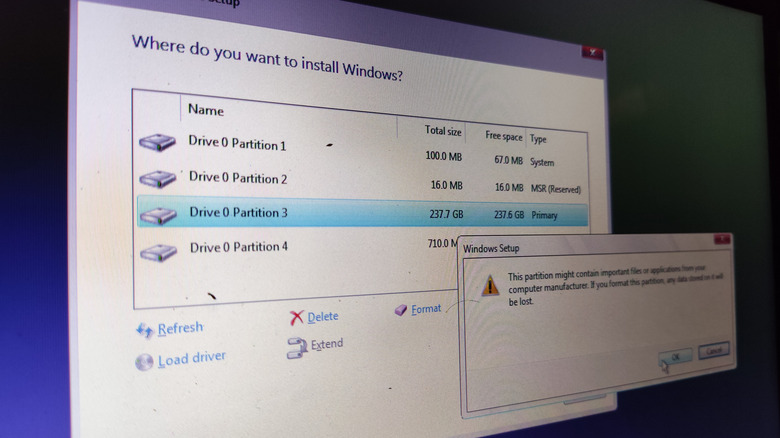

Screenshot of Windows install with disc partition menu visible.
muh_tarom/Shutterstock

One of the earliest things you encounter when installing a clean version of Windows is the disc partition process. While the most common application for hidden partitions is to create and store a recovery image of an operating system, they might also contain secure, sensitive data, such as encrypted files. Some other reasons you might hide a partition are if it has been infected by malware and you want to seclude it from the rest of the system and make it inaccessible. You might also use the function to hide old files, like old backups, so they’re not accessed by other users or overwritten.

In Windows, you can actually create a hidden partition yourself using the standard Disk Management tool or the Windows Command Prompt. You can also use third-party tools like Partition Wizard or VeraCrypt. Once hidden, the content stored within will not be accessible through common apps like Windows Explorer. It cannot be accessed by most additional apps on the system either. There is known malware that can impersonate everyday Windows apps, so keeping a sensitive and hidden partition locked down from the rest of the system can help protect the data it contains. If you’re storing data for a long time and want to ensure it’s secure, you can also encrypt, hide the partition and stow the hard drives safely in a static bag. Even if someone were to discover the drive and connect it to a computer, they wouldn’t be able to find or access the hidden partition without specialized software.


Sign Up For Daily Newsletter

Be keep up! Get the latest breaking news delivered straight to your inbox.
By signing up, you agree to our Terms of Use and acknowledge the data practices in our Privacy Policy. You may unsubscribe at any time.
Share This Article
Facebook Twitter Email Print
Share
What do you think?
Love0
Sad0
Happy0
Sleepy0
Angry0
Dead0
Wink0
Previous Article AI training lawsuit drags Apple in yet again for alleged use of pirated book dataset AI training lawsuit drags Apple in yet again for alleged use of pirated book dataset
Next Article Temu faces suspension in Vietnam · TechNode Temu faces suspension in Vietnam · TechNode
Leave a comment

Leave a Reply Cancel reply

Your email address will not be published. Required fields are marked *

Stay Connected

248.1k Like
69.1k Follow
134k Pin
54.3k Follow

Latest News

China’s GAC builds EV partnership with Huawei · TechNode
Computing
Lowest Price Alert: Secure This Blink Video Doorbell and Outdoor 4 Bundle Deal for Less Than
Lowest Price Alert: Secure This Blink Video Doorbell and Outdoor 4 Bundle Deal for Less Than $50
News
Tencent launches and open-sources Hunyuan video-generation model · TechNode
Computing
Teen girls use AI to create sexual images, study says
News

You Might also Like

Lowest Price Alert: Secure This Blink Video Doorbell and Outdoor 4 Bundle Deal for Less Than
News

Lowest Price Alert: Secure This Blink Video Doorbell and Outdoor 4 Bundle Deal for Less Than $50

4 Min Read
Teen girls use AI to create sexual images, study says
News

Teen girls use AI to create sexual images, study says

8 Min Read
Tim Cook on iPhone’s Future: ‘There’s So Much Left That We Can Do’
News

Tim Cook on iPhone’s Future: ‘There’s So Much Left That We Can Do’

3 Min Read
Is Ethernet Actually More Reliable Than Wi-Fi? – BGR
News

Is Ethernet Actually More Reliable Than Wi-Fi? – BGR

4 Min Read
//

World of Software is your one-stop website for the latest tech news and updates, follow us now to get the news that matters to you.

Quick Link

  • Privacy Policy
  • Terms of use
  • Advertise
  • Contact

Topics

  • Computing
  • Software
  • Press Release
  • Trending

Sign Up for Our Newsletter

Subscribe to our newsletter to get our newest articles instantly!

World of SoftwareWorld of Software
Follow US
Copyright © All Rights Reserved. World of Software.
Welcome Back!

Sign in to your account

Lost your password?