

By using this site, you agree to the Privacy Policy and Terms of Use.
Accept
World of SoftwareWorld of SoftwareWorld of Software
  • News
  • Software
  • Mobile
  • Computing
  • Gaming
  • Videos
  • More
    • Gadget
    • Web Stories
    • Trending
    • Press Release
Search
  • Privacy
  • Terms
  • Advertise
  • Contact
Copyright © All Rights Reserved. World of Software.
Reading: These 16 Car Brands Just Got A Huge New Android Auto Feature – BGR
Share
Sign In
Notification Show More
Font ResizerAa
World of SoftwareWorld of Software
Font ResizerAa
  • Software
  • Mobile
  • Computing
  • Gadget
  • Gaming
  • Videos
Search
  • News
  • Software
  • Mobile
  • Computing
  • Gaming
  • Videos
  • More
    • Gadget
    • Web Stories
    • Trending
    • Press Release
Have an existing account? Sign In
Follow US
  • Privacy
  • Terms
  • Advertise
  • Contact
Copyright © All Rights Reserved. World of Software.
World of Software > News > These 16 Car Brands Just Got A Huge New Android Auto Feature – BGR
News

These 16 Car Brands Just Got A Huge New Android Auto Feature – BGR

News Room
Last updated: 2026/03/31 at 6:58 AM
News Room Published 31 March 2026
Share
These 16 Car Brands Just Got A Huge New Android Auto Feature – BGR
SHARE


Andriy Baidak/Shutterstock

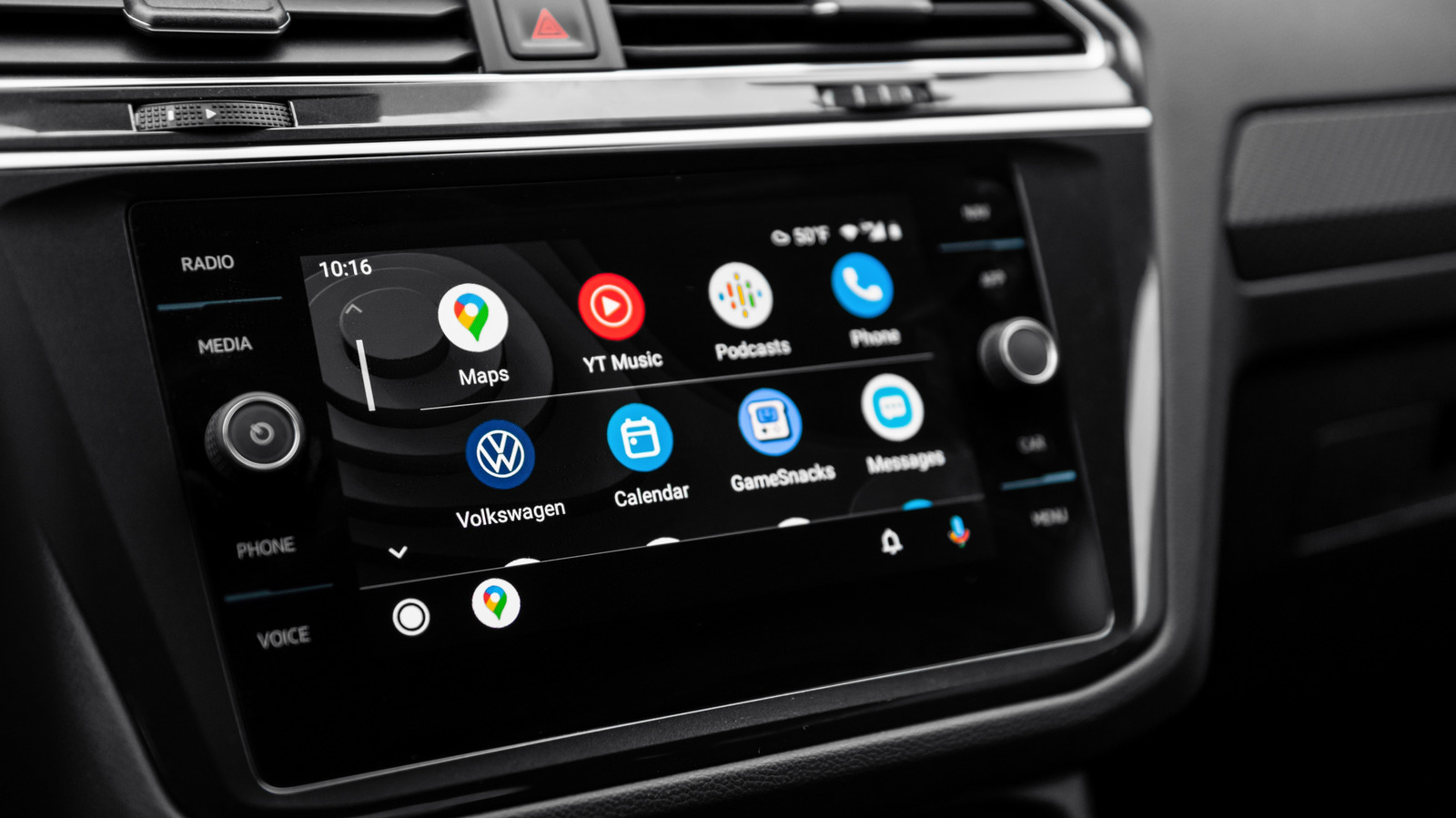
Certain electric vehicle owners are getting a big battery feature thanks to Android Auto and Google Maps. An EV can be great for reducing your energy costs, but knowing exactly when it’s time to stop for a charge can be tricky. There are ways to extend the range of your electric vehicle, of course, but a new update for Google Maps will soon help Android Auto users get a better idea of how their vehicle’s battery is doing without sifting through a bunch of menus and apps.

Available as part of Google Maps version 25.44, over 350 car models from 16 manufacturers are going to receive AI-powered recommendations in Android Auto concerning when and where to charge a vehicle’s battery. You’ll simply need to provide some information about your vehicle, then Google Maps will provide key battery details whenever you enter a destination. The app will also give some recommendations on where to stop, as well.

Google says that the feature will begin rolling out over the next week, and we can show you how to add your vehicle to Google Maps should you need to. There are also a couple of things you’ll want to know to get the most accurate information. If you don’t have automatic updates enabled for Google Maps, find it in the Google Play Store from your smartphone and tap the word “Update” if it appears on the app’s Details page. While you’re in the store, there are some essential Android Auto apps you should consider installing.

Google Maps adds EV battery estimations for Android Auto

Relying on AI that has “advanced energy models,” the new Google Maps 25.44 update for Android Auto takes information about your vehicle, such as battery size and weight, and uses it to give you details about where your battery level will be when you arrive at a destination. You’ll also get an ETA based on charging times, and even recommendations on where to stop for a charge.

The new feature will be available for the following manufacturers: Audi, BMW, Chevrolet, Fiat, Genesis, Hyundai, Jaguar, Kia, Lexus, Lucid, Mercedes-Benz, Nissan, Porsche, Subaru, Toyota, and Volkswagen.

If you need a refresher, just follow these steps to add your EV to Google Maps:

  1. Open the Google Maps app on your smartphone.

  2. Select your profile icon.

  3. Tap Settings.

  4. Choose Your vehicles.

  5. Select Electric from the Engine type category.

  6. Choose Add vehicle under the Vehicle section.

  7. Enter the Make, Model, Year, and Trim of your vehicle within each category.

  8. Under the Your plugs section, confirm the information is correct or select Edit to make adjustments.

Once you add your vehicle to Google Maps, you can view the estimated battery usage of a trip directly from the trip overview page. From there, you can add your current charge level, and Google Maps will provide you with the rest. Note that this information doesn’t have a live connection to your car, so it won’t adjust anything based on real-time driving conditions. How accurate the information you entered was will also determine Google Maps’ accuracy. Like other essential Android apps for long drives, the new update should be handy for those going the distance.



Sign Up For Daily Newsletter

Be keep up! Get the latest breaking news delivered straight to your inbox.
By signing up, you agree to our Terms of Use and acknowledge the data practices in our Privacy Policy. You may unsubscribe at any time.
Share This Article
Facebook Twitter Email Print
Share
What do you think?
Love0
Sad0
Happy0
Sleepy0
Angry0
Dead0
Wink0
Previous Article Airbnb is introducing a private car pick-up service |  News Airbnb is introducing a private car pick-up service | News
Next Article Axios Supply Chain Attack Pushes Cross-Platform RAT via Compromised npm Account Axios Supply Chain Attack Pushes Cross-Platform RAT via Compromised npm Account
Leave a comment

Leave a Reply Cancel reply

Your email address will not be published. Required fields are marked *

Stay Connected

248.1k Like
69.1k Follow
134k Pin
54.3k Follow

Latest News

Banning routers won’t fix what’s already broken | Computer Weekly
News
Mary Jo Foley: What the heck is going on with Microsoft lately?
Computing
Returning Your New Phone to T-Mobile Just Got More Expensive
News
You can finally replace your embarrassing Gmail username
News

You Might also Like

Banning routers won’t fix what’s already broken | Computer Weekly
News

Banning routers won’t fix what’s already broken | Computer Weekly

4 Min Read
Returning Your New Phone to T-Mobile Just Got More Expensive
News

Returning Your New Phone to T-Mobile Just Got More Expensive

4 Min Read
You can finally replace your embarrassing Gmail username
News

You can finally replace your embarrassing Gmail username

2 Min Read
T-Mobile is giving away the Apple iPhone 17 for free — last chance to claim yours
News

T-Mobile is giving away the Apple iPhone 17 for free — last chance to claim yours

3 Min Read
//

World of Software is your one-stop website for the latest tech news and updates, follow us now to get the news that matters to you.

Quick Link

  • Privacy Policy
  • Terms of use
  • Advertise
  • Contact

Topics

  • Computing
  • Software
  • Press Release
  • Trending

Sign Up for Our Newsletter

Subscribe to our newsletter to get our newest articles instantly!

World of SoftwareWorld of Software
Follow US
Copyright © All Rights Reserved. World of Software.
Welcome Back!

Sign in to your account

Lost your password?