Andy Walker / Android Authority
Dark Mode is a truly unsung Android interface hero and one that every user seemingly takes for granted. I have my phone automatically switch to it on a schedule each night, which ensures that I don’t burn holes in my retinas before I nod off.
Schedules, while useful, can be far too rigid. I often wish my phone could automatically flick between light and dark modes depending on the brightness of my surroundings. While Android might not have this as a built-in option, a third-party app called Adaptive Theme gives my phone this power.
How do you use Dark Mode on your phone?
11 votes
Adaptive Theme is my new favorite Android interface app

Andy Walker / Android Authority
As its name suggests, Adaptive Theme switches between dark and light modes based on the amount of light detected by my phone’s ambient light sensor. This mode switch goes beyond mere scheduling — if the phone senses that I’m outdoors in the blazing sunlight or indoors surrounded by bright lamps, Adaptive Theme will automatically switch to light mode. If I enter a dimly lit theater or cover up the ambient sensor with my hand, the interface will darken. All this is accomplished without me ever having to toggle a menu item, which is the real selling point here.
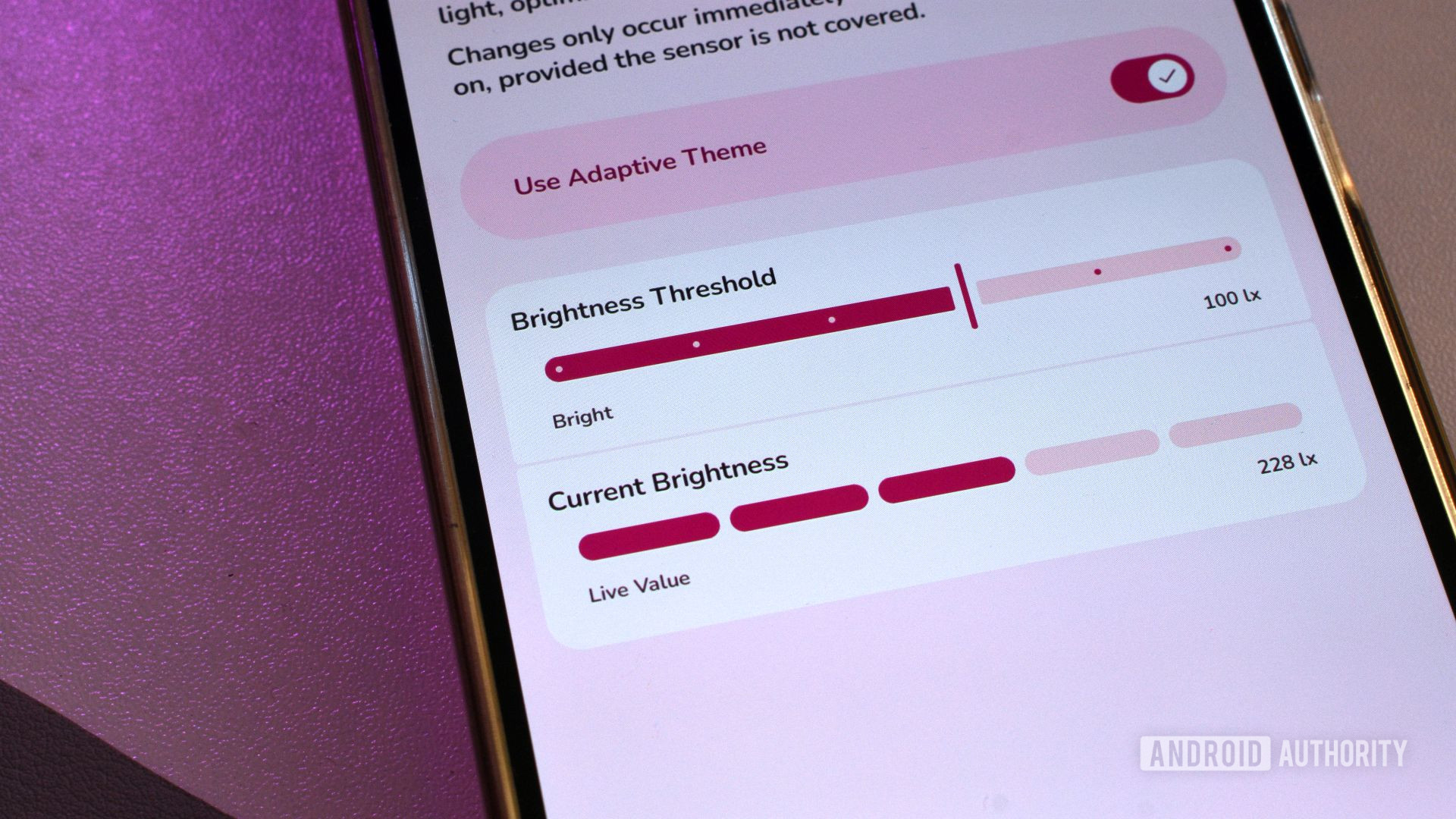
The app design is attractive yet functional, and makes pleasant use of Material You. It essentially consists of a single screen with one overflow menu. On the main panel, a master switch enables or disables the app’s automatic switching. Below it reside two more important elements: Brightness Threshold and Current Brightness.
Adaptive Theme lets my phone automatically switch to dark mode when ambient light levels are low.
Users can pick one of six brightness levels at which Adaptive Theme switches over to dark mode. This provides rough control over when the feature is triggered. If you prefer finer touches, you can enter a custom numerical threshold instead — anything between 0 and 10,000 lux is fair game.
How do you know what the sweetspot is? The Current Brightness section provides the current light reading of my phone’s ambient light sensor. I’ve found 300-400 lux to be my favored crossover point.

Andy Walker / Android Authority
Adaptive Theme does have its quirks. While it doesn’t require you to root your phone to function, it will demand access to features that Android usually locks away from third-party tools. However, it can skirt around this using Shizuku — a brilliant third-party app that allows other apps to access these features. Shizuku does add complexity, though. Shizuku’s setup procedure is far more complex than Adaptive Theme’s, which immediately detracts from the app’s simple design and mission.
It’s all about picking the perfect crossover point.
I’ll also admit that Adaptive Theme will require some trial and error, especially when choosing the perfect crossover point. I initially set a light threshold that was far too high, then too low, repeating this back and forth several times. In these cases, the app either switches between light and dark modes far too often or not at all.
Then there’s the most annoying limitation: modes only switch after the phone has been unlocked. Even though there’s not much to pressing the power button and unlocking the phone, this procedure takes me away from the task I was in the middle of. I grew used to it, but it’ll be odd for those unfamiliar with the app’s functionality.

Andy Walker / Android Authority
Ultimately, I can’t really knock Adaptive Theme. It’s a brilliant app that once installed makes you wonder how you lived without it. I genuinely cannot fathom how this feature hasn’t made it to stock Android yet.
Although it’s remarkably functional, the app is limited by Android’s restrictions. A built-in automatic theme-switcher would likely skirt these problems and offer deeper integration with various OS interface elements — I’d quite like my wallpaper to switch alongside the theme, too, but this isn’t possible at present.
How is this not a stock Android feature?
I do hope that Android gains an ambient light-based dark mode switch in the future, but for now, Adaptive Theme serves this purpose remarkably well.
Don’t want to miss the best from Android Authority?


Thank you for being part of our community. Read our Comment Policy before posting.