By using this site, you agree to the Privacy Policy and Terms of Use.
Accept
World of SoftwareWorld of SoftwareWorld of Software
  • News
  • Software
  • Mobile
  • Computing
  • Gaming
  • Videos
  • More
    • Gadget
    • Web Stories
    • Trending
    • Press Release
Search
  • Privacy
  • Terms
  • Advertise
  • Contact
Copyright © All Rights Reserved. World of Software.
Reading: 3 Bluetooth Gadgets That Work With Your Amazon Fire TV Stick – BGR
Share
Sign In
Notification Show More
Font ResizerAa
World of SoftwareWorld of Software
Font ResizerAa
  • Software
  • Mobile
  • Computing
  • Gadget
  • Gaming
  • Videos
Search
  • News
  • Software
  • Mobile
  • Computing
  • Gaming
  • Videos
  • More
    • Gadget
    • Web Stories
    • Trending
    • Press Release
Have an existing account? Sign In
Follow US
  • Privacy
  • Terms
  • Advertise
  • Contact
Copyright © All Rights Reserved. World of Software.
World of Software > News > 3 Bluetooth Gadgets That Work With Your Amazon Fire TV Stick – BGR
News

3 Bluetooth Gadgets That Work With Your Amazon Fire TV Stick – BGR

News Room
Last updated: 2026/03/22 at 2:03 PM
News Room Published 22 March 2026
Share
3 Bluetooth Gadgets That Work With Your Amazon Fire TV Stick – BGR
SHARE


Backyardproduction/Getty Images

We may receive a commission on purchases made from links.

The Amazon Fire TV Stick is one of the major streaming devices on the market, and there are a handful of models to choose from. One feature that you can find on every Fire TV Stick – from the affordable Fire TV Stick HD to the flagship Fire TV Cube – is Bluetooth connectivity. Cool, right? But why exactly should you care, because isn’t the Fire TV always plugged in to your TV? 

Well, thanks to Bluetooth, you’ll actually be able to wirelessly pair several useful gadgets to your Fire TV device. To do so, go to Settings, then choose Controllers & Bluetooth Devices. Select the type of device and follow the instructions to connect your Bluetooth device.

Connecting Bluetooth gadgets to your Fire TV Stick is a great way to expand your streamer’s capabilities, especially for those who plan on using cloud gaming platforms. It’s also worth mentioning that most of these Bluetooth gadgets can also be paired to a smart TV running Amazon’s Fire TV software.

Game controllers
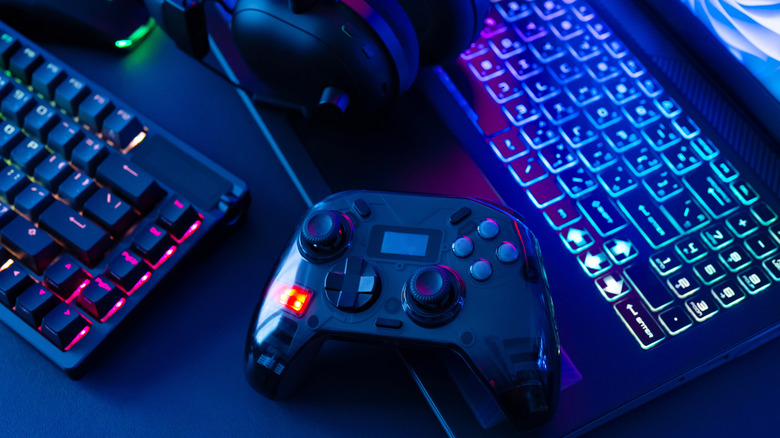

A game controller in the middle of a laptop gaming rig that also features headphones, a keyboard, and a laptop
EKKAPHAN CHIMPALEE/Shutterstock

The Amazon Appstore is packed to the brim with free and paid games you can download on your Fire TV Stick. Many Fire TV Stick models will let you use Amazon Luna and Xbox Game Pass to indulge in some of your favorite titles, too. As you can guess, that also means you’ll be able to pair a Bluetooth game controller to certain Fire TV devices.

Your Amazon device needs to be running Fire OS 5 or higher to access any gaming services, and the Xbox Game Pass app is only available for select Fire TV Stick devices, including both generations of the Fire TV Stick 4K Max, the Fire TV Cube (3rd Gen), and a few other models. If all of it checks out, pairing a compatible controller is as easy as navigating to Settings > Controllers & Bluetooth Devices > Game Controllers.

Select Add New Game Controller, and make sure the controller itself is in pairing mode. Once your Fire TV Stick detects the controller, it’ll show up on the list of devices you can pair the streamer to. As far as recommendations go, the 8BitDo Pro 2 Bluetooth Controller is a great choice that won’t break the bank. It features native support for Android (which is what Fire TV is built on), as well as Windows, macOS, and other platforms.

External speaker or headphones
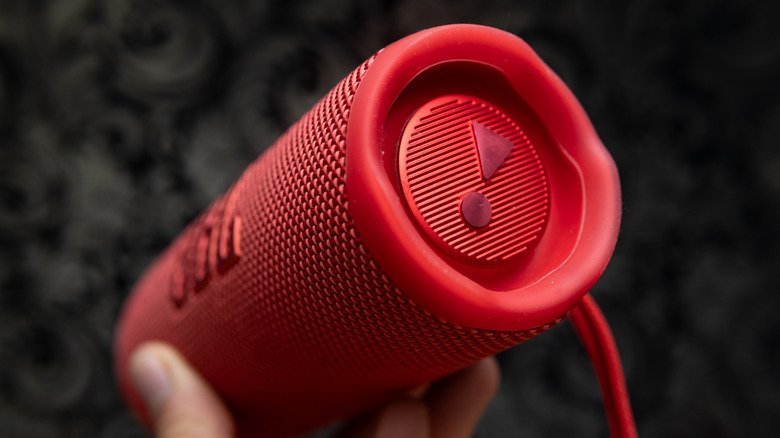

A person holding a red JBL Bluetooth speaker.
Nara_money/Shutterstock

Bluetooth speakers are a great way to indulge in your favorite albums and tracks. There are plenty of Bluetooth speakers with built-in voice assistants, too, including the popular Amazon Echo lineup. When you connect a Fire TV Stick to your TV, the device audio is routed via the TV’s speakers. However, you’ll also be able to use Bluetooth pairing to output the Fire TV Stick’s audio to an external speaker, soundbar, or AV receiver. 

While soundbars and receivers are typically wired to a TV via HDMI ARC/eARC or digital optical, many of these devices include a dedicated Bluetooth input you can switch over to. If the speaker is battery-powered, you should be able to move it throughout your home while maintaining a connection to your Fire TV device. In many cases, this will result in better sound quality than what you’d get from tiny TV speakers, especially if you’re using a premium speaker or soundbar.

To that end, you’ll also be able to connect a pair of wireless headphones or earbuds to your Fire TV Stick using Bluetooth. When headphones are paired to a Fire TV Stick, the private listening feature is automatically enabled, which isolates audio to just your headphones. This is a great feature for those of us who watch most of our movies and shows at night when the rest of the world is asleep.

Wireless mice and keyboards
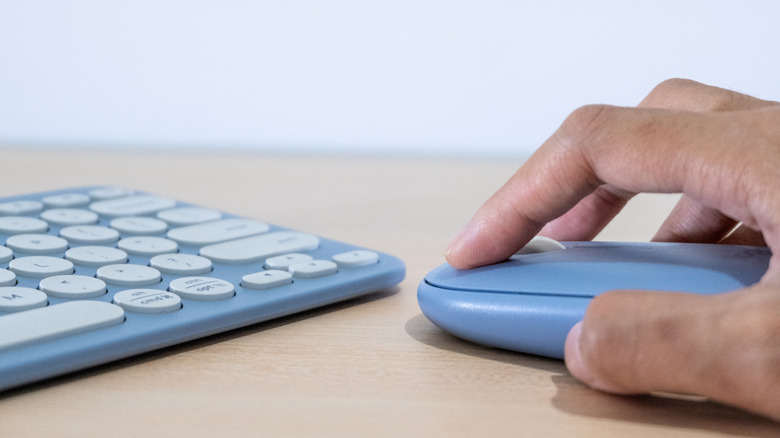

A person using a wireless mouse and keyboard combo.
Himacake/Shutterstock

While wireless mouse-and-keyboard combos are most commonly associated with PC setups, you can also pair these gadgets to a Fire TV Stick. Doing so will allow you to use a mouse cursor and keyboard inputs when using browsers like Amazon Silk, which can make navigating from site to site a heck of a lot easier. If this sounds intriguing, we recommend investing in a Bluetooth combo that supports multiple input sources. That way, you won’t need to unpair your Fire Stick if you want to switch to a different device.

Logitech offers numerous peripheral bundles, and the Logitech MK850 Performance is one we’d like to suggest. Not only does it have three inputs you can switch between, but it also supports both Bluetooth and 2.4GHz connectivity (via USB-RF). One of the best parts of using a keyboard with your Fire TV device is being able to quickly enter login info and other credentials. This bodes well for anyone who dislikes using on-screen keyboards, regardless of how nice the remote control may be.


Sign Up For Daily Newsletter

Be keep up! Get the latest breaking news delivered straight to your inbox.
By signing up, you agree to our Terms of Use and acknowledge the data practices in our Privacy Policy. You may unsubscribe at any time.
Share This Article
Facebook Twitter Email Print
Share
What do you think?
Love0
Sad0
Happy0
Sleepy0
Angry0
Dead0
Wink0
Previous Article Infrastructure is back as Orange Business drives trusted agentic platforms | Computer Weekly Infrastructure is back as Orange Business drives trusted agentic platforms | Computer Weekly
Next Article That Circle On Your Car’s Dashboard Is Actually A Sensor – Here’s What It Does – BGR That Circle On Your Car’s Dashboard Is Actually A Sensor – Here’s What It Does – BGR
Leave a comment

Leave a Reply Cancel reply

Your email address will not be published. Required fields are marked *

Stay Connected

248.1k Like
69.1k Follow
134k Pin
54.3k Follow

Latest News

8 Clever Ways To Hide Indoor Security Cameras In Your Home – BGR
News
Meet the red-hot artificial intelligence (AI) infrastructure stock that Oracle crushed by 115% in a year. It is still worth buying by hand.
News
iRacing on Vision Pro bringing ‘immersion and fidelity never before seen in sim racing’ – 9to5Mac
News
Today's NYT Wordle Hints, Answer and Help for March 23 #1738 – CNET
News

You Might also Like

8 Clever Ways To Hide Indoor Security Cameras In Your Home – BGR
News

8 Clever Ways To Hide Indoor Security Cameras In Your Home – BGR

17 Min Read
Meet the red-hot artificial intelligence (AI) infrastructure stock that Oracle crushed by 115% in a year. It is still worth buying by hand.
News

Meet the red-hot artificial intelligence (AI) infrastructure stock that Oracle crushed by 115% in a year. It is still worth buying by hand.

6 Min Read
iRacing on Vision Pro bringing ‘immersion and fidelity never before seen in sim racing’ – 9to5Mac
News

iRacing on Vision Pro bringing ‘immersion and fidelity never before seen in sim racing’ – 9to5Mac

2 Min Read
Today's NYT Wordle Hints, Answer and Help for March 23 #1738 – CNET
News

Today's NYT Wordle Hints, Answer and Help for March 23 #1738 – CNET

2 Min Read
//

World of Software is your one-stop website for the latest tech news and updates, follow us now to get the news that matters to you.

Quick Link

  • Privacy Policy
  • Terms of use
  • Advertise
  • Contact

Topics

  • Computing
  • Software
  • Press Release
  • Trending

Sign Up for Our Newsletter

Subscribe to our newsletter to get our newest articles instantly!

World of SoftwareWorld of Software
Follow US
Copyright © All Rights Reserved. World of Software.
Welcome Back!

Sign in to your account

Lost your password?