We may receive a commission on purchases made from links.
The iPad might not be a supercomputer that can do everything, but it’s impressively versatile right out of the box. You can use it as a basic Netflix or YouTube machine, a digital journal, and a portable document reader and scanner. You can even turn your iPad into a Kindle if you want to start reading but don’t want to invest in a dedicated e-reader yet.
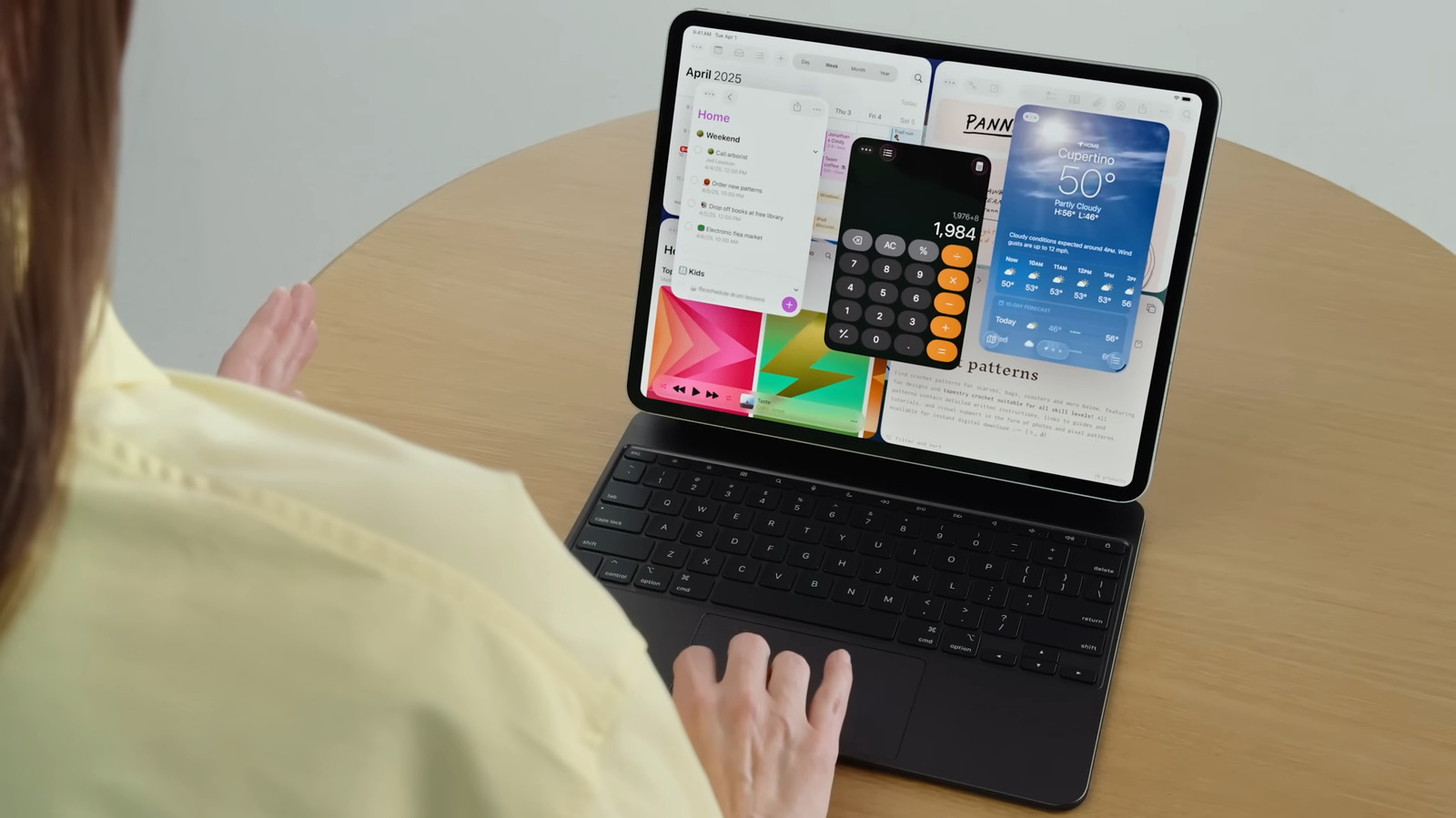
But why stick with these basic functionalities when the iPad can actually do more? Yes, it already works well on its own, but when paired with some nifty accessories, it becomes even more powerful. With a physical keyboard, you can finish tasks that are otherwise inconvenient to do with touch input. With an adapter, you can extend the iPad’s large screen to an even bigger monitor. With a gamepad, you can play like you’re on a Switch without actually buying one. And that’s just the beginning.
If you’re looking to level up your iPad, there are plenty of tablet accessories on Amazon that can do exactly that.
Apple USB-C Digital AV Multiport Adapter
While the iPad already has a large screen, there are instances when you’d want to view content on an even bigger display like your living room TV. Sure, you can always use screen mirroring to achieve this, but for better stability, zero lags, and full resolution, it’s better to go with a wired connection. A simple iPad accessory to help you with this is the Apple USB-C Digital AV Multiport Adapter. It just plugs into your iPad’s USB-C port and allows you to connect it to external devices, including a TV.
The adapter includes three ports in total. There’s an HDMI port for pairing your iPad to an HDMI monitor, TV, or projector. It can deliver a resolution of 4K UHD (3840 x 2160) at 60Hz on most of the modern iPad models, except for the iPad Air (4th generation), which only supports 1080p at 60Hz or 4K UHD at 30Hz.
The Apple Multiport Adapter also has a USB-A port, where you can insert media and storage devices like a thumb drive, SD card reader, and camera, or input devices like a USB keyboard and mouse. The third port on the adapter is a USB-C, designed for pass-through charging of the iPad. Besides the iPad, you can use the adapter with select iPhone and Mac models.
Logitech Combo Touch
The Apple Magic Keyboard Case might be specifically designed for the iPad, but if you’re after a cheaper alternative that also solves the Magic Keyboard’s biggest problems, check out the Logitech Combo Touch. Unlike the Apple Magic Keyboard, which doesn’t cover the sides of the iPad, the Combo Touch offers full protection of your device. It’s a full case that you can slip your iPad into, similar to any other case.
The only difference with the Combo Touch is that it comes complete with a detachable keyboard, making it pretty flexible. When you’re done typing, simply pull out the keyboard and use the iPad for reading or doomscrolling. When you need hands-free viewing, you can tilt the built-in kickstand on the case to turn the iPad into a low drawing tablet or an upright YouTube machine. The case comes with a holder for your Apple Pencil, too.
The Combo Touch isn’t a Bluetooth keyboard that connects via Bluetooth, though. Instead, it attaches to the three dots on the back of your iPad and pairs with it automatically. It also doesn’t run on battery as it draws power directly from the tablet. As for the keyboard itself, you get a full-size layout with a dedicated function row. The function row allows you to adjust the volume, control playback, and change the screen and keyboard brightness. You can even find some iPadOS shortcut keys here, such as screenshot and dictation. Below the keyboard is a multitouch trackpad that supports gestures, such as pinch, double-tap, and swipe.
The best part about the Logitech Combo Touch is that it’s significantly cheaper than the Magic Keyboard, costing only $160 compared to Apple’s $270. It’s available for different iPad models, including the basic iPad, iPad Pro, and iPad Air.
GameSir G8+ MFi
You’re free to play on the iPad without a controller, but for an elevated gameplay experience, it’s always a good idea to go with one like the GameSir G8+ MFi. Unlike Bluetooth gamepads, the G8+ MFi plugs directly into your iPad via its built-in USB-C connector. That means you get a more stable connection and little to no lag. What further sets this GameSir model apart is that it’s officially MFi certified — Apple approved it as an accessory, so it should have no trouble communicating with Apple products, including your iPad. And yes, it can fit an iPad. It can originally fit 125mm mobile phones and an iPad mini, but it can also be stretched far enough to accommodate even an iPad Pro and any other devices as long as 215 mm.
Performance-wise, the G8+ MFi is designed with thumbsticks and analog triggers featuring Hall Effect sensors. The thumbsticks deliver 360° accuracy with no dead zones and durability of up to five million cycles, while the analog triggers provide millimeter precision and quick responses. The ABXY buttons, on the other hand, are pretty robust and customizable. They can handle as many as two million clicks. And since the gamepad’s faceplate attaches via magnets, you can remove it anytime you want to change the buttons’ layout (and replace the thumbstick with any of the available options included in the box). Other than the front controls, the G8+ MFi has two other remappable buttons on the back.
Built into the gamepad are a USB-C port and a 3.5mm audio port. The USB-C port isn’t for charging the onboard battery, though, as the G8+ MFi doesn’t have one. Instead, it’s for charging your iPad when needed. The audio port is for wired headphones in case you prefer to game in private.
AirPods Pro 3
One of the best things to do on the iPad is watch shows and doomscroll on TikTok and YouTube. And while those are two activities that don’t really require an iPad accessory, you might prefer private listening at times. The AirPods Pro 3 is perfect for such instances. It’s designed with a new acoustic architecture that delivers crisp and rich audio, so you can fully enjoy what you’re listening to. For an even more immersive experience, the AirPods Pro 3 features in-ear active noise cancellation (ANC). This blocks out air conditioner hum, plane rumbles, and chatter. Part of why the ANC works so well is the ear tips that come in the box, now available in five sizes from XXS to L.
The AirPods Pro 3 isn’t only great for listening. It’s fitted with some nifty non-music-related features too. For one, you can use it to translate languages live. Just set it up with your preferred languages, and Apple Intelligence will take care of the rest. The earbuds also include an onboard heart rate sensor. This comes in handy when you want to keep track of your heart rate and burned calories during a workout. Yes, it’s safe for such activities, as it can tolerate some level of sweat and dust exposure. The AirPods Pro 3 can even work as a hearing aid for people with hearing impairments and a hearing protector with its Reduce Loud Sounds feature.
On one full charge, the AirPods Pro 3 can last as long as eight hours of playback with ANC, or up to ten hours with Transparency Mode and Hearing Aid enabled. Other than the iPad, you can use the AirPods Pro 3 with your other Apple devices, and it will automatically switch to whichever device is playing music or video.
ESR 2 Pack Paper-Feel Screen Protectors
The first thing you’d want to do as soon as you unbox your iPad is apply a screen protector. After all, you wouldn’t want to use your AppleCare warranty as early as Day 1. While a standard screen protector from any reputable brand would work, you might prefer to add a more paper-like feel to your iPad screen, especially if you’ll be frequently writing on it with an Apple Pencil. The ESR 2-Pack Paper-feel Screen Protector is a nifty option, and one of the top go-to Amazon choices for many users.
True to its name, the ESR Paper-Feel feels smooth like paper with its matte film. At the same time, it comes in a thin profile that makes sure your screen is still highly responsive to your stylus and touch inputs. The screen protector also maintains the same HD display quality, with one user saying it makes it look as if “there’s nothing on the display.” The surface finish minimizes glare when you’re in bright areas, too.
But more than adding a paper-feel to your iPad, the ESR screen protector is also built to keep your device protected. It’s resistant to scratches, damage due to impacts or drops, and even fingerprint smudges. Since the surface of the screen protector has uniform micro-grit, your stylus nibs are kept in good shape as well. In fact, you can use them 10,000 times on the screen protector without noticeable wear. For quick and easy installation free of bubbles, you get an alignment frame in the box.
Why these iPad accessories
We selected these iPad accessories from Amazon based on value and user reviews. They should meaningfully upgrade your user experience, whether that means improving protection, usability, or performance. We also considered feedback from previous buyers and only recommended products with at least a 4.4 out of 5-star rating on Amazon.