
By using this site, you agree to the Privacy Policy and Terms of Use.
Accept
World of SoftwareWorld of SoftwareWorld of Software
  • News
  • Software
  • Mobile
  • Computing
  • Gaming
  • Videos
  • More
    • Gadget
    • Web Stories
    • Trending
    • Press Release
Search
  • Privacy
  • Terms
  • Advertise
  • Contact
Copyright © All Rights Reserved. World of Software.
Reading: Firefox 151 lets you choose VPN location and boosts its AI on mobile
Share
Sign In
Notification Show More
Font ResizerAa
World of SoftwareWorld of Software
Font ResizerAa
  • Software
  • Mobile
  • Computing
  • Gadget
  • Gaming
  • Videos
Search
  • News
  • Software
  • Mobile
  • Computing
  • Gaming
  • Videos
  • More
    • Gadget
    • Web Stories
    • Trending
    • Press Release
Have an existing account? Sign In
Follow US
  • Privacy
  • Terms
  • Advertise
  • Contact
Copyright © All Rights Reserved. World of Software.
World of Software > Mobile > Firefox 151 lets you choose VPN location and boosts its AI on mobile
Mobile

Firefox 151 lets you choose VPN location and boosts its AI on mobile

News Room
Last updated: 2026/05/20 at 8:46 AM
News Room Published 20 May 2026
Share
Firefox 151 lets you choose VPN location and boosts its AI on mobile
SHARE

Mozilla’s web browser has just been updated. Firefox now includes a module to select the location of its VPN and new AI control options on mobiles.

Mozilla is rolling out a new version of its web browser. Firefox 151 introduces several new features on Desktop and mobile to offer a little more control to users.

Firefox VPN lets you choose the location

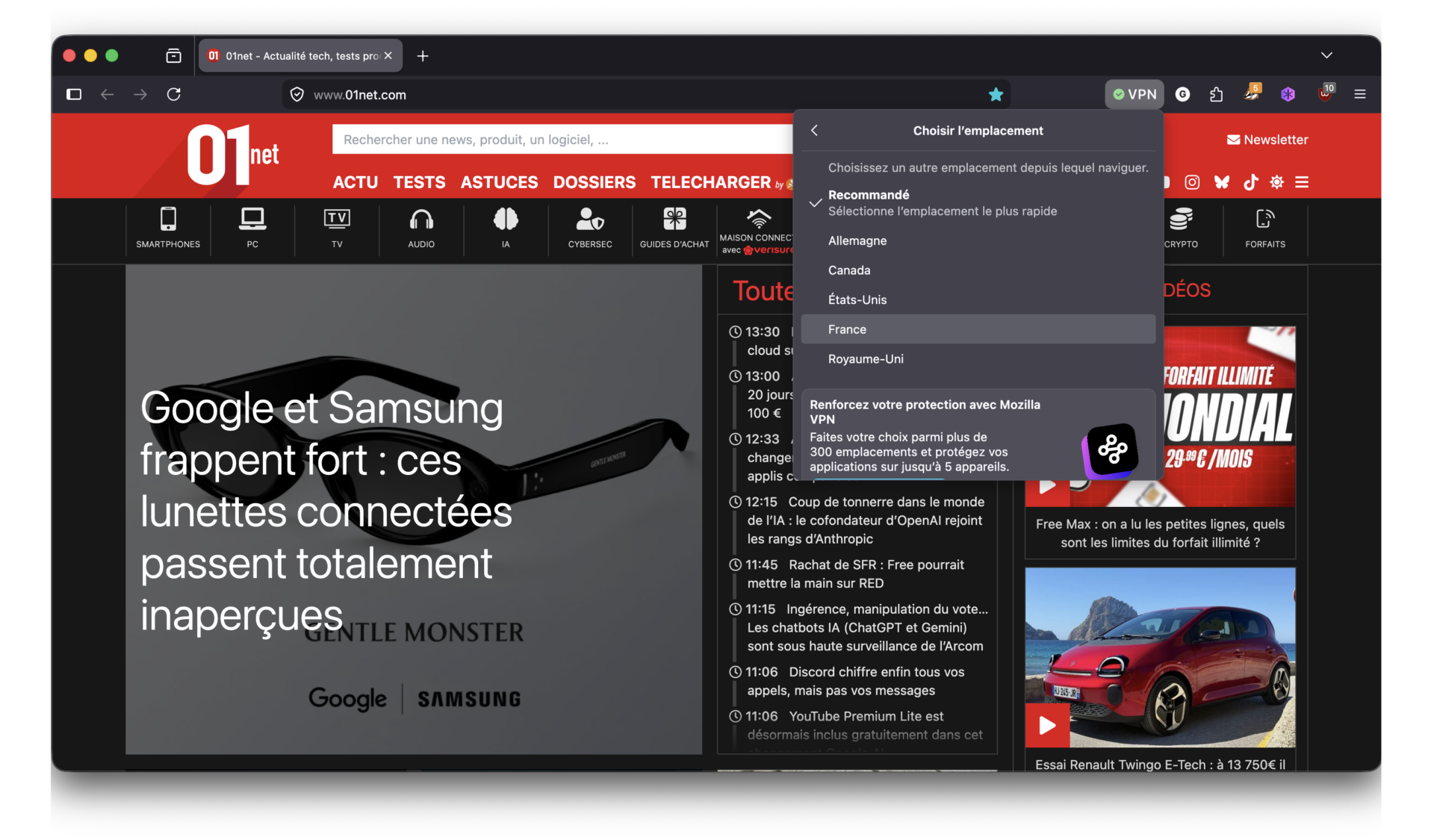
The first good news from this update concerns Firefox VPN. The VPN integrated into the browser, launched a few weeks ago with Firefox 149, is gaining ground. Until now the module made it possible to protect browsing by reinforcing confidentiality, but did not offer an option to choose a specific location. This is now settled since Firefox VPN introduces in Firefox 151 a new menu using which French, American, English, German and Canadian users can select the country from which they wish to forward their browsing.
© 01net.com
Firefox 151 6
© 01net.com

Currently only Canada, France, Germany, United Kingdom, and United States are supported. By default, Firefox connects to the closest server (in the user’s country) but it is possible to change country on the fly. Mozilla also specifies that other servers in other countries will soon be added to its VPN.

New controls for AI on mobile

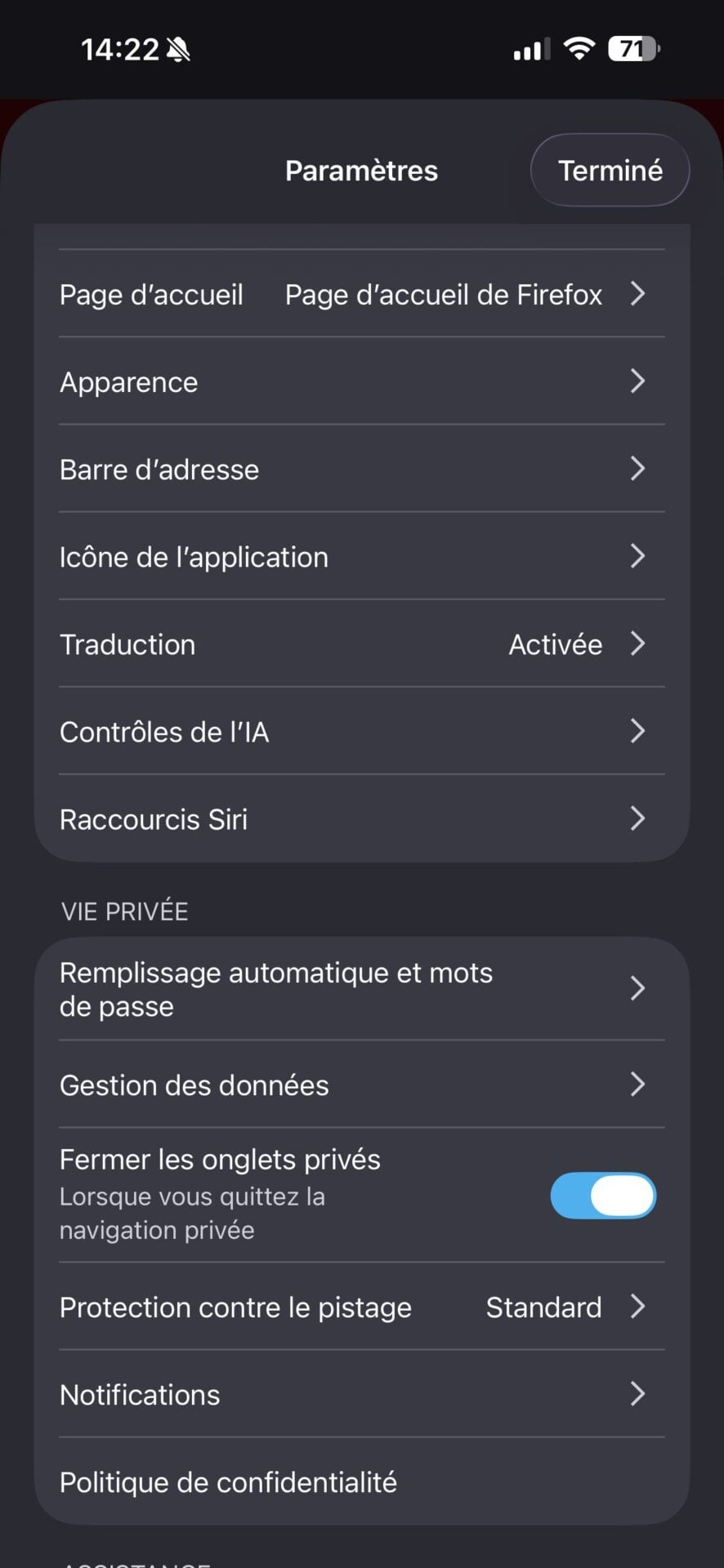
By introducing AI-related features to the desktop a few months ago, Mozilla wanted to give the user a choice. The Foundation has thus integrated at the same time a button and options to better control what we want from the AI, or not, in the browser. This control system, which was until now reserved for Firefox Desktop, officially arrives on the mobile version of the browser.

Firefox 151 Mobile AI Control 1
© 01net.com
Firefox 151 Mobile AI Control 2
© 01net.com

On iOS and Android, you can therefore, if you wish, activate translation, voice search, or even the “Shake to summarize” function, which allows you to summarize a page by shaking your device (available in French on iOS, but currently only in English on Android). These easily accessible options should allow you to activate and use AI functions à la carte.
Firefox 151 7
© 01net.com

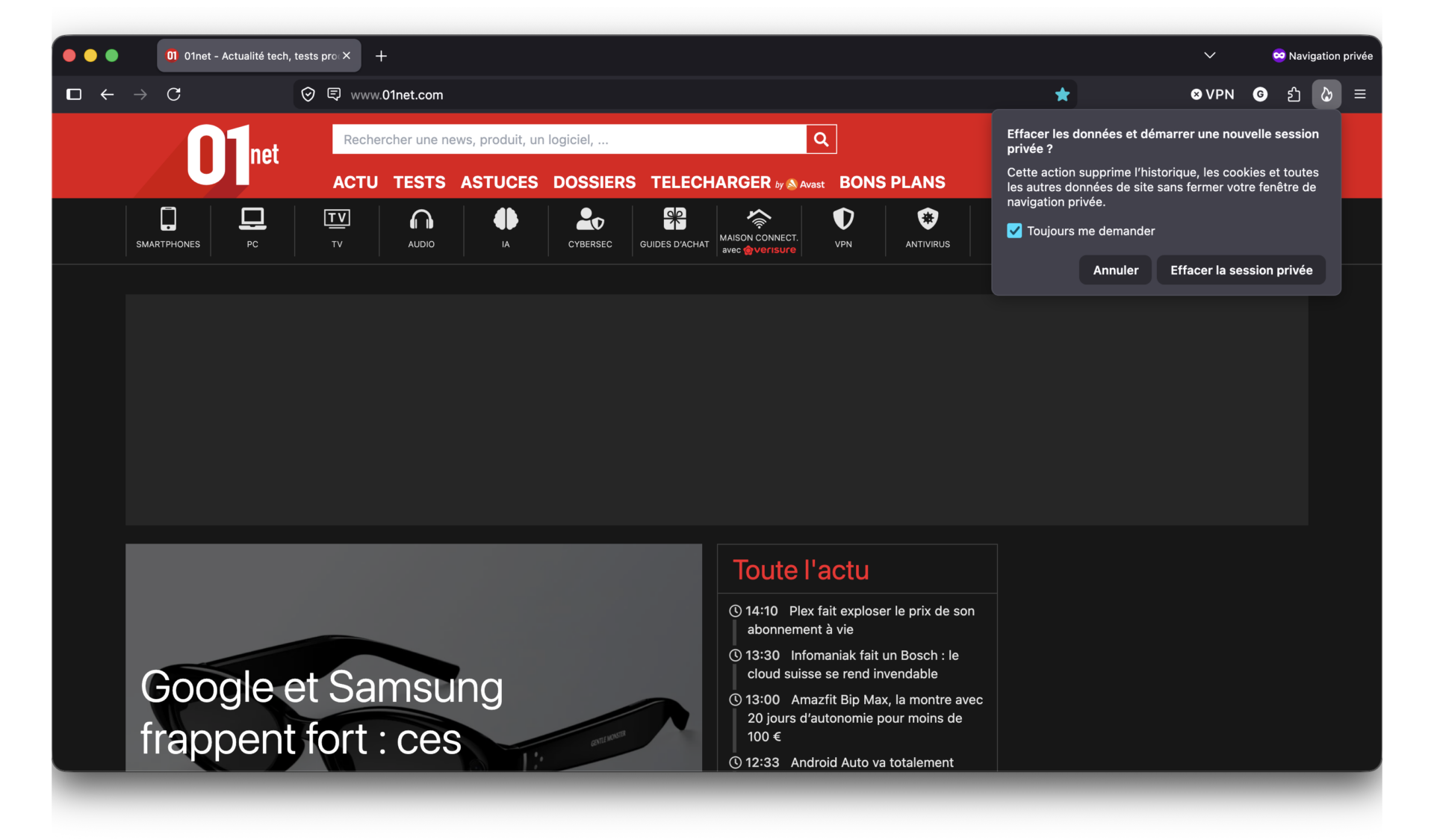
For the rest, Mozilla has introduced a new button representing a flame which, when clicked, allows you to quickly end a private session by instantly deleting it to open a new one.

👉🏻 Follow tech news in real time: add 01net to your sources on Google, and subscribe to our WhatsApp channel.

Opera One - AI-powered web browser
Opera One – AI-powered web browser

By: Opera

Sign Up For Daily Newsletter

Be keep up! Get the latest breaking news delivered straight to your inbox.
By signing up, you agree to our Terms of Use and acknowledge the data practices in our Privacy Policy. You may unsubscribe at any time.
Share This Article
Facebook Twitter Email Print
Share
What do you think?
Love0
Sad0
Happy0
Sleepy0
Angry0
Dead0
Wink0
Previous Article iX workshop IT security: methodically plan, request and analyze pentests iX workshop IT security: methodically plan, request and analyze pentests
Leave a comment

Leave a Reply Cancel reply

Your email address will not be published. Required fields are marked *

Stay Connected

248.1k Like
69.1k Follow
134k Pin
54.3k Follow

Latest News

iX workshop IT security: methodically plan, request and analyze pentests
Software
Arxiv bans researchers who submit AI slop
News
What it is, what Google Video Creation AI offers and how to use it
Gaming
already good for the trash after 350 hours?
Computing

You Might also Like

Pricing error or not, this Panasonic 4K LED TV is less than 300 euros at JoyBuy
Mobile

Pricing error or not, this Panasonic 4K LED TV is less than 300 euros at JoyBuy

5 Min Read
these connected glasses go completely unnoticed
Mobile

these connected glasses go completely unnoticed

4 Min Read
8,000 layoffs and 7,000 employees reassigned to AI
Mobile

8,000 layoffs and 7,000 employees reassigned to AI

3 Min Read
prices increase tomorrow, here’s how to avoid it
Mobile

prices increase tomorrow, here’s how to avoid it

4 Min Read
//

World of Software is your one-stop website for the latest tech news and updates, follow us now to get the news that matters to you.

Quick Link

  • Privacy Policy
  • Terms of use
  • Advertise
  • Contact

Topics

  • Computing
  • Software
  • Press Release
  • Trending

Sign Up for Our Newsletter

Subscribe to our newsletter to get our newest articles instantly!

World of SoftwareWorld of Software
Follow US
Copyright © All Rights Reserved. World of Software.
Welcome Back!

Sign in to your account

Lost your password?