
Social media monitoring is how brands keep track of what’s said to them and about them.
It’s basically free consumer intelligence, giving you real-time insights into conversations, sentiment, and trends that can shape everything from your marketing to your products.
In this guide, we break down what social media monitoring is, why it matters, and how to build a strategy that works.
Key takeaways
- Social media monitoring keeps you in the loop on what people are saying about your brand, tagged or not.
- A spike in comments or a shift in tone can be an early warning sign of a social media crisis, or a chance to jump on positive momentum before it fades.
- Monitoring isn’t just about your brand. It also helps you track competitor strategies, launches, and gaps.
- The best teams turn social data into action across marketing, support, sales, and product, not just social.
- Social monitoring tools like Hootsuite help you track conversations, analyze sentiment, and respond in real time.
Social media monitoring is the process of tracking what people are saying about your brand on social media.
This includes both tagged and untagged mentions, whether they show up in comments on your own accounts or in conversations happening elsewhere across the social web.
How does social media monitoring work?
Social media monitoring isn’t just one activity. It’s a mix of signals that, together, tell you what people are saying about your brand, your competitors, and your industry.
Here are the key components that make up social media monitoring:
- Brand mentions: Track when people talk about your brand across comments, posts, and conversations.
- Sentiment analysis: Understand how people feel about your brand by looking at whether mentions are positive, negative, or neutral.
- Competitor analysis: Keep tabs on what people are saying about your competitors, including their campaigns, products, and gaps.
- Industry trends: Follow larger conversations in your industry, including trending topics, hashtags, and viral moments.
- Influencer identification: Find people already talking about your brand who could become partners or advocates.
- Share of voice (SOV): Measure how much of the conversation your brand owns compared to competitors.
- Crisis detection: Catch spikes in mentions or shifts in sentiment early, so you can respond before things escalate.
- Hashtag tracking: Monitor how your branded hashtags, campaign tags, and industry keywords are performing.
Together, these signals turn everyday social conversations into actionable insights for your team.
Social media monitoring and social listening are closely related, but they serve different purposes.
- Social monitoring is reactive. It focuses on tracking mentions and responding to what’s happening in real time.
- Social listening is proactive. It starts by analyzing the information from social monitoring to spot larger patterns and trends. In other words, it looks at the bigger picture to improve your social media marketing strategy over time.
For example, social media monitoring identifies comments about your brand online that could use an immediate response from your social or customer service teams.
Source: Warby Parker
Social media listening takes a step back and looks at those same comments over time to see how sentiment is changing.

Social media monitoring helps brands stay informed, protect their reputation, and use real-time feedback to improve products, campaigns, and overall customer experience.
Let’s take a closer look at the top benefits of social media monitoring.
Understand your audience
It’s easy to track comments and mentions on your own posts. But there are also people talking about your brand without tagging you. If they’re part of the conversation, they’re part of your audience.
Social media monitoring gives you a more complete view of who’s talking about your brand (or your products) and what they have to say.
Nip potential disasters in the bud
By tracking mentions over time, you can establish a baseline for how people feel about your brand.
That makes it easier to spot when customer sentiment shifts, whether it’s a spike in negative comments or a customer complaint that has taken a life of its own.
For example, when headlines surfaced about Chipotle’s CEO allegedly targeting higher-income customers, the brand quickly responded across social media, including both tagged and untagged posts.

Source: Chipotle
Social media monitoring tools can help you track your share of voice and provide real-time alerts and notifications for any sudden changes, which can curb potential crises before they escalate.
But it’s not all about crisis management! Monitoring can also spot positive momentum. If a post is lighting up the digital airwaves, it might be the perfect opportunity to add some budget to a post.
Inform your marketing campaigns
Social media monitoring can gauge reactions to your social campaigns in real time. When you pay close attention, you can make adjustments on the fly.
It also surfaces useful insights, like common questions, concerns, or new product ideas or improvements.

Source: Starbucks
More broadly, monitoring can help you spot trends worth tapping into, from popular hashtags to memes that make sense for your brand.
And it’s not just about your own marketing campaigns or content. You can learn a lot by watching competitors.
Did a rival launch a successful campaign or jump on a trend that flopped? Seeing what works (and what doesn’t) can help you refine your approach and avoid repeating the same mistakes.
Understand your competitive space
Social media monitoring isn’t just about your brand. It also helps you keep an eye on conversations about your competitors and your industry as a whole. This makes it easier to benchmark performance and understand how your brand compares.
Monitoring can surface early signals, like:
- New product developments or launches
- Emerging features
- Major personnel or leadership changes
Plus, you can learn which reputation management strategies work best (and worst) for brands similar to yours.
Engage with your audience
When people tag your brand on social, they’re usually expecting a response. A monitoring plan helps you stay on top of those mentions, no matter how many platforms you’re managing.
But the real value goes beyond tagged posts. Monitoring also helps you find conversations where your brand isn’t directly mentioned.
Those moments can be the biggest opportunities to win over a frustrated customer or potential buyer. Or, to delight someone who’s already singing your praises.

Source: Grubhub
To build a smart social media monitoring strategy, follow these steps:
- Set your goals
- Decide what to track
- Pick the right tool
- Share insights across teams
1. Set your goals
Start by defining what you want to learn from your social monitoring efforts.
A helpful approach is to think about the questions you want to answer through social media monitoring. Then, decide what social data you need to track to get those answers.
Common goals include:
- Understanding your brand reputation
- Monitoring competitors
- Identifying potential advocates or influencers
- Spotting opportunities for customer support and engagement
For more ideas, check out our post on setting smart social media goals.
2. Decide what to track
Once your goals are clear, you can determine what to monitor (and where).
Here are some of the most valuable terms to track:
- Your brand name
- Your product names, including common misspellings
- Your competitors’ brand and product names, including common misspellings
- Your CEO’s name, along with other members of your leadership team
- Industry terms, keywords, and hashtags
- Branded hashtags
- Location-specific hashtags for bricks-and-mortar businesses
- Slogans or catchphrases
Pro tip 💡: If your audience spans more than one geographic territory, include multiple language variations of your keywords and hashtags.
3. Pick the right tool
You can monitor your social media manually, but it’s time-consuming. Without tools, you need to:
- Check mentions on each platform
- Search for specific keywords and hashtags
- Track competitor conversations
- Manually log everything in a spreadsheet
Most teams quickly outgrow this approach, which is where social media monitoring and social listening tools come in.
Social media monitoring tools automate this process, bringing all your data into one place. This allows you to analyze sentiment, track trends, and improve response times.
We’ve got a whole post dedicated to helping you choose the right social media monitoring tool for your business. in this post, we’ll also show you how to set up your social media monitoring program with our favorite tool. (Spoiler alert: It’s Hootsuite.)
4. Share insights across teams
Social media monitoring is most valuable when insights travel beyond the social team.
Start by looping in your social and customer service teams, who can act quickly on mentions, questions, and customer feedback.
According to Perakakis, Mastorakis, and Kopanakis (Social Media Monitoring: An Innovative Intelligent Approach, 2019):
Social media monitoring tools can help marketers identify opportunities for interacting with customers by providing vital insights… determining when and how to respond back to customers.
From there, expand to:
- Marketing teams, to refine overall strategy and messaging
- Sales teams, to understand customer needs and objections
- Product teams, to identify opportunities and improvements
For example, look at this perfect synergy between social media monitoring and the offline customer experience, which then loops around again to more organic social media reach.
1. Track your data with Hootsuite Streams
In your Hootsuite dashboard, you can set up streams to monitor social media mentions, keywords, and hashtags for multiple social networks.
Hootsuite Streams are organized into customizable boards, so you can structure your monitoring setup in a way that works for your team. For example, you might create:
- One board per platform
- One board for brand mentions
- Another for competitors or industry keywords
Setting up a stream is simple. Select your platform and social media account, then choose what you want to track.

You can also boost your monitoring with Hootsuite Listening (powered by Talkwalker). By adding a Listening Stream, you can bring deeper insights directly into your dashboard.
To do so, install and add the Talkwalker app to Streams.

From there, you can add the Hootsuite Listening Stream to an existing board or create a new Board.
Once your streams are set up, you can check in anytime. You can also add recent and trending streams to stay on top of what’s gaining traction.

2. Dive deeper into competitive monitoring with Hootsuite Analytics tools
If competitive monitoring is a priority, Hootsuite Analytics helps you go beyond surface-level tracking.
Start by adding your top competitors (between two and 20 per platform, depending on your plan). From there, you can create a competitive analysis report that shows:
- Top- and lowest-performing posts
- How competitor performance compares to yours
- What types of social media content are driving the most engagement (for you and your competitors)
This makes it easy to benchmark performance and identify opportunities to refine your strategy.

You’ll also get insights into which hashtags are working best for your competitors, based on engagement metrics like comments, likes, and shares.

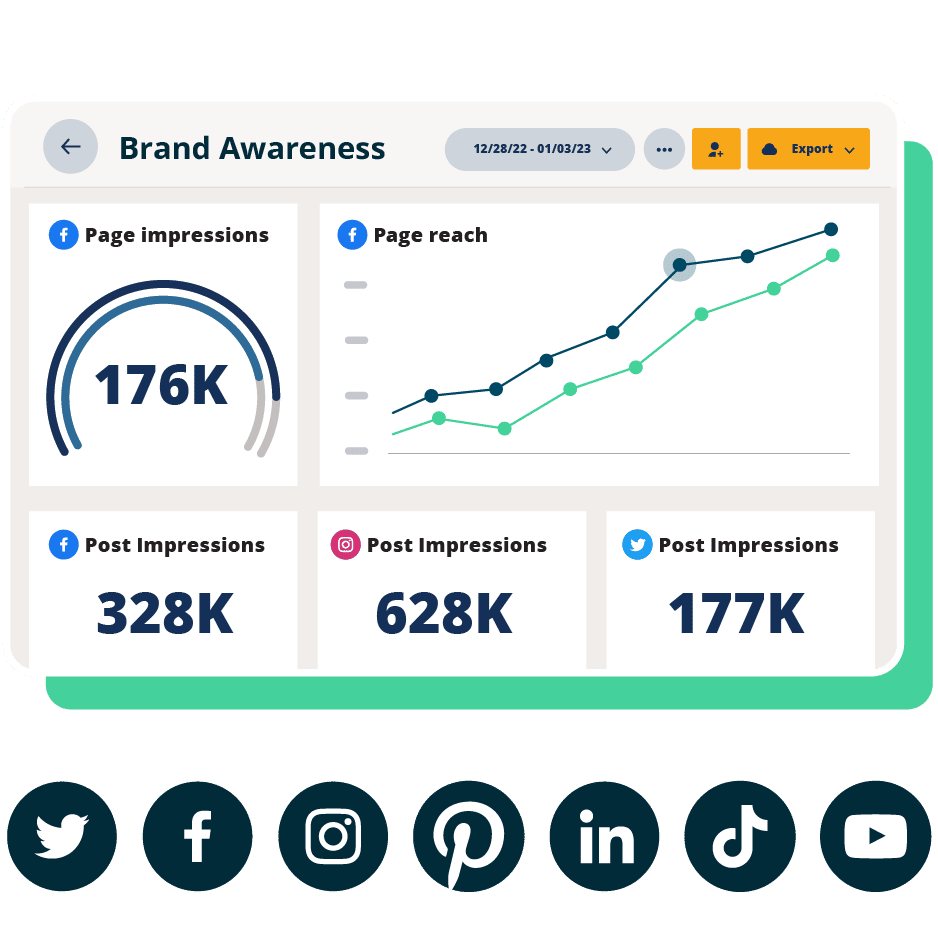
#1 Analytics Tool for Growth
Beautiful reports. Clear data. Actionable insights to help you grow faster.
Start your free trial
3. Get in-depth insights with Talkwalker
Talkwalker is the leading AI-powered tool for social media monitoring and social listening, and it’s available right within Hootsuite’s social media management tool.

Talkwalker helps you understand what people are saying about your brand across a wide range of sources, including blogs, forums, and news sites, with insights powered by artificial intelligence.
It pulls data from over 150 million sources, including emerging platforms like Bluesky. You can categorize your data with 50 filters and assign conversations to the relevant team members for follow-up.
FAQ: Social media monitoring
What is social media monitoring and how does it work for businesses?
Social media monitoring is the process of tracking what people are saying about your brand across social media platforms. It works by using a monitoring tool (like Hootsuite) to collect mentions in real time based on specific keywords. Teams can then review conversations, respond to comments, and track trends over time.
How do companies use social media monitoring to track brand mentions and sentiment?
Companies use social media monitoring to track brand mentions and understand how people feel about their brand. By analyzing conversations over time, they can see whether feedback is positive, negative, or neutral. This helps teams get a baseline of overall brand perception.
What are the best social media monitoring tools for enterprise teams?
The best social media monitoring tools for enterprise teams include Hootsuite, and Talkwalker. Hootsuite stands out by combining monitoring, engagement, and social media analytics in one platform, making it easier for teams to manage social media conversations, track performance, and stay aligned across social media channels.
How does social media monitoring differ from social listening?
Social media monitoring is more reactive, focusing on tracking mentions and responding to relevant conversations as they happen. Social listening is more proactive. It looks at patterns in those conversations over time to understand sentiment, identify emerging trends, and inform long-term strategy.
How can businesses use social media monitoring to manage risk and reputation?
Businesses use social media monitoring to spot issues early and respond before they escalate. By tracking spikes in mentions or shifts in sentiment, teams can identify potential risks. At the same time, monitoring can reinforce positive sentiment by engaging with happy customers and amplifying good feedback.
Save time managing your social media presence with Hootsuite. Publish and schedule social media posts, monitor conversations, engage your target audience, measure results, and more — all from one dashboard. Try it free today.