By using this site, you agree to the Privacy Policy and Terms of Use.
Accept
World of SoftwareWorld of SoftwareWorld of Software
  • News
  • Software
  • Mobile
  • Computing
  • Gaming
  • Videos
  • More
    • Gadget
    • Web Stories
    • Trending
    • Press Release
Search
  • Privacy
  • Terms
  • Advertise
  • Contact
Copyright © All Rights Reserved. World of Software.
Reading: What Is The WPS Button On Your Router Actually For? – BGR
Share
Sign In
Notification Show More
Font ResizerAa
World of SoftwareWorld of Software
Font ResizerAa
  • Software
  • Mobile
  • Computing
  • Gadget
  • Gaming
  • Videos
Search
  • News
  • Software
  • Mobile
  • Computing
  • Gaming
  • Videos
  • More
    • Gadget
    • Web Stories
    • Trending
    • Press Release
Have an existing account? Sign In
Follow US
  • Privacy
  • Terms
  • Advertise
  • Contact
Copyright © All Rights Reserved. World of Software.
World of Software > News > What Is The WPS Button On Your Router Actually For? – BGR
News

What Is The WPS Button On Your Router Actually For? – BGR

News Room
Last updated: 2026/03/15 at 3:51 PM
News Room Published 15 March 2026
Share
What Is The WPS Button On Your Router Actually For? – BGR
SHARE


Kenneth Cheung/Getty Images

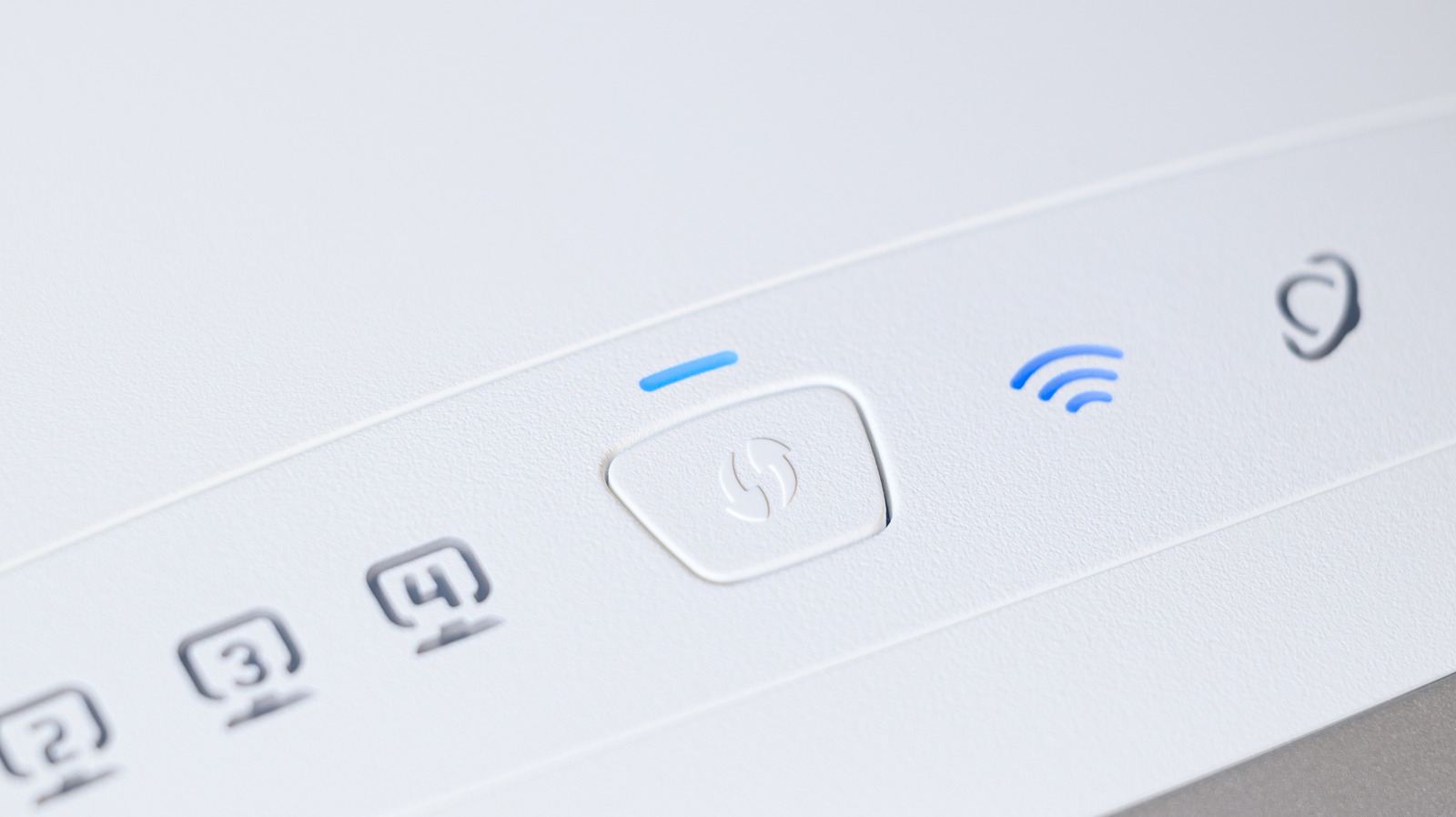
A WPS button refers to the Wi-Fi Protected Setup button on a router or Wi-Fi extender. On your router, you’ll see a WPS button (sometimes labeled with two arrows curving) that you can press. Alternatively, it could appear as a small, visible button that’s slightly larger than a pinhole on the back, where all the cables connect. The button can be located in front, side, or behind the router, depending on configuration and brand.

It’s not a button you’ll interact with much, due to its specific functionality. You also likely won’t need to touch it during a new router setup unless you want to conveniently add new devices to your local network. The WPS button is similar to a quick-sharing function: pressing it opens your network to nearby devices to your router, allowing you to connect seamlessly without entering a password.

This process only lasts from 30 seconds to two minutes, so it’s meant to be done quickly. You can use WPS in one of four ways: pushing down a button, entering an 8-digit PIN, plugging in a USB flash drive (rare), or using NFC.

When should you consider using your router’s WPS button
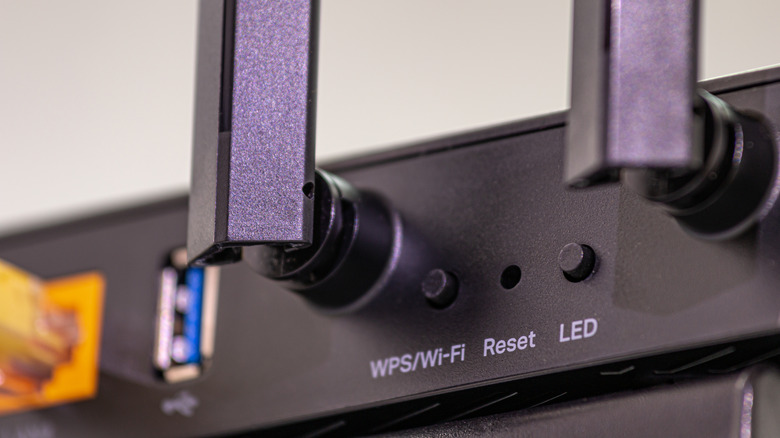

Close-Up of a black router showing the WPS button
Stockphototrends/Getty Images

WPS offers a lot of convenience by letting you connect a bunch of WPS-supported devices to your home network without having to type in your Wi-Fi password each time. But it introduces security vulnerabilities, even if the window of opportunity to use this feature is rather short; it only takes a few seconds for anyone to gain unauthorized access, especially if you use the PIN method instead of the physical push button.

That’s why it’s usually recommended to keep this feature disabled after use. You’ll also want to be mindful of which devices you use WPS with, in case you get exploited by freeloading or unauthorized access in your home. Remember that it only takes one visit from a stranger to access your network via WPS and start intercepting unencrypted data and targeting your other devices on your network.

However, the WPS button isn’t a terrible idea to use under certain circumstances, for example, you can’t get your printer to connect to your Chromebook, and you’ve exhausted all the methods for registering it on your network. You can push the WPS button on your router to connect to the same network your Chromebook is on. The router’s WPS function is also relatively fine to use if you have a trusted guest over and don’t want to give up your Wi-Fi password for their device. But even if you’re a hospitable host, you’ll probably still want to check back later to see if they’re still connected.



Sign Up For Daily Newsletter

Be keep up! Get the latest breaking news delivered straight to your inbox.
By signing up, you agree to our Terms of Use and acknowledge the data practices in our Privacy Policy. You may unsubscribe at any time.
Share This Article
Facebook Twitter Email Print
Share
What do you think?
Love0
Sad0
Happy0
Sleepy0
Angry0
Dead0
Wink0
Previous Article Is AI our agent, or are our governments becoming agents for AI? | Computer Weekly Is AI our agent, or are our governments becoming agents for AI? | Computer Weekly
Next Article Prime Video will restrict basic users to HD streaming Prime Video will restrict basic users to HD streaming
Leave a comment

Leave a Reply Cancel reply

Your email address will not be published. Required fields are marked *

Stay Connected

248.1k Like
69.1k Follow
134k Pin
54.3k Follow

Latest News

Affinity Review: Free and Powerful, But Still Not Adobe
News
Can scientists really resurrect the dodo? Inside the company that says it can
News
Go 1.21: An Inside Look at Forward Compatibility and Toolchain Management | HackerNoon
Computing
New Investigation Reveals Smart Glasses Are Recording Your Most Private Moments – BGR
News

You Might also Like

Affinity Review: Free and Powerful, But Still Not Adobe
News

Affinity Review: Free and Powerful, But Still Not Adobe

13 Min Read
Can scientists really resurrect the dodo? Inside the company that says it can
News

Can scientists really resurrect the dodo? Inside the company that says it can

20 Min Read
New Investigation Reveals Smart Glasses Are Recording Your Most Private Moments – BGR
News

New Investigation Reveals Smart Glasses Are Recording Your Most Private Moments – BGR

6 Min Read
It’s Time for a Smart Deal: Score  off the Stylish Google Pixel Watch 4
News

It’s Time for a Smart Deal: Score $60 off the Stylish Google Pixel Watch 4

6 Min Read
//

World of Software is your one-stop website for the latest tech news and updates, follow us now to get the news that matters to you.

Quick Link

  • Privacy Policy
  • Terms of use
  • Advertise
  • Contact

Topics

  • Computing
  • Software
  • Press Release
  • Trending

Sign Up for Our Newsletter

Subscribe to our newsletter to get our newest articles instantly!

World of SoftwareWorld of Software
Follow US
Copyright © All Rights Reserved. World of Software.
Welcome Back!

Sign in to your account

Lost your password?